Using ChatGPT to Streamline DNA Analysis in My Coleman Research

C.csv file.
P.csv file

New Copy and Paste Option in AutoLineage

Select Copy Paste Wizard.
Copy Paste Wizard
Match data set at 50 matches per page.
After changing match collection to 100 matches per page.
With Dave’s 100 matches selected.
After pasting 100 matches into the Copy Paste Wizard.
Shared matches added to the Copy Paste Wizard.
Backup for matches and shared matches.
Clustering Wizard
Unweighted, dense cluster of Dave’s data.
Graph visualization for unweighted, dense cluster.
Weighted, dense cluster.
Matches list.
Showing the brown cluster.
Setting up for AutoKinship.
Ready to start AutoKinship.
An AutoKinship tree of the matches in the brown cluster.

Exhaustive MRCA Analysis for GEDmatch Matches

The Tier 1 Tools.
Enter kit number and select 7500 matches.
Select All with Gedcoms.
List of visualization tools for the matches and gedcoms.
The gedcom matching tools.
List of matching gedcoms.
The anc2 page before it has collected the data.
The anc2 page when all the data has been collected.
Creating a new profile on AutoLineage.
Select GEDmatch as the DNA test.
Wizard to import the matches from GEDmatch.
Instructions for collecting the 7500 GEDmatch match files.
List of Judy’s GEDmatch DNA matches.
Import Tree Wizard..
Detail instructions for import tool.
Selecting the two files to import.
After the files are uploaded.
FInd Common Ancestors Wizard set for 1700 birth year.
Judy’s family tree on the Hocking side..
The Manage Tree Data menu.
Wizard to export trees and DNA.
Adding DNA matches.
Ancestry Tree menu.
Upload Family tree dialog.
List of all the people there were in the example.ged file.
David Coleman in the list of people.
David Coleman’s hints.

More Shortcuts for AutoLineage

Mary’s tree from AutoLineage.
Selecting Mary’s paternal matches on her Ancestry DNA.
Setting for 50 matches per page.
Ancestry URL where you can change the 50 matches to 100.
Saving page 2 of Mary’s matches.
Filter to find matches that say “Common Ancestor.”
Saving Mary’s common ancestor matches.
Excel worksheet that is printed and used to document matches viewed.
Elizabeth’s tree that will be expanded in a new tab.
Shared matches selected.
Elizabeth’s tree that will be saved to a gedcom.
Gedcom in One2Tree.
Saving Elizabeth’s tree.
Sorting shared matches to show Elizabeth’s closest matches.
Elizabeth’s closest matches.
Number of pages of shared marches for Elizabeth.
Getting ready to run Clustering analysis.
Cluster of a few matches.
Looking for trees that contain Collins.
Sean K is listed as DNA match and has 8 In Common With matches.
Sean K has a tree already on AutoLineage.
Page for Mary’s Profile.
Find Common Ancestors.
Common Ancestors Wizard.
Reconstructed tree fo Mary’s family.

A Shortcut for Saving Pro Tools Shared Matches

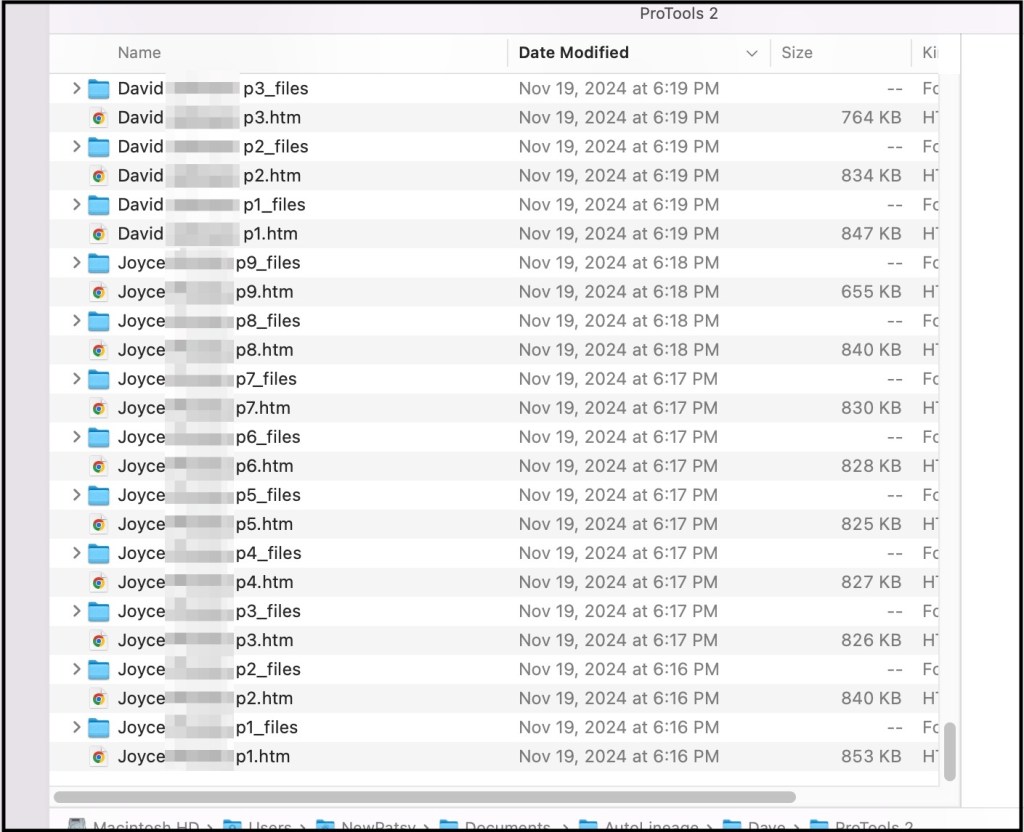
Directory showing some of the files of shared matches.
Saving Tiffany’s first page of shared matches.
Copying the match’s name and p for the page number.
On the left is the circle that is drawn as the file is being saved. On the right is the look after the file is saved.
Left hand positioned for Command S.

Finger pivoted to reach Command V.

Directory showing the files that have already been saved.
Directory showing all six pages of Tiffany’s shared matches.

Convert Ancestry ProTools to Trees using AutoLineage and AutoKinship!

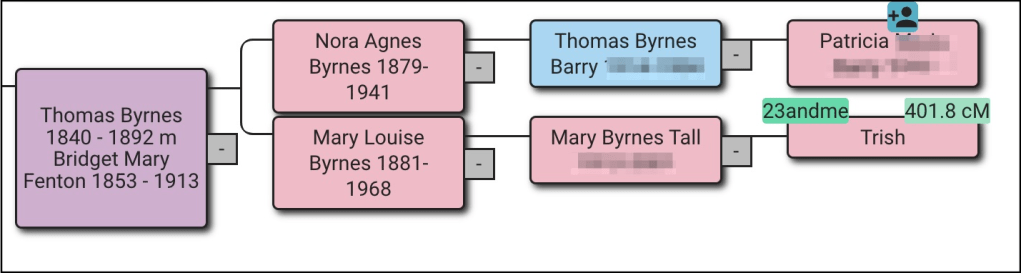
From ProTools to AutoKinship tree using matches shared by my cousin, Tish1, and me.
Partial list of my shared matches.
DNA match overview for Trish.
Cluster Wizard.
Clusters of Trish’s and my shared matches.
Trish and my family tree.
List of matches in the clusters.
Cluster 3 matches and AuroKinship button.
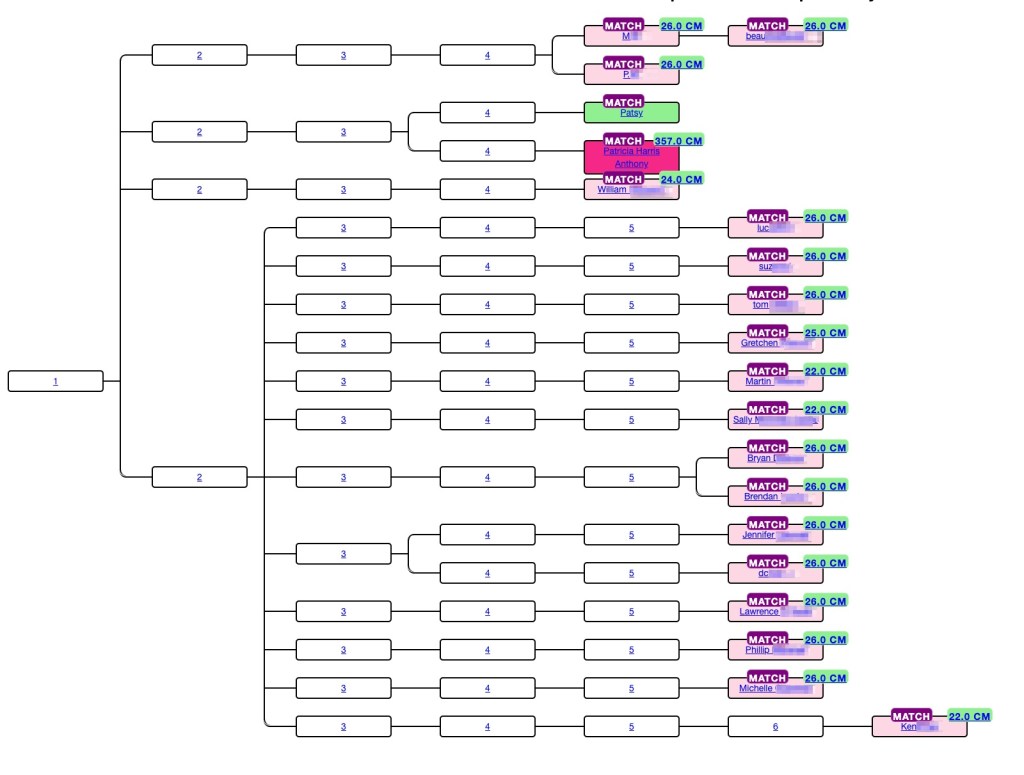
AutoKinship for the red cluster.
Part of the DNA matrix for the red cluster.

Linking GEDmatch and FTDNA – AutoLineage for iGG

An example reconstructed tree using only FTDNA and GEDmatch data.
AutoLineage Landing Page.
Starting a new profile.
FTDNA selected.

Flowchart showing Import matches.

Options for uploading matches from FTDNA.
Explanation of the CSV from Genetic Affairs.
Starting AutoCluster with AutoTree enabled on Genetic Affairs.
Dave’s match list from FTDNA.
Flowchart for Import shared matched.
Getting shared matches.
Matches list showing the number of shared matches each has.
Flowchart showing Cluster matches.
Cluster wizard.
FTDNA cluster of all of Dave’s matches.
Setting up AutoKinship on GEDmatch Tier 1 tools.
GEDmatch Cluster of 362 matches.
Tree Overview flowchart page.
‘Import tree wizard’ showing the two options for importing the trees associated with both testing sites.
The GEDmatch AutoKinship folder contents.
The list of trees inside the matches folder.
Link tree to profile in flowchart.
Link profile to tree Wizard.
Selecting Dave as the root person in his tree.
Dave’s tree. Names of living persons or those who died since 1973 have been hidden,
Find Common Ancestors in the Flowchart.
DNA match who is on both sites and has trees on both.
‘Linked trees’ to Rachel DNA matches.
Connecting Rachel’s FTDNA match to her GEDmatch tree.
Clicking on the DNA symbol over Rachel’s name shows she is connected to both GEDmatch and FTDNA matches to Dave.
Rachel’s tree.
Rachel’s tree with hints.
Grace Tonkin hints.
Thomas Tonkin hint.
Margaret Hattam in Rachel’s tree.
Margaret Hattam hints..

John Hattam and Elizabeth Eddy both have green hints.

John Hattam in both Rachel’s and Dave’s trees.
Changing the birth year in the Find common ancestor Wizard.
Reconstructed tree connecting Dave’s and Rachel’s trees.

RootsTech Week 2024

I arrived in Salt Lake City Saturday 24 February. Arriving on Saturday is convenient as it gives me Sunday to sleep in and get organized for the week. Leisa Byrne had already arrived, and we recreated some of the things we’d done before RootsTech in 2020, starting off with brunch at Eva’s Bakery.

Eva’s eggs Benedict.

Then we went on to Harmons grocery store to pick up some snacks and items to have for lunch while working in the library Monday through Wednesday.

Sunday afternoon we went to the organ recital at the Tabernacle.

Organ recital at the Tabernacle.

The lights changed colors with the different songs that the organist placed. It’s such a beautiful location and magnificent organ.

We were staying at the Little America Hotel this year. I was surprised at the pansies that were blooming all over the place. It was still pretty cold. They had beds of purple ones and others of yellow ones.

Purple pansies blooming at Little America Hotel.
Yellow pansies blooming at Little America Hotel.

Little America Hotel was at the end of the free Trax line which made getting around to the library and the Salt Palace very easy. Both the blue and green Trax lines went to Temple Square, which was the exit we took for both the library and the Salt Palace. But once we got on the red line by mistake and ended up having to walk farther!

The red line Trax.

Monday was FamilySearch Library day! We arrived just before the library opened and joined the crowd of people waiting to get in. There had been a little snow overnight.

Snow on the grass near the library.

I was surprised at how crowded the library was for this early in RootsTech week.

Working in the library.

Monday through Wednesday was spent working in the library. After being there three times I think I may have finally found all the Kent County, Michigan land records that exist from the 1850s. I know that Dave’s third great grandfather, David Coleman, was listed in Lyndon, Washtenaw County in the Michigan 1845 census. Now I’ve found that the family purchased land in 1846 in Kent County. Many of the land deeds were lost in a fire in 1860, but some of the indexes still exist.

Wednesday afternoon the RootsTech free golf cart shuttle was already running between the library and the Salt Palace, and we got a ride to go and pick up our badges.

RootsTech map showing the presentation rooms.
Map of the Expo Hall.

Things were still quiet in the halls on Wednesday, but there was plenty of activity in the Expo Hall getting the booths set up.

Grand Ball ready for presentations that would begin at 8:00 AM Thursday.

We headed to the DNA Painter booth to see if help was needed on the setup, but Jonny and James had it all done.

One of the signs at the DNA Painter booth.
One of the four DNA Painter tables.

The RootsTech souvenir booth was open Wednesday afternoon, and I had to get a new RootsTech T-shirt.

RootsTech 2024 T-Shirt.

Thursday presentations started at 8:00 AM, and the Expo opened at 9:00 AM. I heard there was a huge crowd waiting outside the Expo before it opened, and we were swamped with people! I think it was the busiest day. None of us ever got any lunch. I did manage to get a quick photo of the DNA Painter shirt, that we had new for the booth this year. Thursday the expo was open until 7:00PM. It was a long day.

My DNA Painter shirt.

Things settled a bit as the conference went on, and I was able to attend some presentations and visit several booths.

The entrance to the Expo Hall.
String quartet playing in front of the FamilySearch book.

There was often musical entertainment in the Central Park area.

The Ancestry booth was to the left of Central Park.
MyHeritage booth was to the right of Central Park.

MyHeritage had a booth set up where you could upload your raw DNA right onsite. They offered the DNA tools for free if you uploaded during the time of RootsTech.

MyHeritage booth to upload your raw DNA.
FamilyTreeDNA was to the left of FamilySearch.

DNA Painter was near the FamilyTreeDNA booth. We were able to get a group photo.

Left to right: James Nunn, Leisa Byrne, me and Jonny Perl.

LegacyFamilyTree Webinars was in the row of booths beside DNA Painter.

Legacy Family Tree webinars booth.

Farther down the aisle was the Board for Certification of Genealogists.

The BCG Booth.

Association of Professional Genealogist had a booth as well.

The APG booth.

I managed to get a photo of the GEDmatch booth when no one was there.

The GEDmatch booth.

Last year at RootsTech I purchased Cite-Builder which is a program that lets you generate citations. With the premium account you can generate your own and save them on the site. When I had a question about one of their structures last year, it was Jenny who answered my email. It was great to meet her person this year.

Cite-Builder booth.

It was great to get to meet Nathan in person.

Nathan Goodwin’s booth of books,

RootsTech is also a great place to see friends that you’ve not seen for a year.

With Roberta Estes before her presentation.

At the end of Roberta’s presentation she told us about her newest book, that hadn’t been released in time for RootsTech. It’s due to come out in March or April 2024.

Roberta’s book due out in March-April 2024.

It’s always a bit of a rush to fly home on Sunday after RootsTech, but staying another day doesn’t make much sense since the library isn’t open on Sunday. There was more snow Saturday overnight.

Snow on the mountains as seen from the airport Sunday morning.

I had several hours layover in Minneapolis and spent the time putting in a couple presentation proposals for upcoming conferences and organizing my notes from the library.