The big news is that LIvingDNA finally has a chromosome browser. I’ve been waiting for this ever since we uploaded our DNA. You can see which segment on which chromosome you and your match share, but there’s no easy way to download the information. You can write it on paper and then copy to Excel or write directly into Excel, but it’s still a lot better than not having the information. My highest match is a known DNA cousin who lives in Ireland whom I’ll call ‘Joe’.1 Earlier research showed that we are related on my dad’s mother’s O’Brien side. We’ve been emailing for several years now, but there are new shared matches we have, that don’t seem to be on other sites.
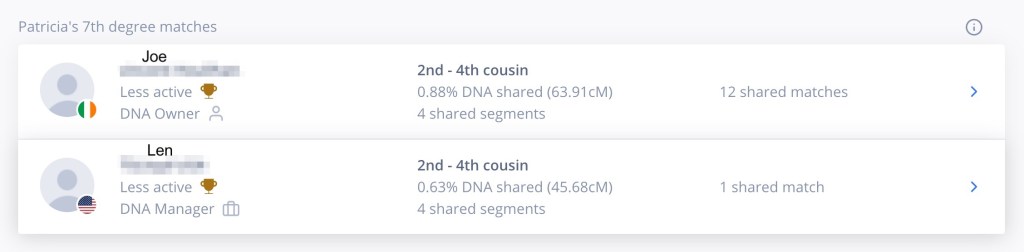
Joe is listed as sharing 63.9 cM with me in 4 segments, and we have 12 shared matches. Figure 2 shows the 4 segments that we share.
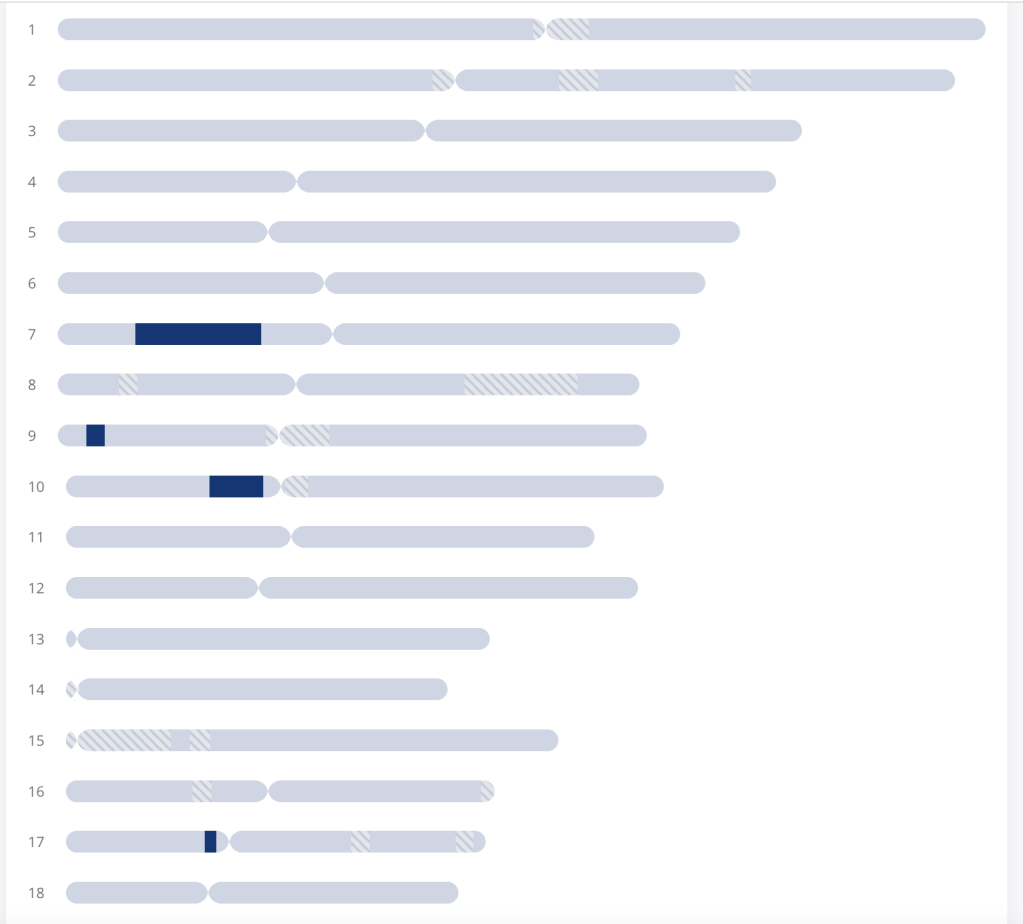
They’ve recalculated the total shared cM, however they are including values down to 3 cM rather than stopping at the more conventional 7 cM. The segments on chromosomes 7 and 10 are the same as shown for Joe and me on other sites. Thus the total values are unrealistically too high. The one on chromosome 9 is only 5 cM and on chromosome 17 only 4 cM. Both are smaller than the 7 cM that I normally use. Clicking on the blue segment brings up the data for that segment, see figure 3.

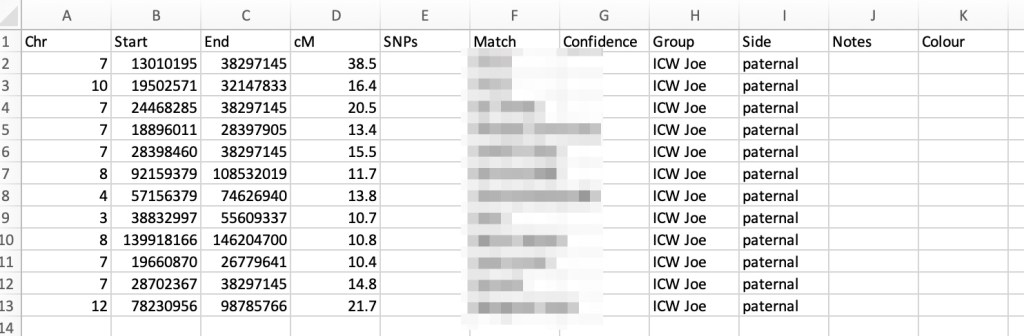
The start, end, and cM are listed, but SNPs is not. At first I wrote these data down on paper and then put them into Excel. But then I decided to go directly to Excel. Since I want the data in DNA Painter I downloaded the ‘import template’ from DNA Painter and used it to add my data.

By overlaying the Excel template file on the LivingDNA site I can easily copy the information into the csv file, as shown in figure 5.

Joe’s listing says we have twelve shared matches, but it turns out that one person is there twice. Perhaps they uploaded their DNA and also did a LivingDNA test. I’d have expected the list of matches to be in decreasing cM order, but they are not. In particular the shared matches seem to be all over the place. Figure 6 shows part of the list of matches Joe and I share. The names are not in alphabetical order. Perhaps the list is based on which match is closest to Joe, or it could be totally random.
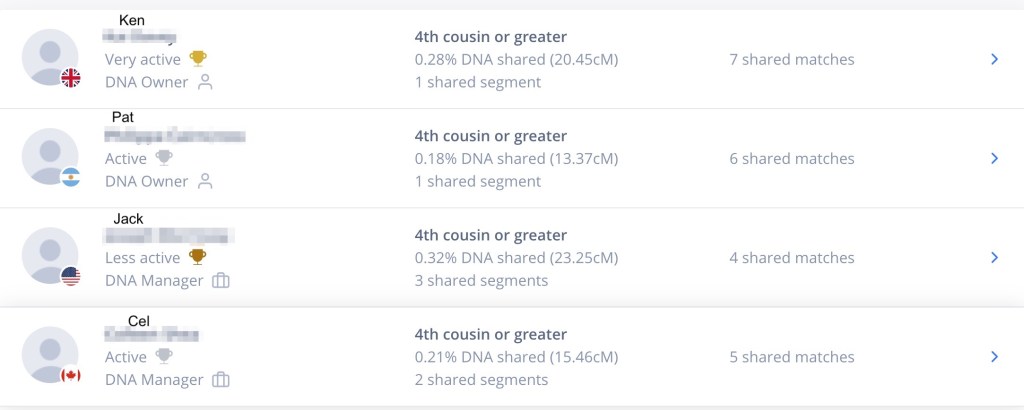
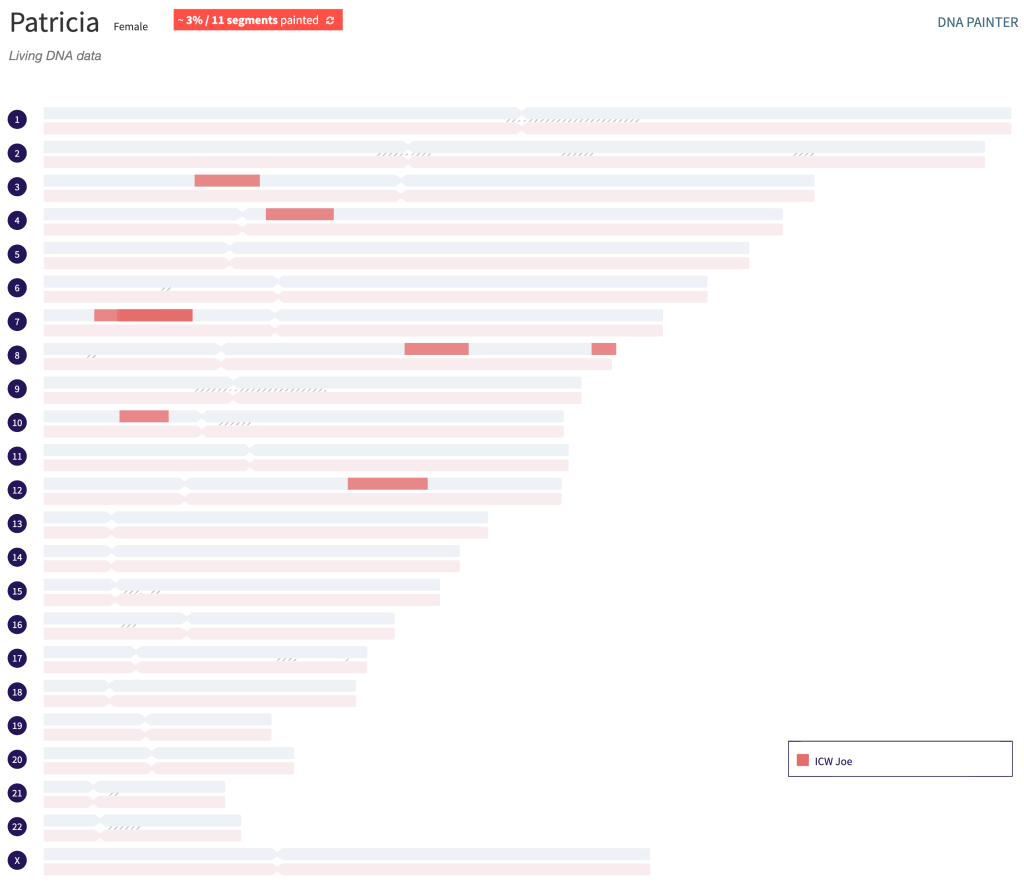
I added Joe and all of his shared matches to the csv file and then imported them into DNA Painter. The resulting profile is shown in figure 8.
Summary
I’m very excited to finally have a chromosome browser in LivingDNA. It looks like I have 278 matches there going down to 10 cM shared in the match list. Since I can only get the data manually I won’t be added all of my matches to DNA Painter now. Hopefully, in the future there will be a way to download the data. For now I’ll be added my highest ones and matches that I know from other sites.
Footnotes
- All names of living people are fictitious.
 Patricia Coleman Genealogy LLC
Leave a comment