I like to have pretty trees when I run ‘Find Common Ancestors’ on AutoLineage. But sometimes they turn out very messy. This blog will describe why that happens and how to fix it. The most common occurrence is when a match has more than one tree. I know that my second cousin (2C) Trish has tested at all the various sites, so I would only add her tree once to AutoLineage. The problem occurs when there is an unknown match that is on more than one site, and I add her tree from each of the sites. It also occurs if the trees from GEDmatch AutoKinship and FTDNA AutoCluster/AutoTree are both used in the analysis. This is what happened with Rachel’s two trees as shown in figure 1. The brown square over the names in the trees indicate the same person occurring more than once in this reconstructed tree. Most of the time you won’t know that you have more than one tree for a match until you run Find Common Ancestors, but then it becomes obvious.
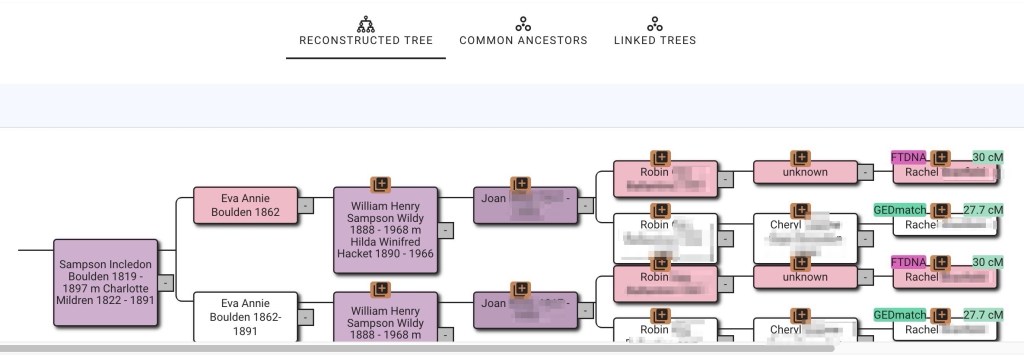
This type of problem is easily fixed by removing one of the two trees and then linking the DNA from both GEDmatch and FTDNA to the same tree for Rachel. Next I look at the linked trees, figure 2, to see which has the more people in it. Since I’m trying to make family connections and don’t know how many generations back this might occur, the larger tree has a better chance of giving the connection.
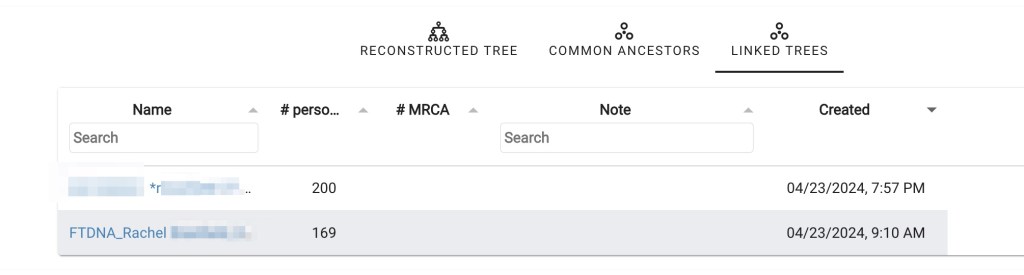
The GEDmatch tree has more people, so I will keep that one and delete the FTDNA smaller tree. Clicking on Rachel’s name, as shown in figure 3, and then on ‘link to DNA match’ brings up the Link tree person to DNA match wizard, shown in figure 4. Next I connect Rachel’s DNA from FTDNA to her GEDmatch tree.
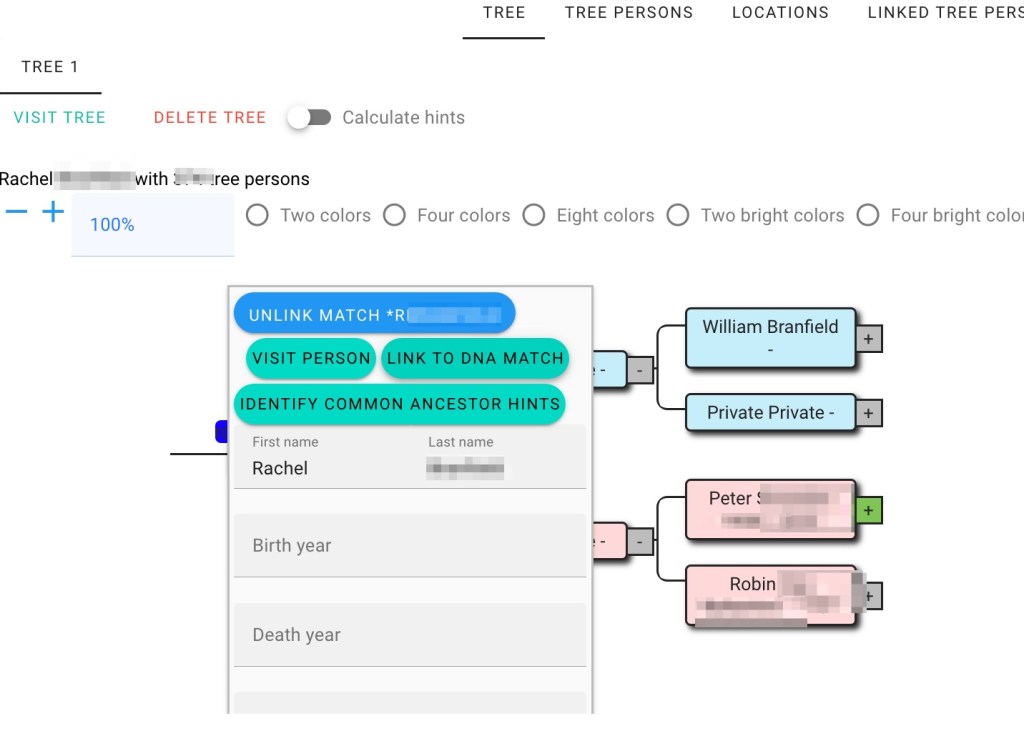

Then looking at Rachel’s tree I can see that DNA from both sources have been attached.

Other reasons for brown squares are differences in the trees. For example, one tree has middle name and another tree has middle initial. Here David B Aylesworth 1852-1927 is in one match’s tree but his middle name, Brown, is in a group of trees from other matches. By editing the tree with only the initial and adding Brown as his middle name, it becomes clear that both David’s are the same person and they will be combined.
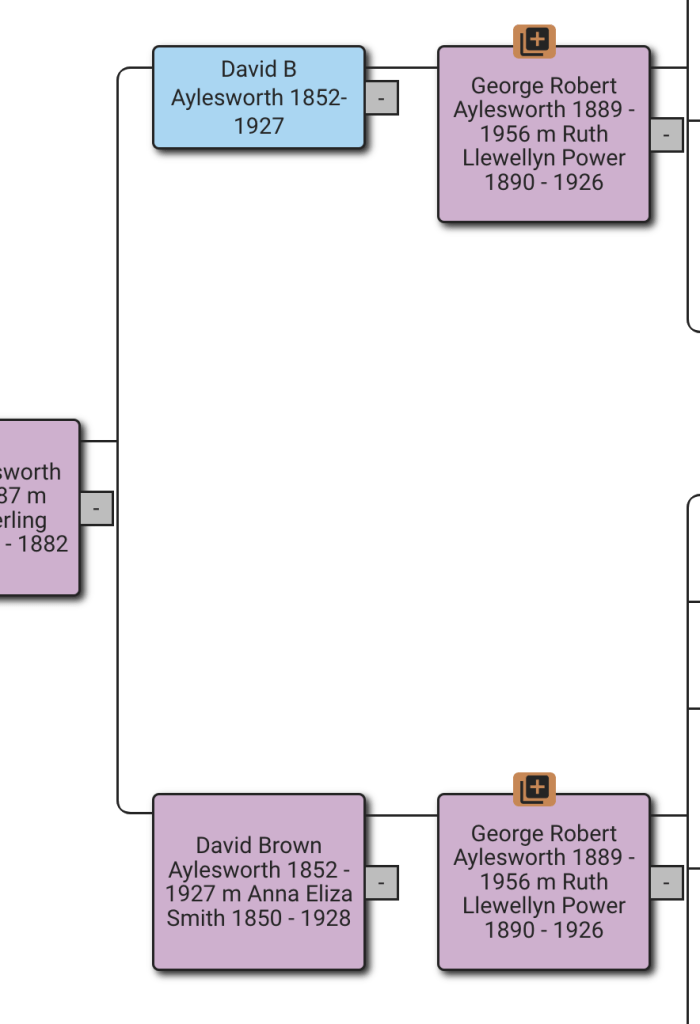
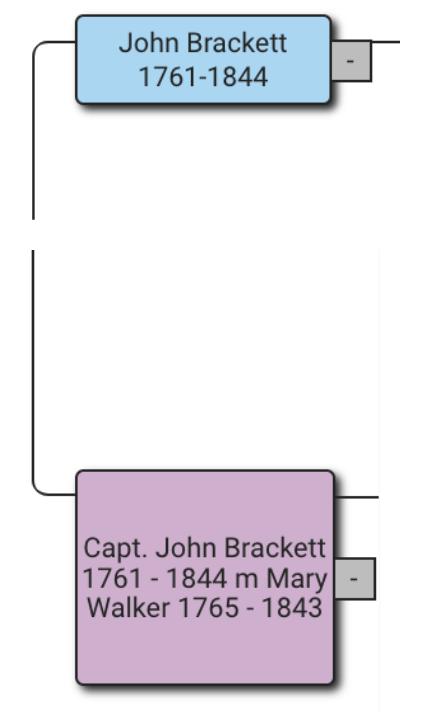
Figure 7 shows another case of different names. In the blue box John Brackett is an individual person who comes from one of the trees. In the purple box Captain John Brackett is not an individual but a group who is in several trees. It’s clear from the rest of the tree that they are the same person. Another method for connecting the individual tree person, John, to the common ancestor group Captain John is to use the Common Ancestor tool.
Clicking on John Brackett brings up his Tree Person, as shown in figure 8. At the bottom of the Tree Person is a link to connect him to Common Ancestor which brings up the Common Ancestor wizard shown in figure 9.


After putting in John Bracket’s name, the list of potential common ancestors appears. Clicking on the correct one brings up a list on the right, shown in figure 10 showing the existing common ancestors.

Clicking save will add John Brackett into the common ancestor group with Captain John Brackett. Now the reconstructed tree will show the tree branch that John Brackett was in as part of the group to Captain John Brackett. Editing the tree and changing David B to David Brown is a permanent change to the tree. Using the Common Ancestor wizard is only valid until common ancestors are deleted and ‘Find Common Ancestors’ is run again.
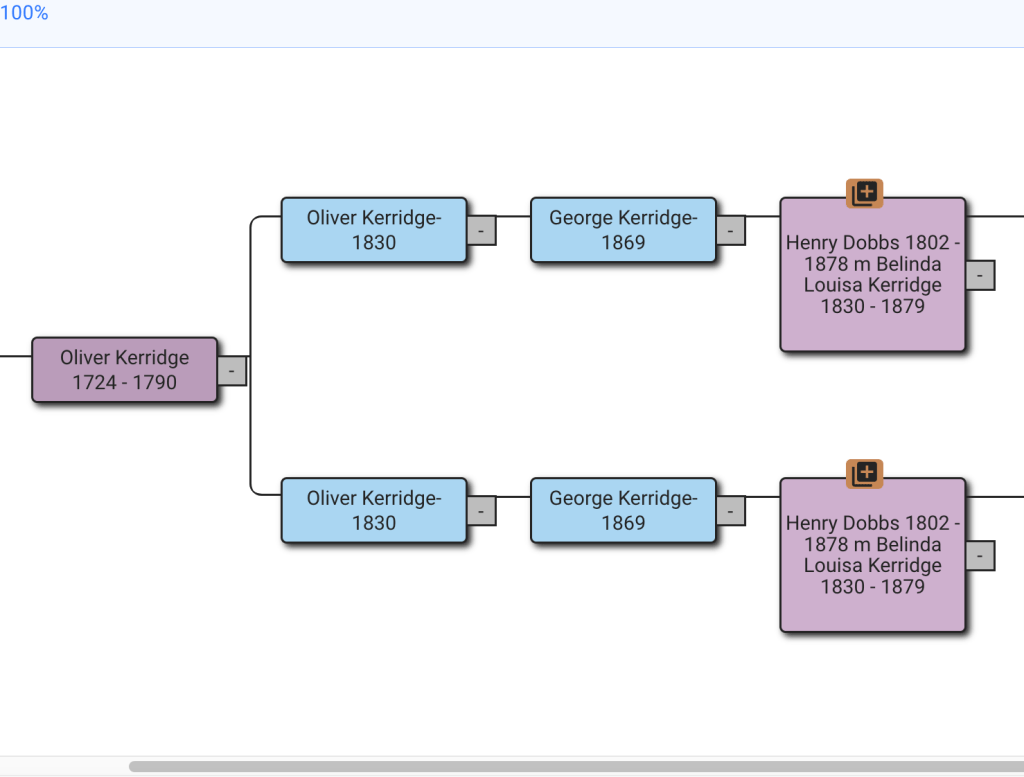
Missing dates will also cause this problem. in the example in figure 11 it’s obvious that both Oliver born 1830 and George born 1869 would now be deceased. What I’ve done if the tree is a match’s and I don’t yet know how my family connects to that match, is to set the death date one hundred years after their birth date. I also add a note to the match stating that it’s a fake death date. Alternatively I could research for the death dates for Oliver and George and will definitely do so if this family connects to my tree.
Some trees have several problems in them. In figure 12 Henry Washington Owen, 1836-1904 has full name and both dates, but Henry W Owen is missing middle name and dates. Adding middle names and dates will fix this duplication, but there might still be other problems.

That additional problem is shown in figure 13. Henry Washington Owen is listed without his wife in one tree and with her in another. Since the descendants of Henry and those of Henry and Rachel are shown duplicated, it’s clear that Rachel needs to be listed in the tree at the top that doesn’t have her.

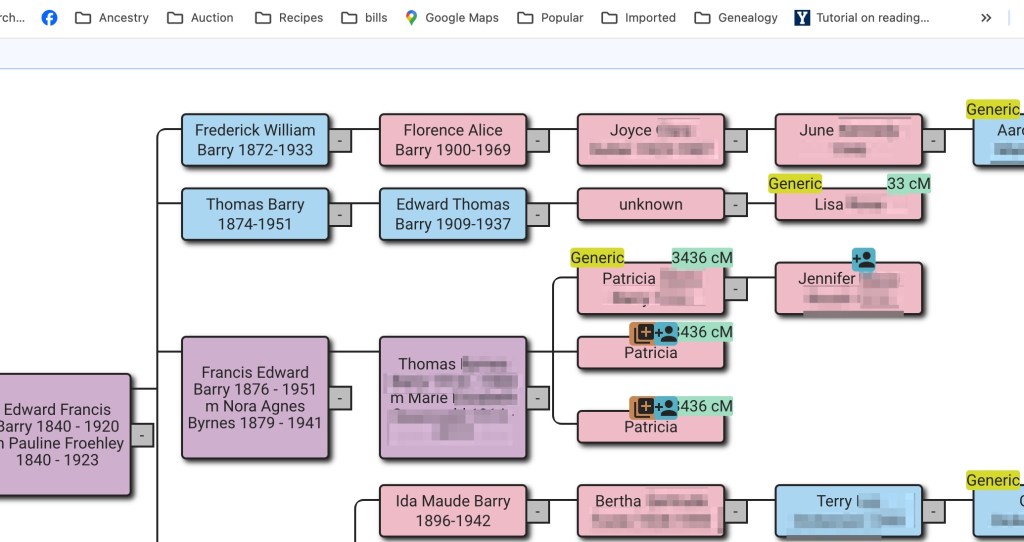
Perhaps not obvious that this would be a problem, but having a tree for both parent and child, when both have done DNA testing results in brown squares. Figure 14 is my family. Jennifer is my daughter. To solve this one, I remove my tree when I’m working on her DNA matches.
I’ve seen several trees where extra characters or notes have been added. These, of course, do not match up with other people’s trees and need to be edited out. Here the tree owner has added * and 2x to their second great grandparents, as well as to all of their great grandparents. These extra characters had to be edited out of the tree so it would be like the other trees.

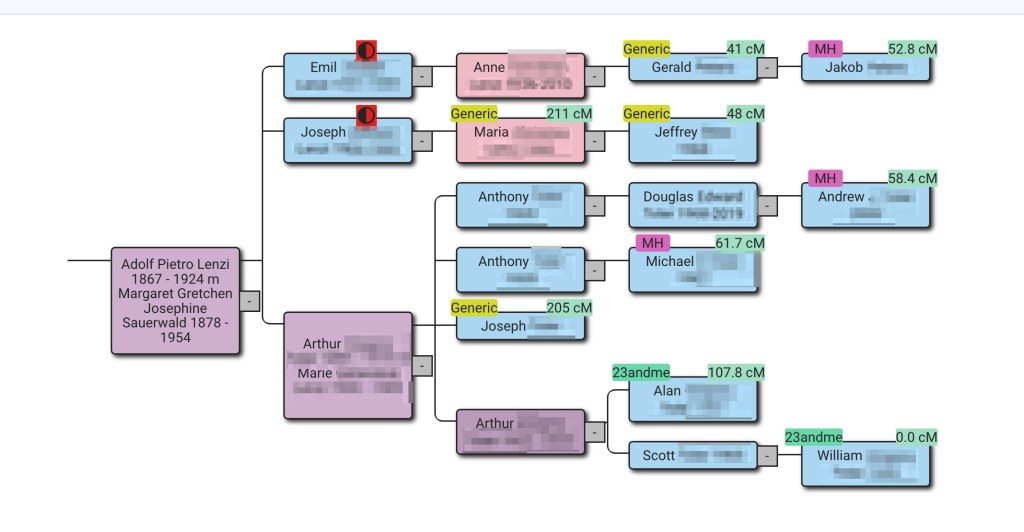
Some errors are difficult to find and take a lot of searching. The tree in figure 16 shows my grandfather’s sister, Margaret, and her husband. I know that Emil, Joseph and Arthur were full brothers. The red circle indicates a different mother or father, as shown in figure 17.
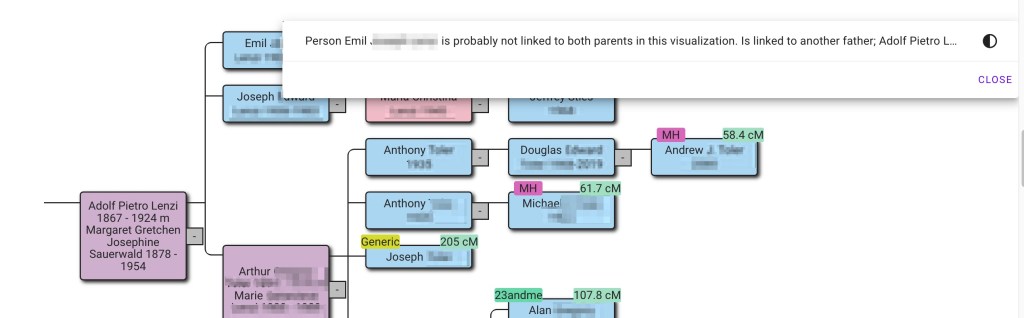
This one took looking at each tree to Margaret and her husband, Adolf in detail. In one tree there was Adolf Pietro and in the other tree it has Pietro Adolf, as shown in figure 18.
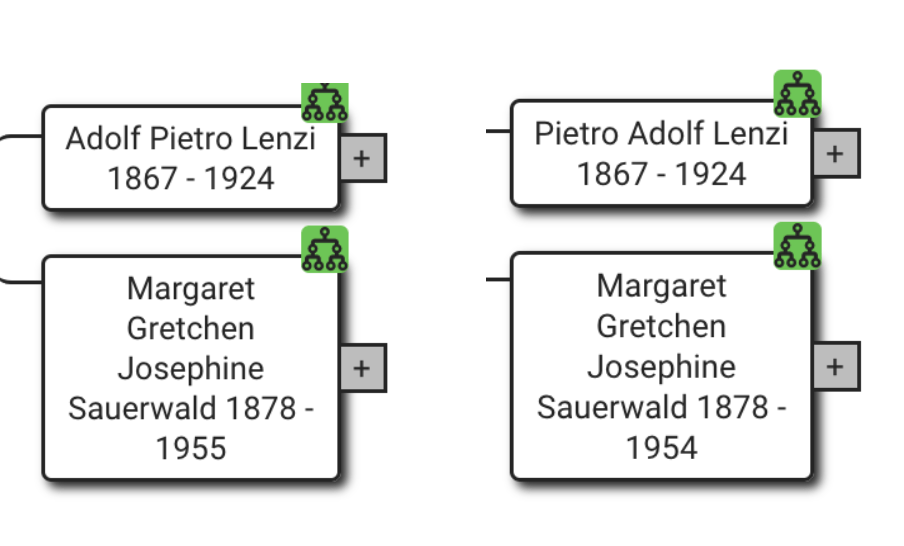
Since this was my family I had several records that indicated his name was Pietro Adolf, and he went by Peter in the United States. I was able to edit the trees so that they all listed him as Pietro Adolf.
One of the most difficult trees for finding the problem is shown in figure 19.
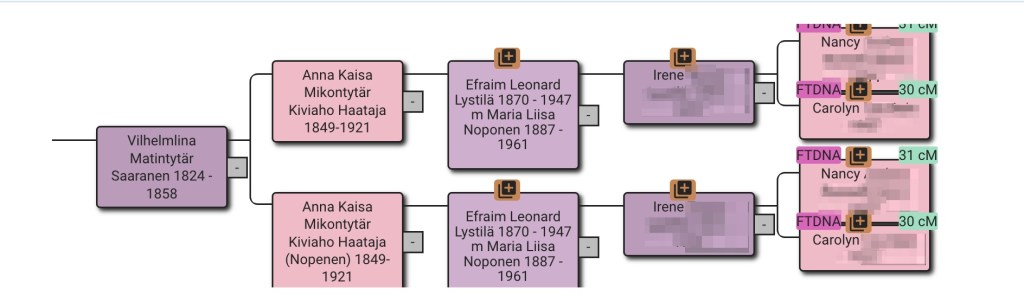
Looking at the great grandmother, Anna Kaisa MIkontytär Kiviahbi Haataja, the lower tree has an extra name, Nopenen, which appears to be the married name. I’ve circled it in figure 20.

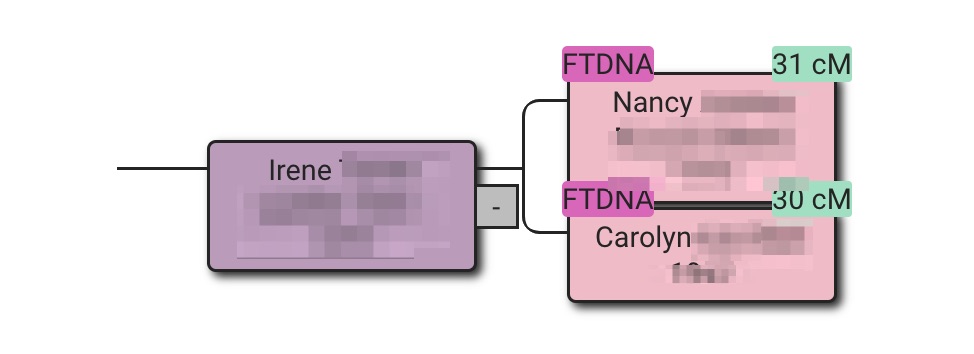
Viewing the trees here for Carolyn and Nancy it’s Carolyn’s tree that has the extra name. I edited Nopenen out of Anna’s listed and saved the tree. Then reran Find common ancestors. But, as shown in figure 21, there’s still a problem.

The dates all match. Next the two trees will have be examined item by item. Carolyn’s tree is in figure 22 and Nancy’s in figure 23.
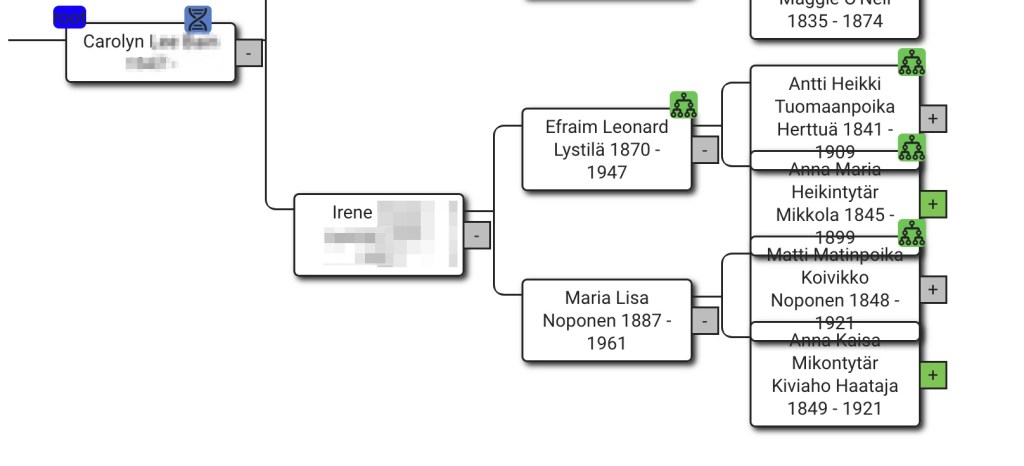
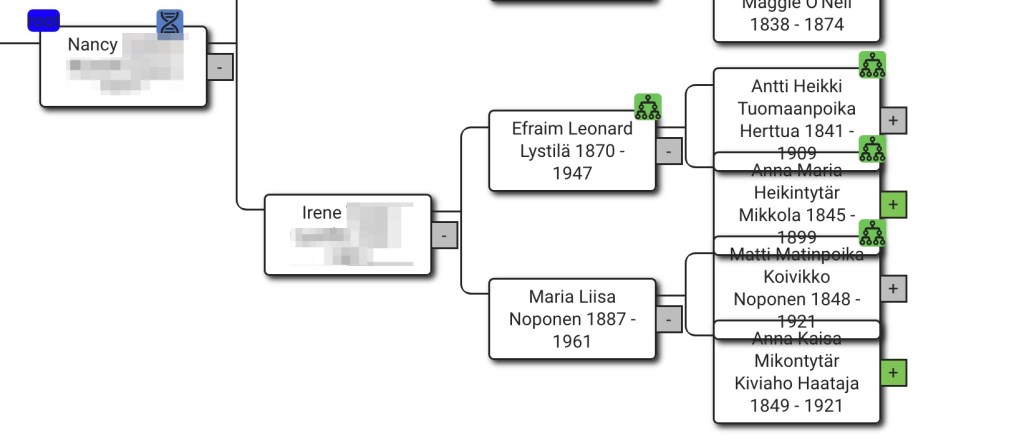
If you look closely at Maria Lisa Noponen’s name, Nancy’s tree has Liisa with an extra i in the name. That could be the problem! But there’s still a problem after fixing Lisa’s name.

There still seems to be a problem with Efraim and Maria Lisa. At first glance the names and dates look identical. However, it comes down to how Nancy and Carolyn entered Maria’s name into AutoLineage. Carolyn’s naming of Maria is in figure 25 and Nancy’s is in figure 26.


Whether Kiviaho should be a middle name or part of her last name, I do not know. But having them listed differently in Carolyn and Nancy’s trees was causing a problem. After changing Nancy’s tree to make Kiviaho part of Anna’s middle name, which agreed with Carolyn’s tree, there’s finally a nice, clean tree showing that Nancy and Carolyn are sisters.
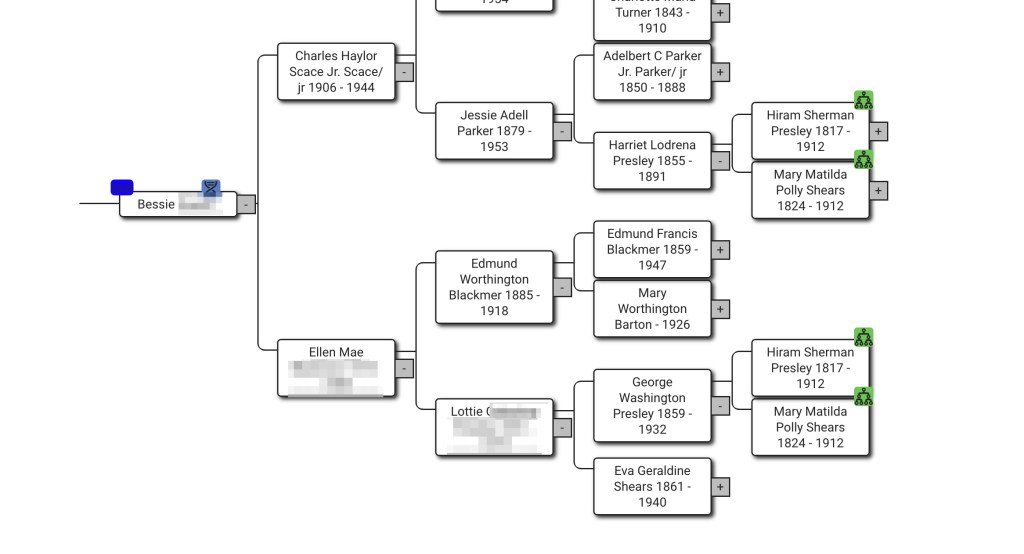
Most of the time those brown squares indicate some sort of difference between two trees so why would they show up when there is a single match and only one tree, like in figure 28?

Expanding Bessie’s tree, as shown in figure 29, shows that one set of her second great grandparents are both on her maternal and paternal sides. The tree is correct. Since I’ve found what is causing the brown squares I made a note on the tree that one set of second great grandparents occurs twice. That way when I see this tree again I know that it’s not an error.
Conclusion
To conclude, there are two options available to fix the problems of names from different trees not matching as described in this blog post. First, by fixing the underlying data and re-running the common ancestor identification. This approach is the most sustainable, because the common ancestors will remain improved even after deleting and rerunning the analysis. Make sure to backup the modified tree in case you need to re-import it. The second approach is more quick, by directly linking a missing tree person to the common ancestor it is missing from. The downside of this approach is that after deleting the common ancestor, the link needs to be re-established because the underlying tree person remains the same.
Feel free to contact me if you have any questions or want help with your DNA analysis, info@patriciacolemangenealogy.com
 Patricia Coleman Genealogy LLC
Leave a comment