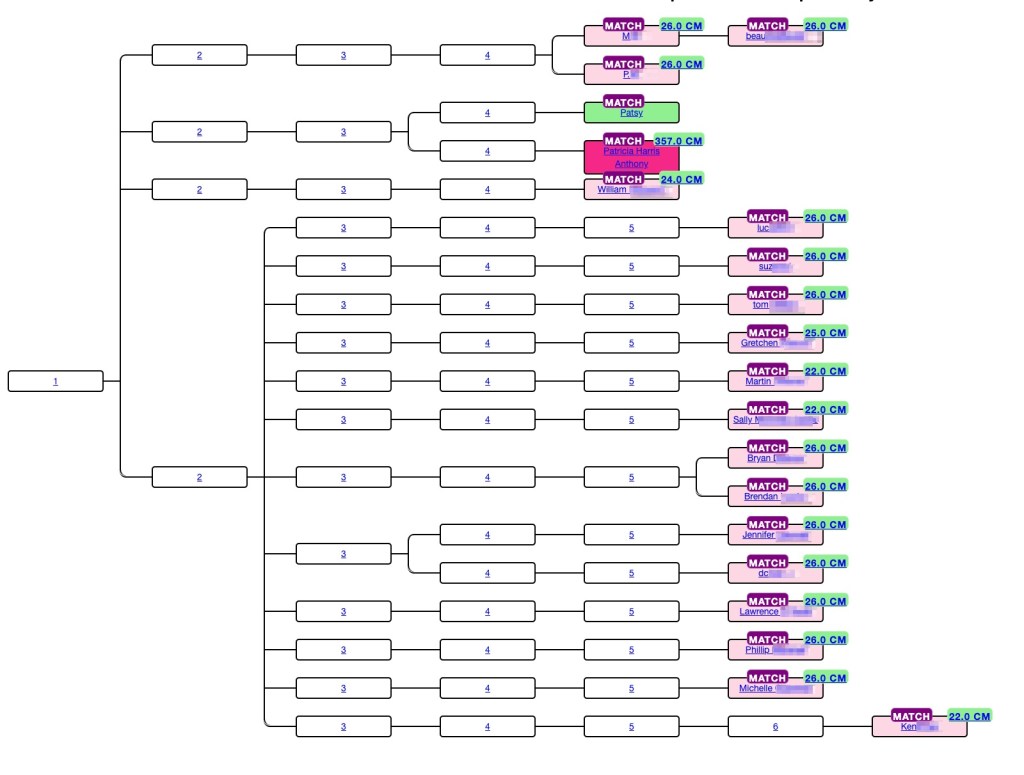
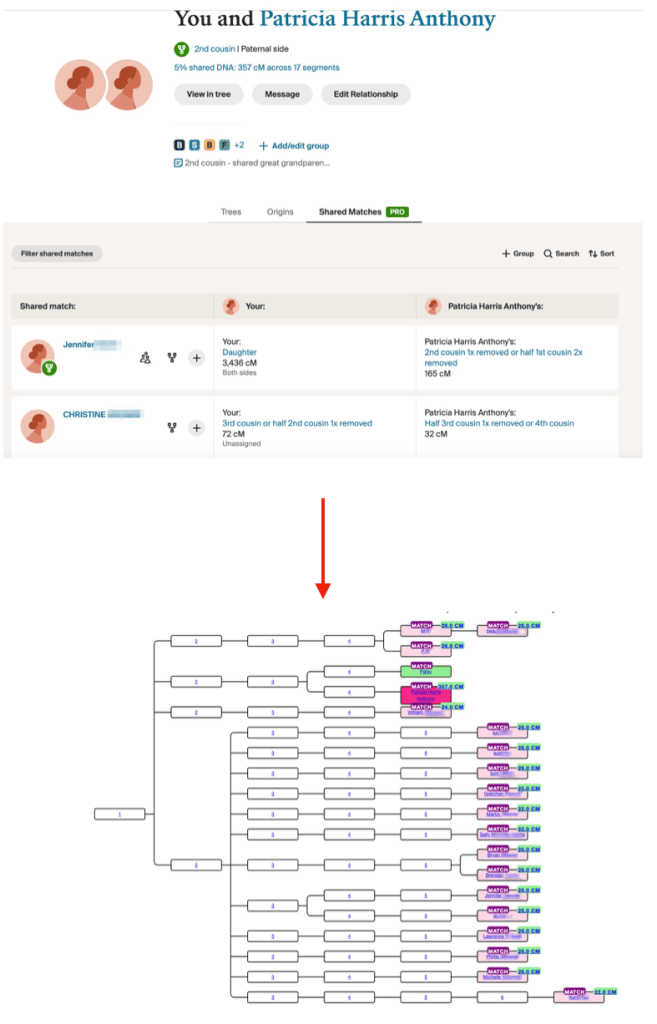
Genetic Affairs has unveiled a powerful new feature in AutoLineage—now you can apply AutoKinship to each individual cluster generated from Ancestry ProTools shared matches, unlocking a whole new level of insight into your family connections! It invokes the functionality of AutoKinship on the site directly at no additional cost, to provide reconstructed trees based on the shared DNA between shared matches.
In a previous blog post, I described how to get started with Ancestry and AutoLineage. In short, these are the steps involved. First, a profile is created or selected after which the same is done for a DNA test. Select a generic DNA test in order to process Ancestry matches. Next, we import DNA matches by saving each match page (make sure to set the number of matches to 50) to an HTML file. Repeat until you have enough matches. Next, we download shared matches for the matches of interest followed by a clustering analysis. Once we obtain the clusters, we can select an individual cluster for which we want to have a reconstructed AutoKinship tree.
In this blog post I will demonstrate how I cluster the shared matches of my 2nd cousin Trish. For this purpose, I will visit each DNA match page in the shared matches list with Trish and download their shared matches.
First, I imported my direct DNA matches. Next, I visited Trish her match page and downloaded the shared matches by using the Chrome “Save page as” to save the shared matches. Trish and I have three pages of shared matches, and I saved them as Trish-p1, Trish-p2 and Trish-p3. I used the “Import shared matches” to add these matches that Trish and I share. Next, I visit each DNA match in the shared matches with Trish and download the shared matches for each match.
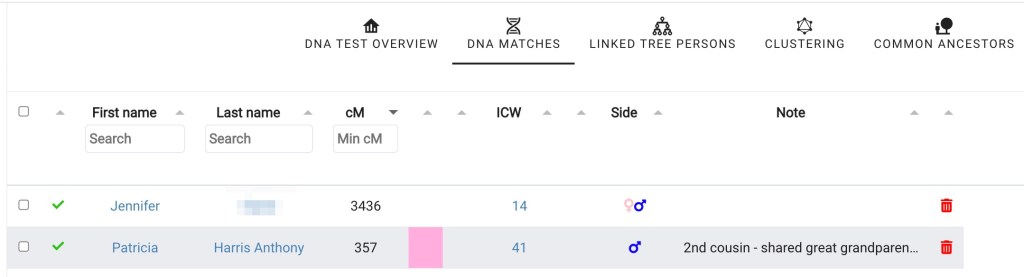
In order to get a cluster that only showed Trish and my shared matches, I selected “DNA matches” from my DNA test linked to Ancestry page and then clicked on Trish’s name.

Clicking on “perform clustering analysis” brings up the Cluster wizard. Again, this clustering approach will only take all DNA matches that are shared with Trish, basically allowing me to only cluster matches that share an ancestral connection with myself and my 2nd Trish.
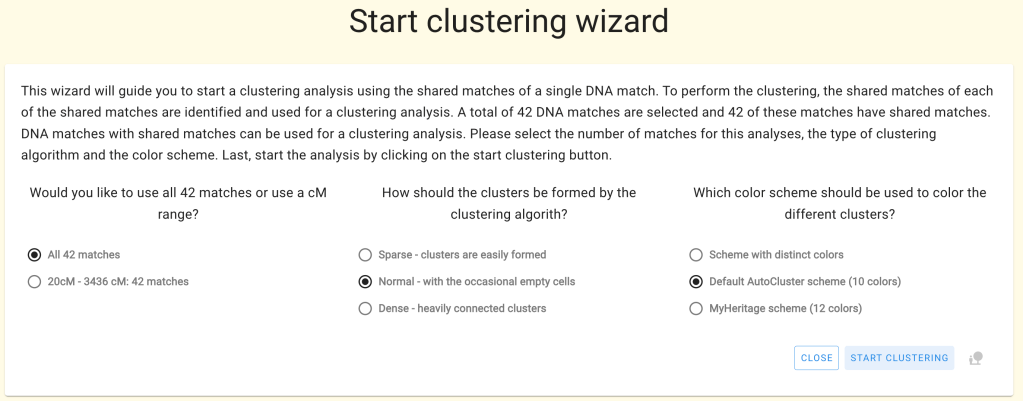
Trish has 42 matches that she shares with me.

Notice the cM values listed in each of the colored cells in the cluster. These are the result of the new Ancestry ProTools data!
Trish and I share great grandparents, Thomas Byrnes and Bridget Fenton.
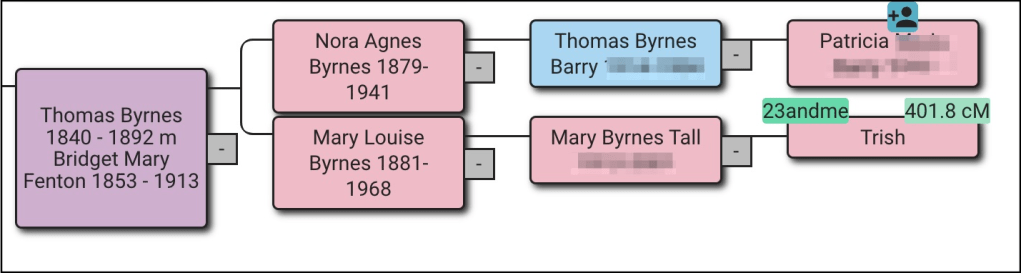
Thomas was born in County Roscommon, Ireland and Bridget in County Limerick. They met and married in Virginia. From building out family trees we know that the orange cluster has ancestors from Counties Roscommon and Mayo, and the green cluster has matches with surname Burns. Those matches would be on Thomas’ side. The brown cluster has ancestors who lived in County Limerick and would be on Bridget’s side. Very few of the matches in the large red cluster have any trees or other family information.
Clicking on “Matches” at the top of the screen brings up a table with the list of matches in each cluster.

The next step is to click on cluster 3, which brings up just the red cluster. Again clicking on “Matches” at the top of the screen brings up the list of matches for cluster 3 only.. In the upper left of the screen is the “Run AutoKinship” button.

Once AutoKinship analysis starts a message appears at the bottom of the screen telling you that the results will be sent to your email. The zip file should be saved to the computer and then unzipped. There are ten probability trees in the AutoKinship.
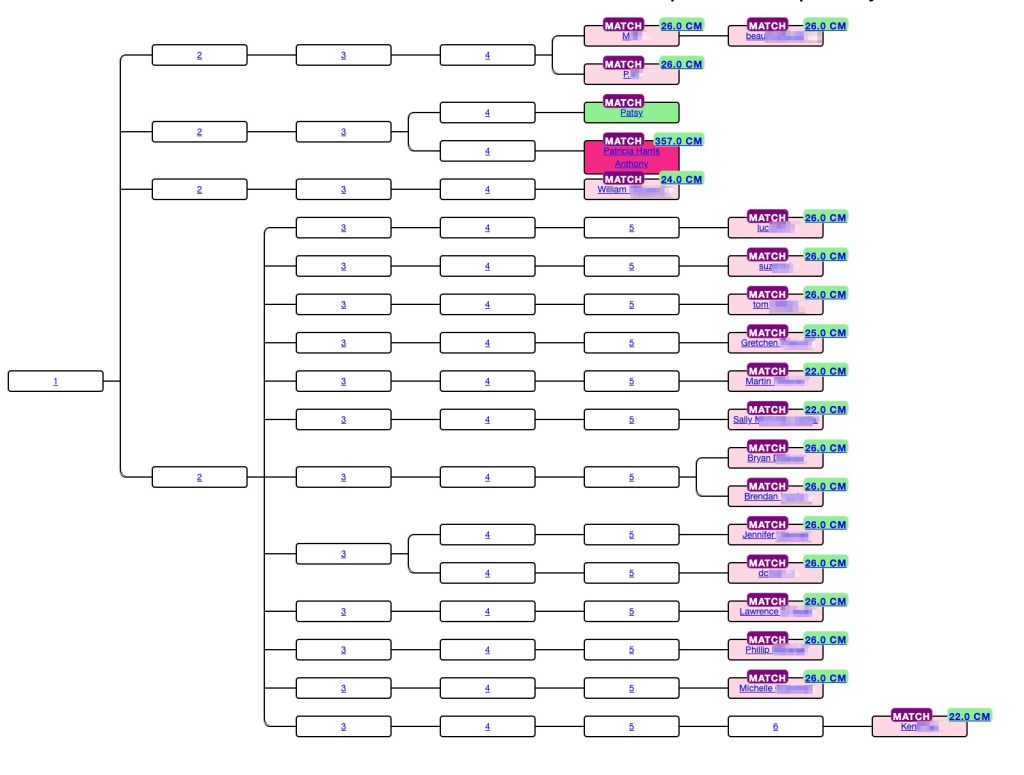
AutoKinship tree gives hints as to how matches can be related based on the amounts of shared DNA. At the top of the tree beau is listed as child of M, and M and P are listed as siblings. This is identical to what Ancestry said about these matches. But not every relationship is correct. Trish and I are second cousins, but we share a larger amount of DNA than would be expected compared to the average for second cousins, and we’re often miss assigned as first cousins or first cousins once removed. However, the AutoKinship tree can be used to get valuable hints for connections for the matches.
At the bottom of the page with the first AutoKinship tree is a matrix of the DNA matches used for the tree. This matrix can be downloading into Excel and saved.

In conclusion being able to organize you Ancestry ProTool matches into a probability tree and generate a matrix provides addition methods for viewing your shared matches.
Note that the current AutoKinship approach will be replaced with a more versatile version that will run directly in AutoLineage. This version will allow for using pre-determined relationships or integration of known trees into the reconstructed trees.
- Patricia Harris Anthony, Trish, has given me permission to use her real name and her data.
 Patricia Coleman Genealogy LLC

Leave a comment