There are times when I think I don’t have a tree for a certain DNA match and will add one, only to discover that there was already a tree there. Especially if the tree was added automatically, and I can see how to add another generation or so to it. One way to check your trees and avoid having duplicate trees is to export the trees into Excel. At the bottom of the ‘Tree Management’ page is the selection.
Export trees to Excel.
In the Excel file sort into alphabetical order on ‘name’ in column A.
Excel list of trees from AutoLineage.
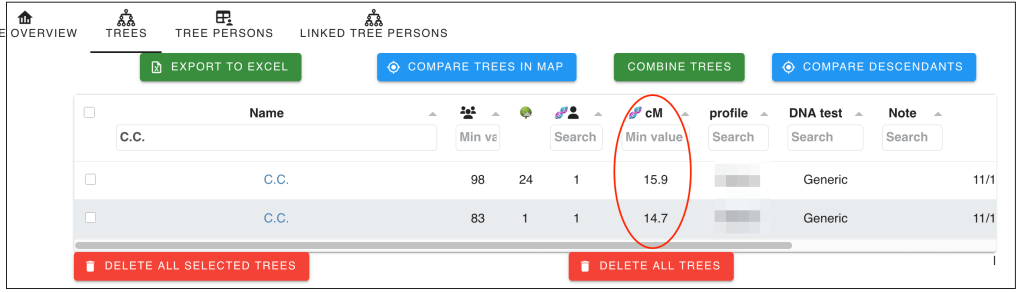
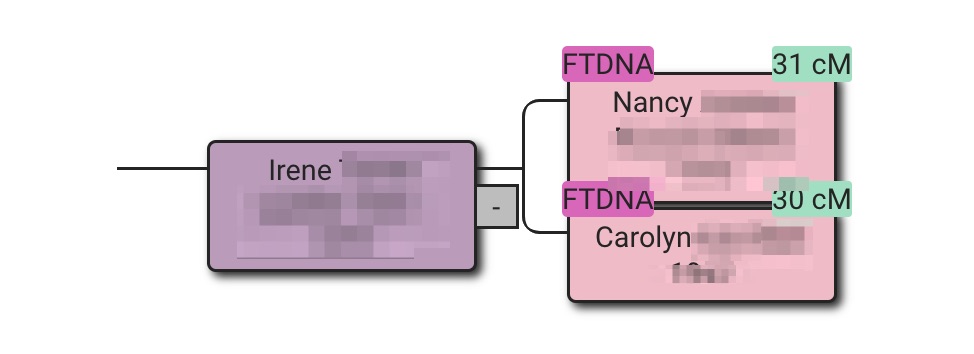
If you find a name appearing twice in the alphabetically list, it likely indicates that a tree has been added twice. One thing to be aware of here is when the match’s name is initials, as more than one match might have the same initials. I made a list of the duplicate names and initials and then went back to AutoLineage to look at the list of trees. Putting a name into the search field will show the duplicate trees and you can delete one of them. With the duplicate initials you can check if it’s one match listed twice or two different matches by checking the cM values. In the image below you can see that these are two different matches because of the different cM values.
Two matches with same initials.
This is a quick and easy way to make sure that you do not have duplicate trees in AutoLineage, which can cause problems when finding common ancestors.
David Coleman, my husband’s third great grandfather, was born about 1801 somewhere in Ireland. This information comes from the 1850 Federal Census — the only record we have includes these details about him. He married Catherine, likely in Ireland, though her maiden name is unknown. By 1820 they were in Saratoga, New York, where oldest son James was born.
For more than sixty years Mary Coleman Kennedy searched for David’s birth location. The family was Catholic, but few baptismal records from 1801 have survived in Ireland.
About eight-years ago Dave and three of his sisters took DNA tests. Using their data, I followed Blaine Bettinger’s five-part blog posts on visual phasing to determine which DNA segments came from each grandparent. Since I’m on a Mac, I did the analysis manually using Keynote and Excel, and then imported the phased segments into DNA Painter.
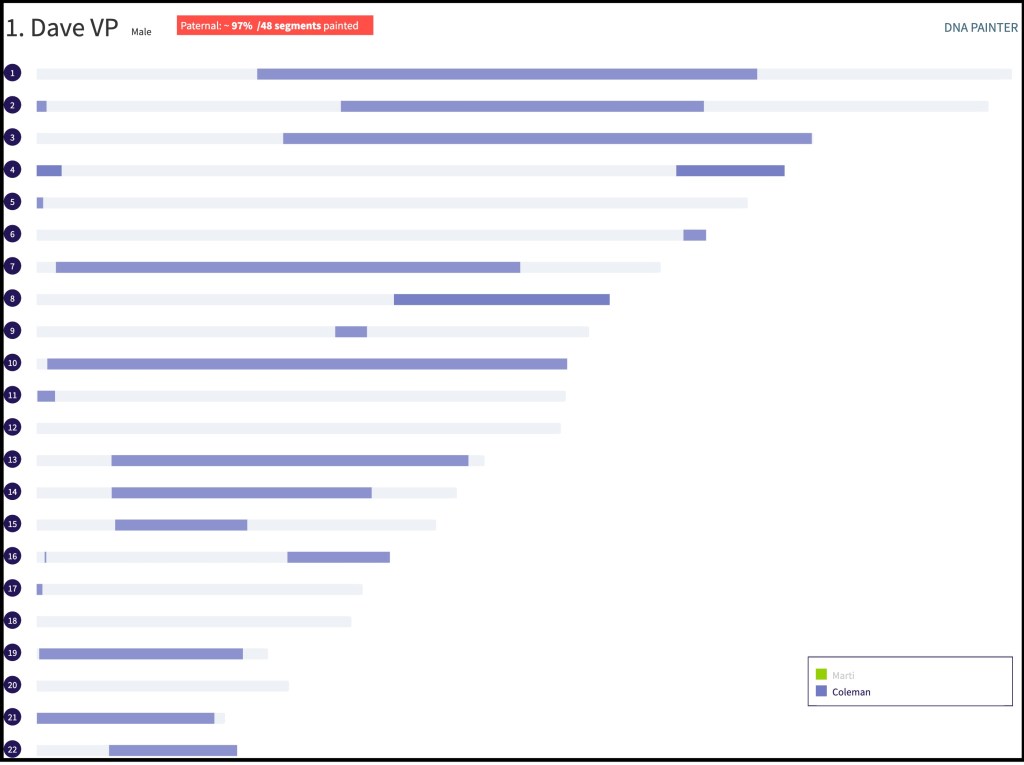
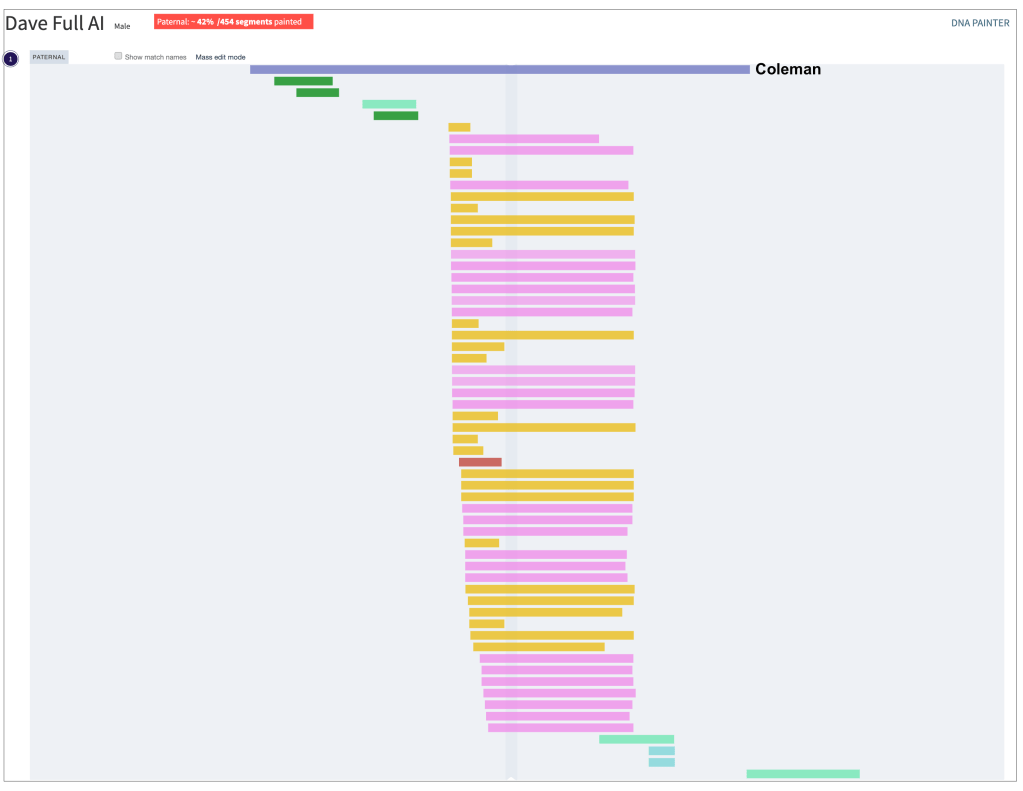
Below is Dave’s visual phasing (VP) showing the Coleman segments he inherited from his grandfather, Herbert Coleman, Sr.
Whenever one of the siblings has a DNA match, I compare the match’s chromosome location in DNA Painter to the four grandparents segments. This allows me to determine whether the match is maternal or paternal — and often which grandparent line it belongs to.
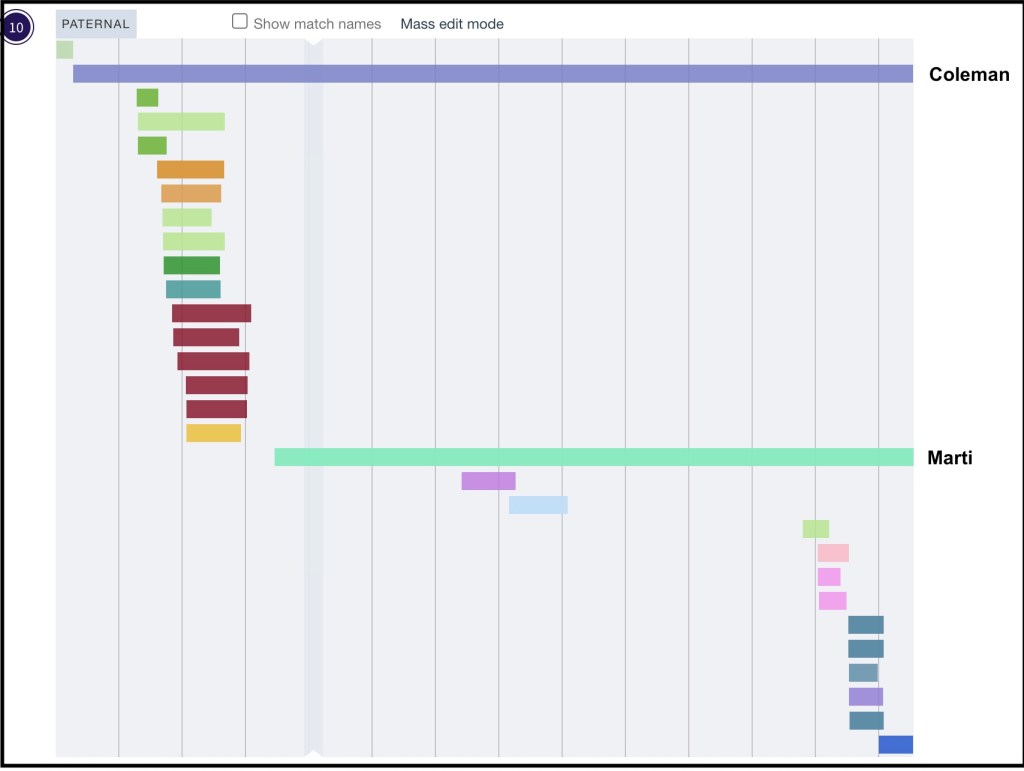
Over the last eight years, we’ve collected a large number of DNA matches. The example below shows chromosome 10, where the blue segment represents Coleman DNA, and the green segment represents the paternal grandmother’s Marti DNA.
The matches whose segments fall under the Coleman blue could help me locate David Coleman (born ~1801) in Ireland. Since they are DNA, there must be a family connection somewhere back in time. If I can identify where those matches’ ancestors lived in Ireland it might point to the area where David himself lived.
Earlier I used this same method to locate my great-grandfather Thomas Byrnes’ birthplace in County Roscommon, Ireland — research that was published in The Septs in April 2024. Starting with DNA from my second cousin and me, I traces Thomas three generations back. Beginning with Dave and his sister’s grandfather,we would also need to go back three generations to reach their third great grandfather, David (born ~1801).
For the Byrnes research, the earliest records were Griffith’s Valuation (1847 —1864). With luck, some of these Coleman DNA matches have earlier, surviving baptismal records that could finally identify David’s birthplace.
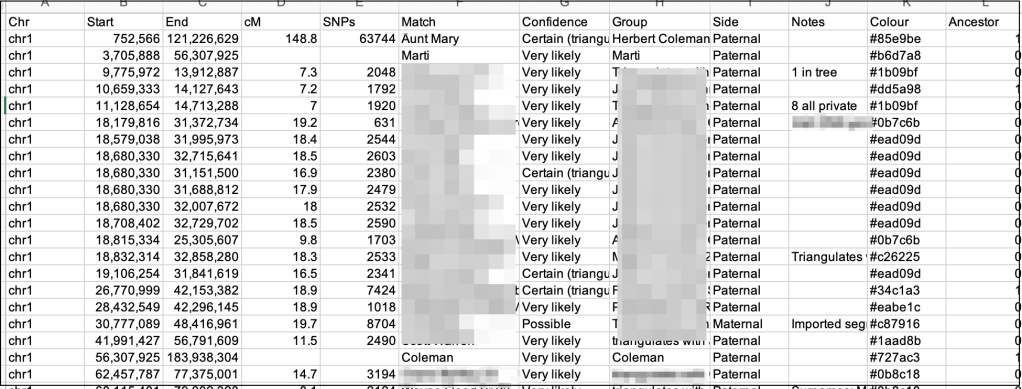
The biggest challenge has been isolating only the Coleman-line matches from the DNA Painter data. Although DNA Painter allows me to download a csv file for each chromosome, it’s cumbersome to filter through hundreds of matches manually.
For example. Dave has 100 matches just on chromosome 1. The gold segments under the blue Coleman line represent triangulated matches from MyHeritage and the pink ones are triangulated matches from 23andMe.
There was no easy way to extract just the matches under the Coleman line — until I asked ChatGPT to write an Excel macro for me!
This was my first prompt to ChatGPT on the problem: Here’s a new problem to work on. Family lore says David Coleman was born about 1801 somewhere in Ireland. We don’t know where. I was to use locations of DNA matches to find where he likely lived. Here are 2 csv files. C.csv has the locations of Coleman segments on various chromosomes. There is a header row. Column A had chr# the chromosome number. Column B has the start and Column C the end of the segment. P.csv file has all of the paternal data. For the comparison A2 of file P must equal A2 of file C. Then look at Column B of file P.csv until you find a number greater than or equal to the number in B2 of file C. Remember that row. Now look at Column C of file P and scroll till you find a number less than or equal to the number in C2 of file C. Now take that the data you found and copy those rows to a new csv file.
The c.csv file has the Coleman segments from Dave’s VP file for the various chromosomes.
C.csv file.
The p.csv file has all of the paternal matches. It’s ChatGPT’s job to create an Excel macro for Mac that will collect only the Coleman matches.
P.csv file
There were a few issues initially. I’m on the free version of ChatGPT and had hit the end of the day.
ChatGPT’s reply: It seems like I can’t do more advanced data analysis right now. Please try again later.If you want, I can still walk you through the exact steps to run this matching process in Excel or in a simple Python script on your computer so you can get the output immediately. Would you like me to give you those step-by-step instructions?
So I asked for an Excel macro that would run on Mac. This was the first macro iteration.
ChatGPT’s reply: Assumptions
You have two sheets in the workbook:
Both have headers in row 1
Column A = Chromosome, Column B = Start, Column C = End
You want results on a new sheet “Matches”
I changed from the two separate csv files and made them two sheets in one Excel file. And then ran the macro.
My next prompt: I got it to run – it only found the 4 occurrences of Coleman, not all the data within the start and end range, which is what I want. Once you find the start value in P that matches the one in C, then copy all the rows of data you find until the end value in P matches the end value in C. would you change the macro to do that?
This was marco version 2. My prompt: Still not working – let’s try something else. You’ve got the chr# in C and P matches perfectly. Now let’s not look at Start or End. In column F under the header ‘Match’ in file C it has text Coleman. With the chr# selected – look in column F of the P file and find text Coleman. Copy that row into new match sheet and then copy all the rows under it, that still have chr# matching until you find the text Marti in column F in sheet P. Then move to the next row in sheet C and repeat this. If you do not find text Marti, but the chr# no longer matches, then also move to the next row.
ChatGPT’s reply: Got it — so now the logic becomes:
Use the chromosome number in C and P to match
In C, column F (“Match”) must contain “Coleman”.
Once we have the chromosome number, look in P column F for “Coleman” on that chromosome.
Copy that row from P to Matches sheet.
Then keep copying the following rows (same chromosome) until column F says “Marti” — then stop.
If “Marti” isn’t found, stop when the chromosome changes.
Move to the next “Coleman” in C and repeat.
This was macro version 3. My prompt: Almost perfect! several chr like chr 2 have more than one segment. The macro duplicated all the matches on chr 2. When the macro finds the first occurrence of Coleman in column F for a chr# it needs to remember the start that was in column B of that row. then it goes on and stops at Marti and starts at Coleman again if chr# is the same as before and column B has larger start value. It should not go back to a lower sOkay — the duplication on chr 2 means my current loop is checking every “Coleman” in P for a given chr in C, even if it’s already been handled from another row in C.
ChatGPT’s reply: To fix that, we need to:
Loop through C in order.
For each row in C, find only the matching Coleman in P that has
the same chr number,
the exact same Start as in C column B,
Then copy from there until Marti or chr changes.
That way, we never re-run the same Coleman block twice for the same start value.
My prompt: That worked!!
This entire conversation — and the four versions of the macro it took to get it working —lasted about an hour and forty-five minutes. I can not even estimate the time it would have taken me to do this myself!
Of course, you always want to verify anything a chat bot gives you. In this case, I already had a csv file in the correct format for DNA Painter, so I could easily add it back into DNA Painter for a visual check.
The only match that might have fallen outside the selected region was at the bottom of the image — for Aunt Mary. Her parents are Dave’s grandparents, Herbert Coleman and Harriett Marti. Since her match could reasonably extend a bit beyond the region of interest, that doesn’t concern me.
This project was a great example of how AI can enhance traditional genealogical research. What once felt tedious became manageable — and even fun — with a little help from ChatGPT. There’s still plenty of work ahead before I can pinpoint where David Coleman (born about 1801 in Ireland) came from, but these DNA-based tools have moved me one step closer.
I shared this example as part of my presentation, “Enhancing Genealogy Research with AI Assistant,” at the Minnesota North Star Conference in Eagan, MN on 25 October 2025.
Great news for AutoLineage users! You no longer have to use “Save Page As” to import your Ancestry matches and shared matches—there’s a faster way with simple copy and paste. Instead of saving files to your computer, you can now copy your match or shared match page in Ancestry and paste it directly into AutoLineage in another browser tab.
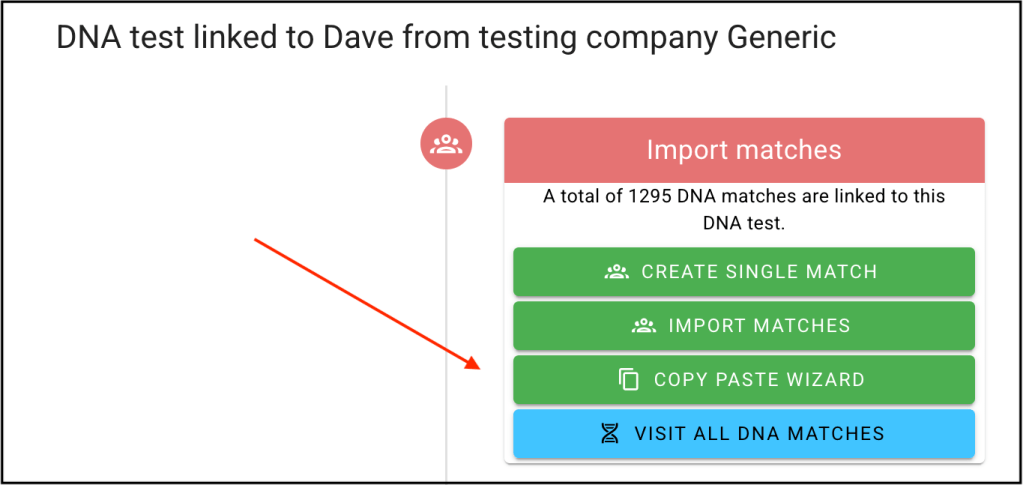
Log into AutoLineage, set up a profile, and select ‘Generic’ as the DNA test. Under Import Matches select ‘Copy Paste Wizard.
Select Copy Paste Wizard.
That brings up the Wizard.
Copy Paste Wizard
The Wizard can be used for Matches and Shared Matches. It will show the Existing Matches, and Existing Shared Matches. You will see these numbers change as you add matches and shared matches. After you select and copy your Ancestry data you add it to the Wizard with the blue ‘Paste Data’ button. The list of New Imported Matches or New Imported Matches will update.
Ancestry’s match page initially shows 20 matches. If you scroll to the bottom of that page, you can change that setting to 50 matches. To make things more efficient that number can be changed to 100 matches per page. At the top of the window is the URL for the match page and it says ‘ItemsPerPage=50’ That 50 can be changed to 100, which makes copying the match data twice as fast!
Match data set at 50 matches per page.
Changing that 50 to 100 makes copying the match data twice as fast!
After changing match collection to 100 matches per page.
‘Select All’ under the Edit menu, or Ctrl A in Windows, or Cmd A on Mac will highlight all the matches on the page.
With Dave’s 100 matches selected.
Select ‘Copy’ (Ctrl C or Cmd C) to copy all the data on the page and then ‘Paste’ it into the AutoLineage ‘Copy Paste Wizard.’
After pasting 100 matches into the Copy Paste Wizard.
You’ll notice both the ‘Total Imported Matches’ and the ‘New Imported Matches’ should 100. At this point you can ‘Save and Close Wizard’ or go back to the tab with Dave’s Match data and select another page of matches. If there are no (shared) matches appearing in the wizard, go back to the page and try to select and copy the data from the top of the page.
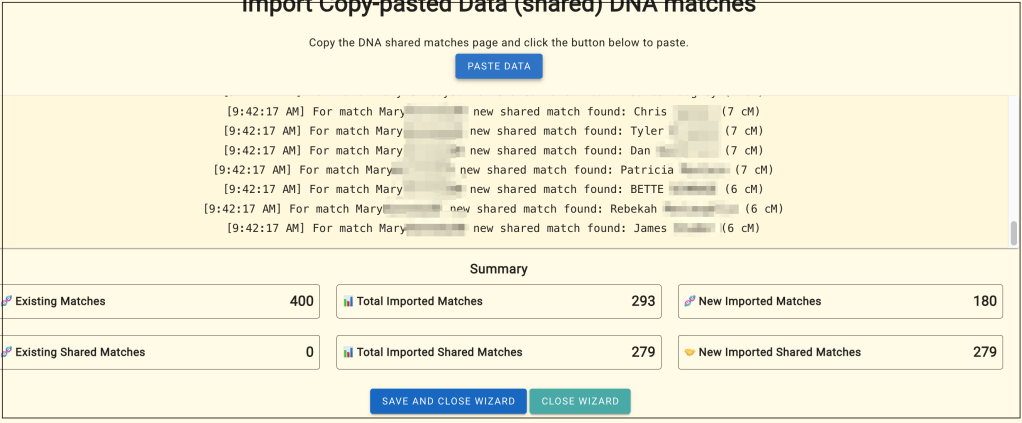
Next collect shared matches. Dave paternal Aunt Mary tested at Ancestry. She has 14 pages of shared matches. Each page can be selected, copied and added to the ‘Copy Paste Wizard.’
Shared matches added to the Copy Paste Wizard.
When shared matches are added to the Wizard, if a match hadn’t been collected before, the wizard adds that match to Dave’s matches as well. Four hundred of Dave’s matches had originally been added. The lowest cM for them was 25, but you’ll notice in the list of Mary’s shared matches several matches at 6 or 7 cM. The Wizard automatically adds these to Dave’s matches as well. Looking at ‘New Imported Matches’ shows there were 180 new matches that had values lower than cM that matched Dave and his Aunt Mary, that were added along with the shared matches.
Especially with Copy – Paste, it’s a good idea to backup the AutoLineage data after adding matches and shared matches. The backup option is at the bottom of the ‘DNA Test Overview’ page. This saves the data as a JSON file that can be loaded back into AutoLineage (under import matches).
Backup for matches and shared matches.
Once you have enough matches and shared matches you can run clustering. There are several new features in clustering.
Clustering Wizard
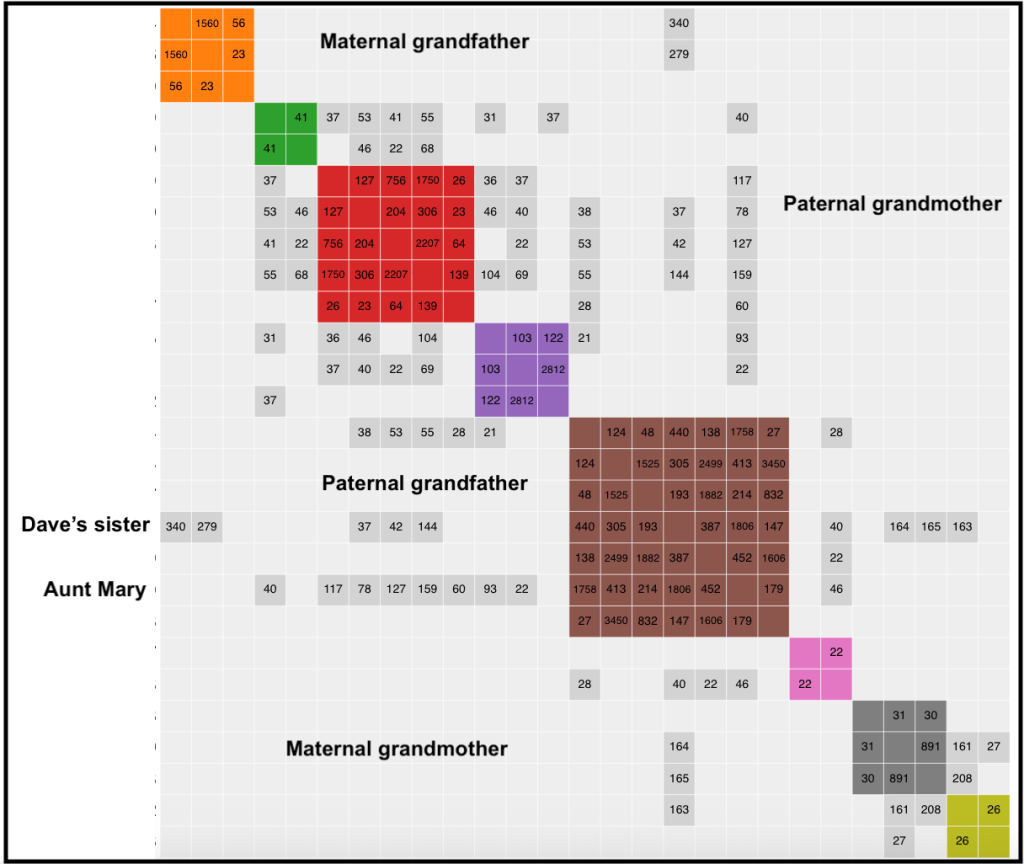
Unweighted clustering is the default cluster setting that AutoLineage (and Genetic Affairs in general) has always employed. Weighted clustering is a new way of clustering that considers the amount of DNA between shared matches. This first image is of Dave’s matches in an unweighted, dense cluster. The various lines of the family are labeled. You’ll notice the green, red, purple brown, and pink clusters have a lot of grey cells that connect to paternal Aunt Mary, and Dave’s full sister connects to the both the paternal and maternal clusters, as would be expected.
Unweighted, dense cluster of Dave’s data.
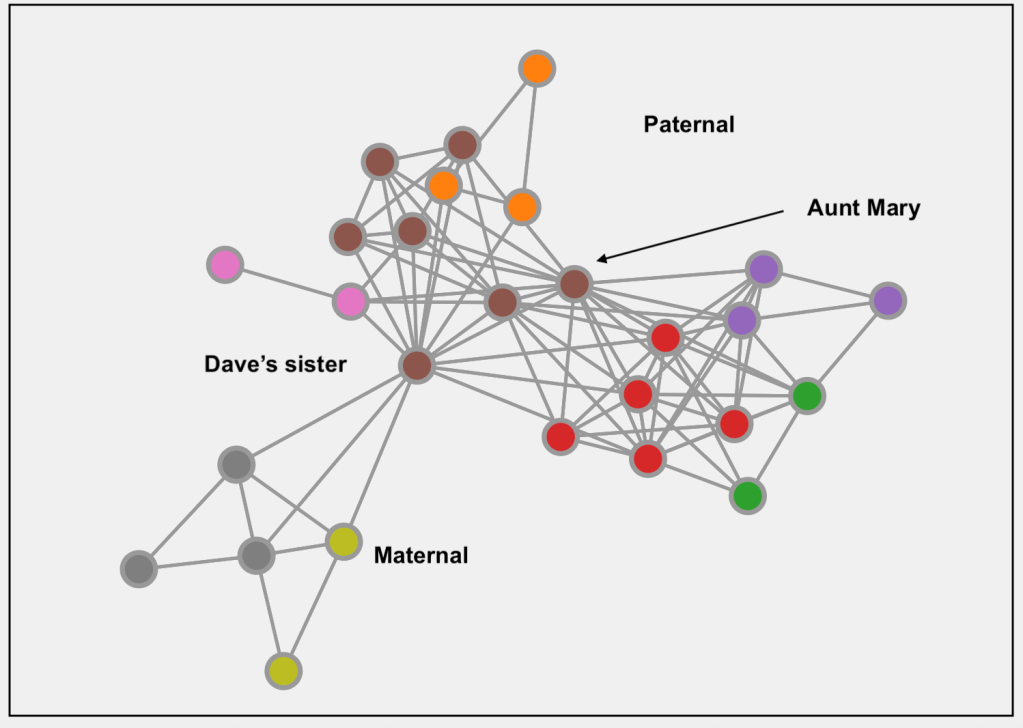
The graph images are clearer now too. This is the one for the unweighted cluster. You can clearly see how Dave’s sister connects their maternal and paternal matches and how all the paternal matches are connected to Aunt Mary.
Graph visualization for unweighted, dense cluster.
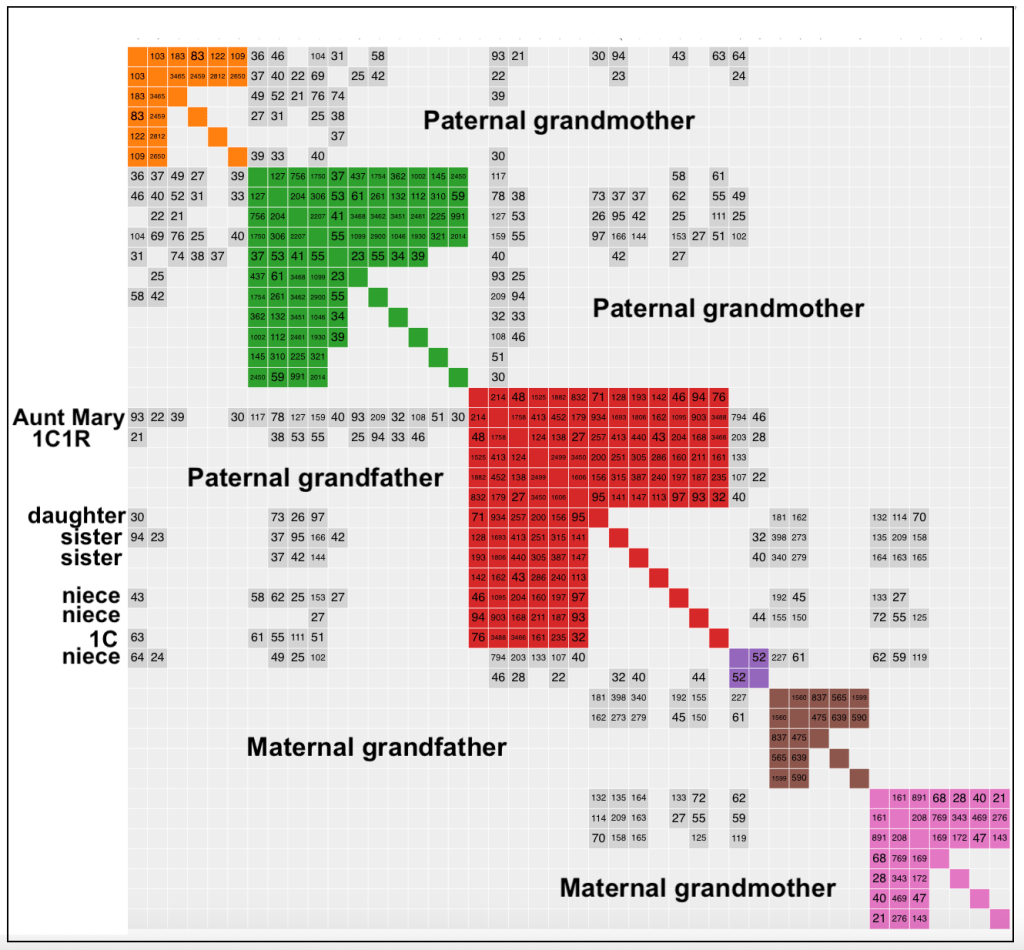
This next image is of the weighted, dense cluster of Dave’s data. In this cluster a lot more of Dave’s close family members are seen, and the paternal grandmother side splits into 2 clusters. The orange cluster’s most recent common ancestor (MRCA) are Dave’s paternal third great grandparents, while the green cluster MRCA are his paternal second great grandparents. Here again sisters and nieces have grey cells to both paternal and maternal matches.
Weighted, dense cluster.
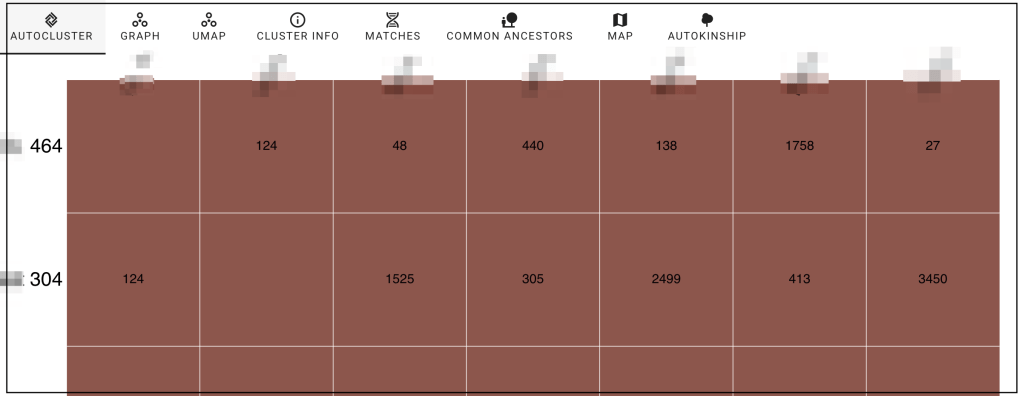
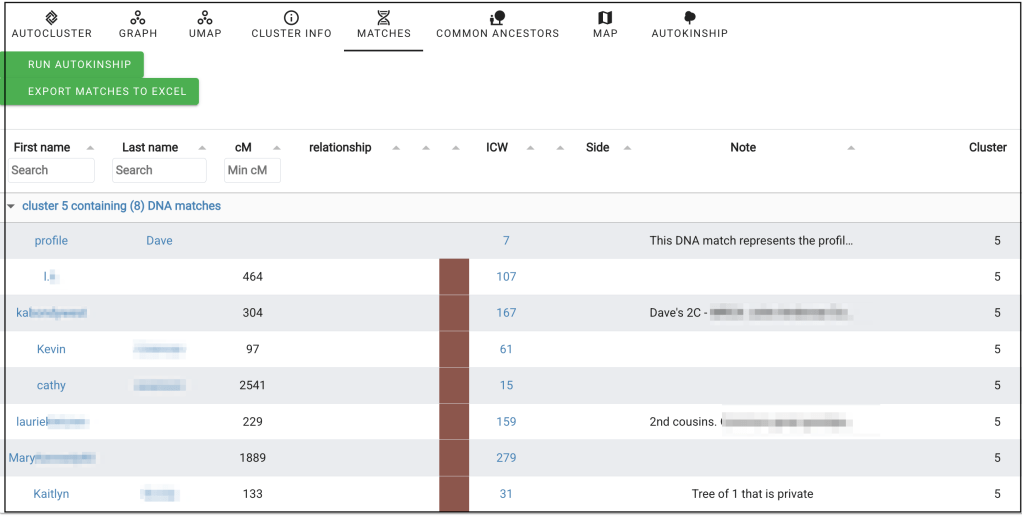
When you have a cluster you can run the AutoKinship tool, which is able to reconstruct trees based on shared DNA (and optionally MRCA data). From viewing the clusters select ‘Matches’ at the top of the window. This brings up a list of the matches in the clusters, which you can download to Excel if you want. You can also select the cluster that you want to use for AutoKinship.
Matches list.
The brown cluster was selected for AutoKinship and again brings up the actual cluster.
Showing the brown cluster.
Clicking on ‘Matches’ again brings up the screen where you can select AutoKinship.
Setting up for AutoKinship.
The list shows that Dave will be included along with the people in cluster 5.
Ready to start AutoKinship.
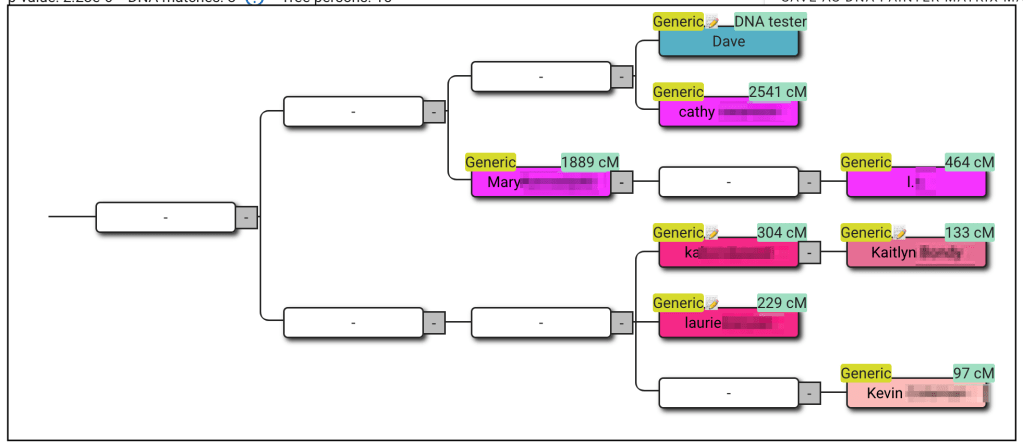
You can choose to add known relationships, or provide generational information between matches, before running AutoKinship if you wish. Or import trees for the matches and search for common ancestors. Both known relationships and MRCA information will be integrated in the reconstructed trees. Five trees were generated. This one perfectly located the matches in their family relationship. The MRCA are Dave’s great grandparents, John Coleman and Mary Ann Duff.
An AutoKinship tree of the matches in the brown cluster.
Conclusion
The new Copy Paste Wizard is a real game-changer for AutoLineage users working with Ancestry data. No more saving pages or juggling multiple files ,with just a few quick copy-and-paste steps, you can bring in both your matches and shared matches directly into AutoLineage. It’s fast, simple, and surprisingly satisfying to watch those numbers update as new matches appear!
I tested the Wizard with my own Ancestry data and found it worked beautifully. Within minutes, I had all my matches imported, ready for clustering and AutoKinship analysis. The process felt seamless compared to the old ‘Save Page As’ method.
Combined with the new weighted clustering and improved visualization options, this streamlined workflow helps turn raw match data into clear, meaningful family patterns and reconstructed trees.
A new import tool has recently been added to AutoLineage, enabling the use of GEDmatch Tier 1 data. This powerful addition allows users to identify potential common ancestors based on tree data linked to up to 7,500 matches. Unlike existing tools (even the ones on GEDmatch) that typically only analyze trees for a small number of top DNA matches, this new capability dramatically expands the scope of common ancestor analysis.
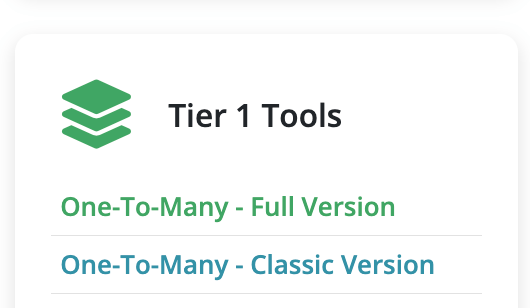
Start by selecting the One-To-Many – Full Version.
The Tier 1 Tools.
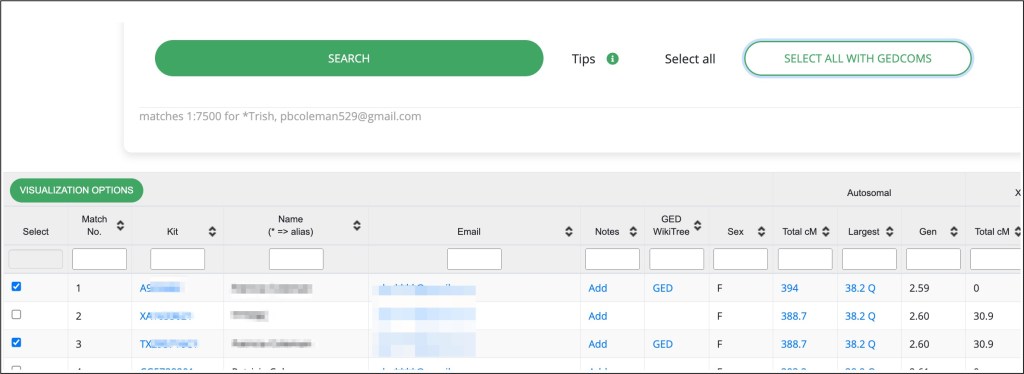
Enter your kit number and select 7500 matches for the comparison. Click on ‘Search’ and a message will come up for you to wait while the data is collected. When the site has loaded completely, save this page using the ‘Save Page As…’ command. Make sure the complete site is loaded, it might take a while to fully process.
Enter kit number and select 7500 matches.
Next click on the ‘Select all with Gedcoms’ command. This will select all DNA matches that have a linked GEDCOM.
Select All with Gedcoms.
At the top of the list of matches and gedcoms is the ‘Visualization Options.’ Click on that next.
List of visualization tools for the matches and gedcoms.
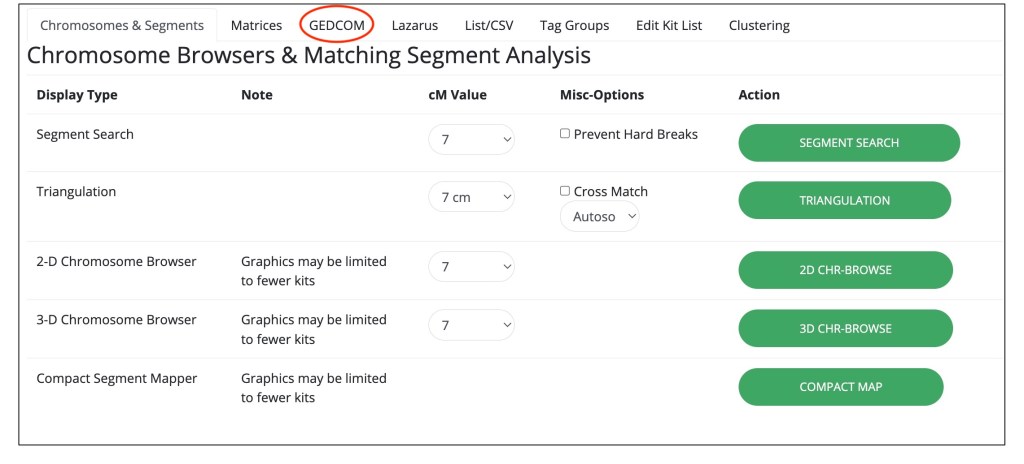
Select ‘GEDCOM’ that I’ve circled in red in the figure above, which will bring up the tools.
The gedcom matching tools.
Select the ‘Find matching GEDCOMs’ which brings up a new tab with a detailed list of the gedcoms. This page will allow for linking the DNA matches (represented by the kit numbers) to their GEDCOM trees as well as which root person they represent.
List of matching gedcoms.
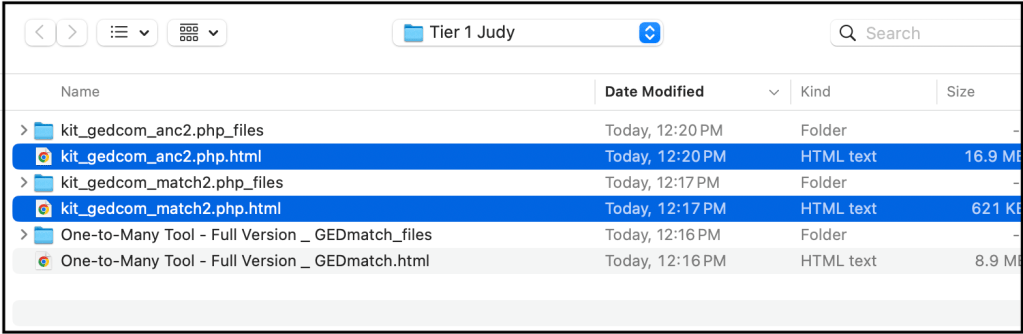
‘Save Page As….’ using the filename that GEDmatch gives it. Make sure that the page is fully saved before the next step. Then go back to the previous page and select ‘Find Matching GEDCOMs (anc)’. This step takes some time to come up. It will quickly display a heading, but you don’t want to save the page until after that X, that I’ve circled in the figure changes to a circle with an arrow and the table has been filled in.
The anc2 page before it has collected the data.The anc2 page when all the data has been collected.
Once the page is complete, save it using ‘Save Page As….’ again using the filename that GEDmatch gives it.
Now you are ready to add the matches and their trees to the AutoLineage profile. If you’ve not made a profile yet, log into Genetic Affairs, select AutoLineage (local) and click on register a new profile.
Creating a new profile on AutoLineage.
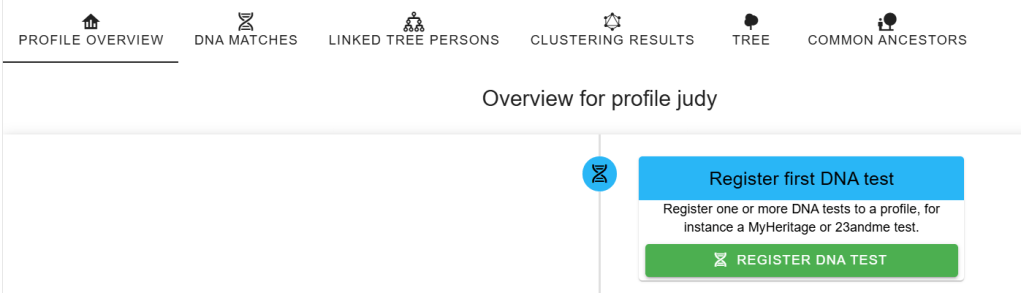
After the profile has been created, select the register DNA test.
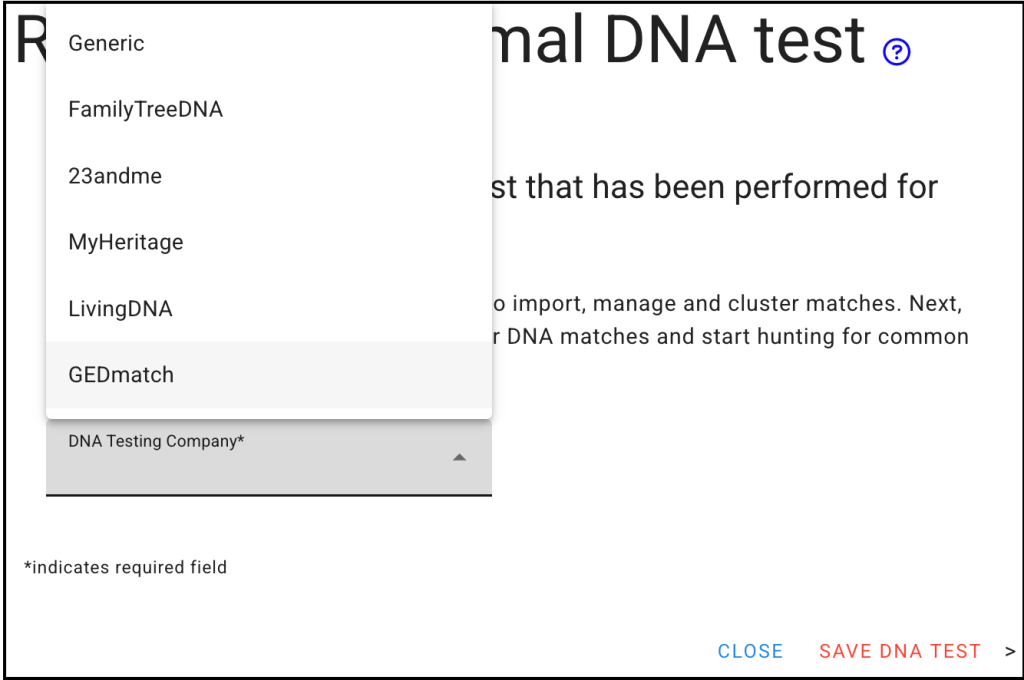
Next select the GEDmatch as the DNA test.
Select GEDmatch as the DNA test.
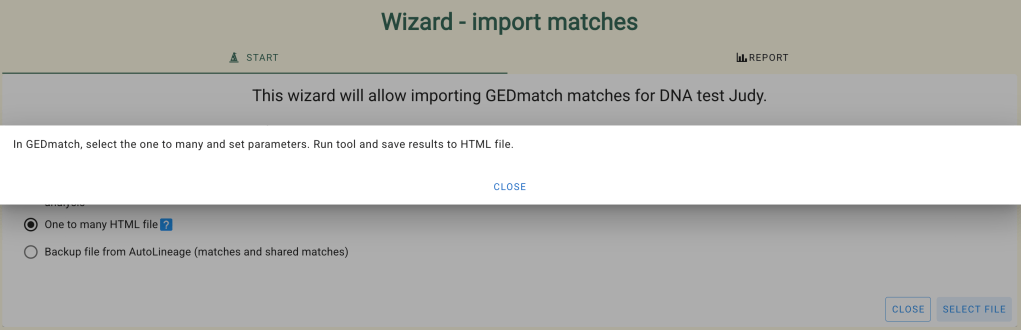
Next select Import matches and the Wizard will appear. The ‘One to many HTML file’ is what you want to select.
Wizard to import the matches from GEDmatch.
Clicking on the blue question mark explains what you want to collect, which you’ve already done.
Instructions for collecting the 7500 GEDmatch match files.
The list of matches is then displayed.
List of Judy’s GEDmatch DNA matches.
The next step is to add the gedcoms that you collected. Go to ‘Tree Management’ and select ‘Import trees.’
Import Tree Wizard..
Clicking on the blue question mark gives the detailed instructions for using this GEDmatch import tool.
Detail instructions for import tool.Selecting the two files to import.After the files are uploaded.
The trees are now automatically linked to the matches and with the matches and linked gedcoms in place, you can run ‘Find Common Ancestors.’ Select Judy’s profile and go to the overview page. Select the find common ancestor button.
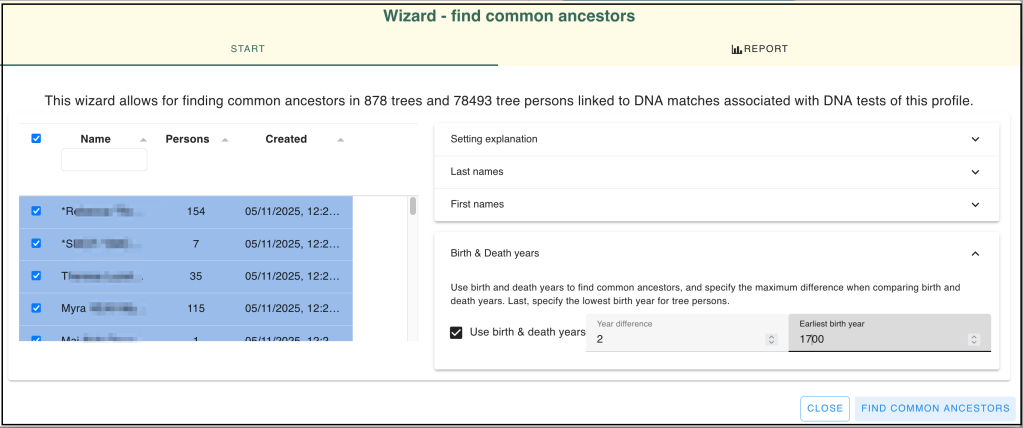
I know that Judy’s closest matches are her siblings and nieces. Then her next highest match is less than 100 cM. So I ran the ‘Find Common Ancestors’ wizard down to a birth year of 1700.
FInd Common Ancestors Wizard set for 1700 birth year.
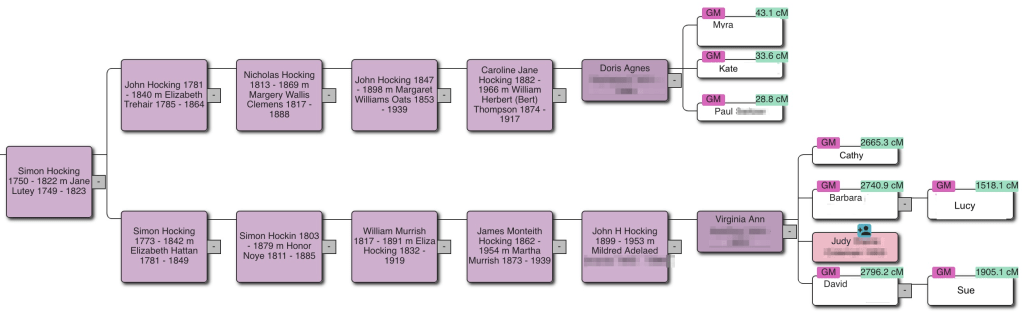
After waiting for quite some time, a large number of trees where found. The first one, shown here, connects Judy and her siblings to their fifth cousins once removed. Judy’s mother was a Hocking, whose family was originally from Cornwall, England. Some of the Hocking family immigrated to Australia, and Judy’s side immigrated to the United States. The Hocking line is well documented by the Hocking Descendants Society based on Australia.
Judy’s family tree on the Hocking side..
In many cases when I find unknown matches and want to find the connection to the tester, I start building a private, unsearchable tree on Ancestry. After a short while Ancestry provides hints to records and other trees, and I also research other sources for records and information to make the connection. Luckily, a new GEDCOM export capability in AutoLineage can facilitate the tree building!
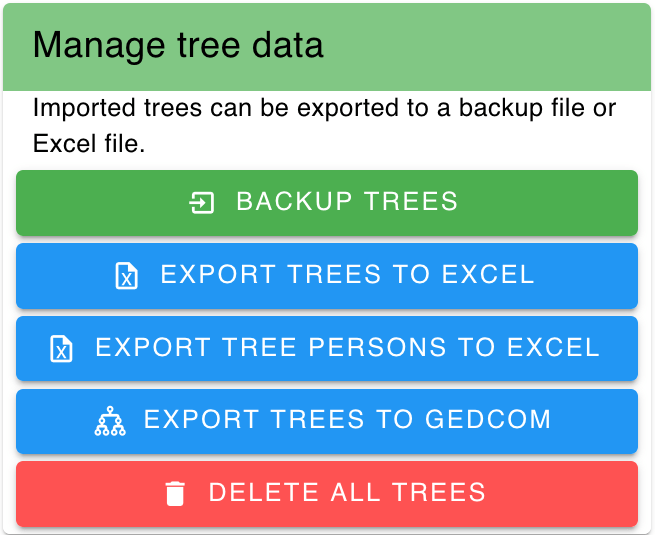
On the ‘Tree Management’ ‘Tree Overview’ Page scroll to the bottom to ‘Manage Tree Data’ and select ‘Export Trees to Gedcom.’ This option will generate a new GEDCOM file using all of the trees that have been found, and optionally you can add additional DNA matches that do not have trees. All trees and DNA matches are provided in the GEDCOM as floating trees or floating individuals. In addition, tree persons linked to DNA matches as well as the individual DNA matches are provided with the DNA match tag, allowing for easy retrieval when searching for people.
The Manage Tree Data menu.Wizard to export trees and DNA.
Profiles for Judy and another tester, Linda, are available. Judy’s profile has 898 trees that came from GEDmatch, which is the only test site I’ve added to Judy’s profile currently. The wizard shows trees linked to available profiles as well as showing all trees (the all-trees option). Moreover, it’s possible to deselect individual trees if they do not need further researching in Ancestry.
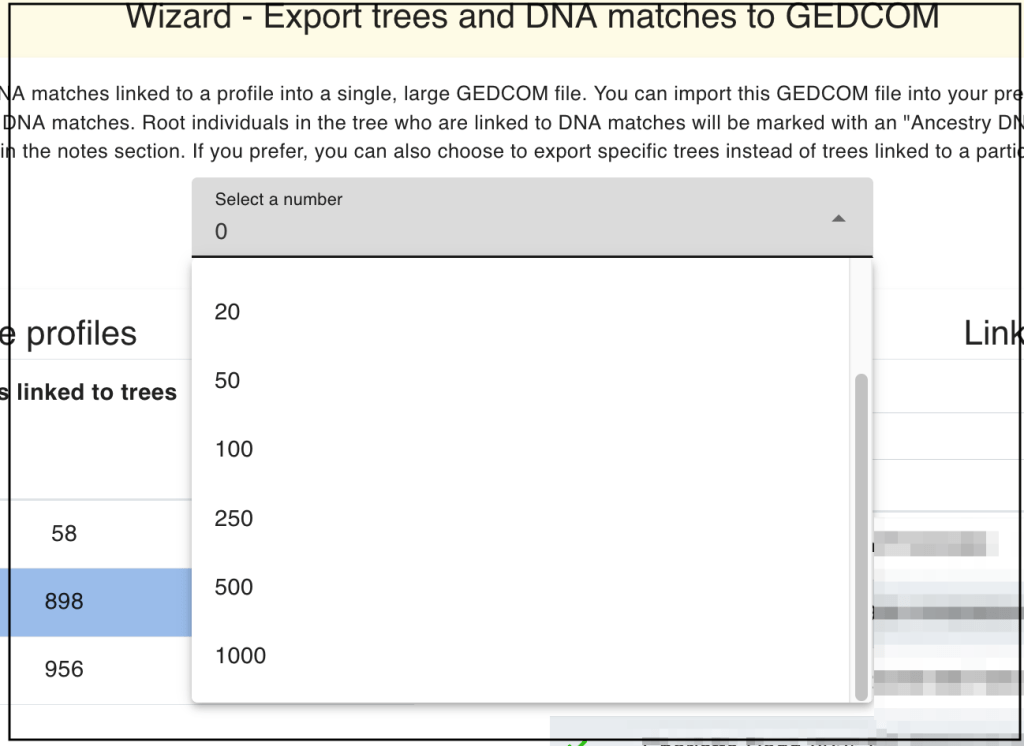
I’ve checked the ‘Integrate DNA matches’ which allows me to add up to 1000 additional DNA matches that are not associated to an existing tree. These would show up in the resulting gedcom as floating trees of one person.
Adding DNA matches.
I selected 100 additional DNA matches and clicked on the export. It takes some time for the wizard to finish and it puts the gedcom, named ‘example.ged’ into your download folder.
Next in your Ancestry ‘Trees’ menu, scroll down to ‘My Trees.’
Ancestry Tree menu.
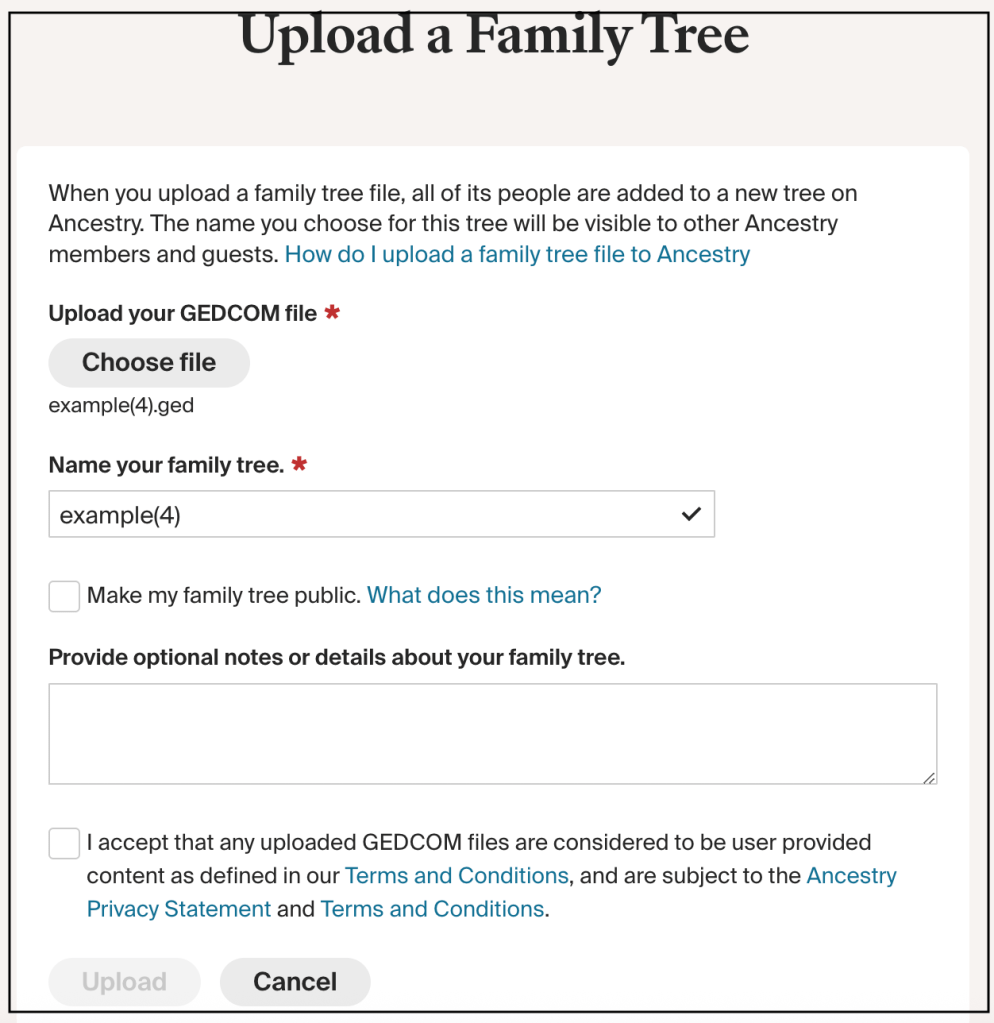
Select ‘Upload a gedcom file’ and add the ‘example.ged’ file. You can then name the tree whatever you like. I unclicked the ‘make the tree public’ and after it was processed I turned off the ‘make tree searchable’ under the Privacy settings.
Upload Family tree dialog.
It took several hours for Judy’s large gedcom to finish processing.
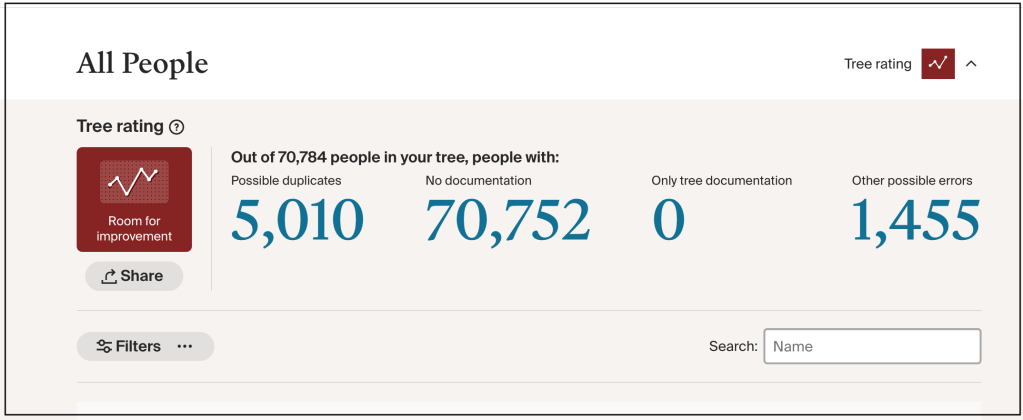
List of all the people there were in the example.ged file.
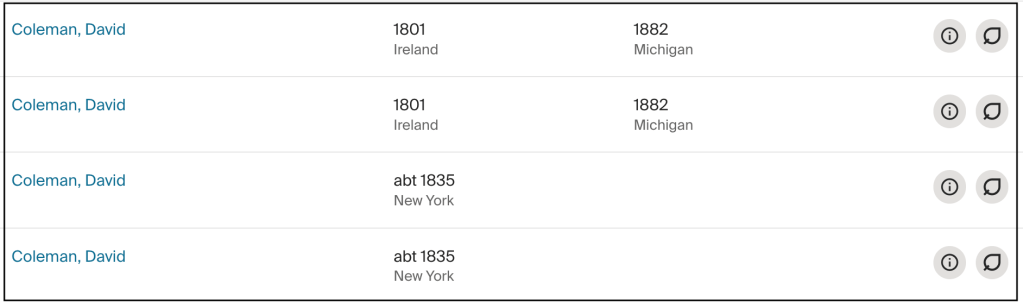
Since I want to find details of Judy’s third great grandfather, David Coleman, who was born somewhere in Ireland around 1801, I searched Coleman.
David Coleman in the list of people.
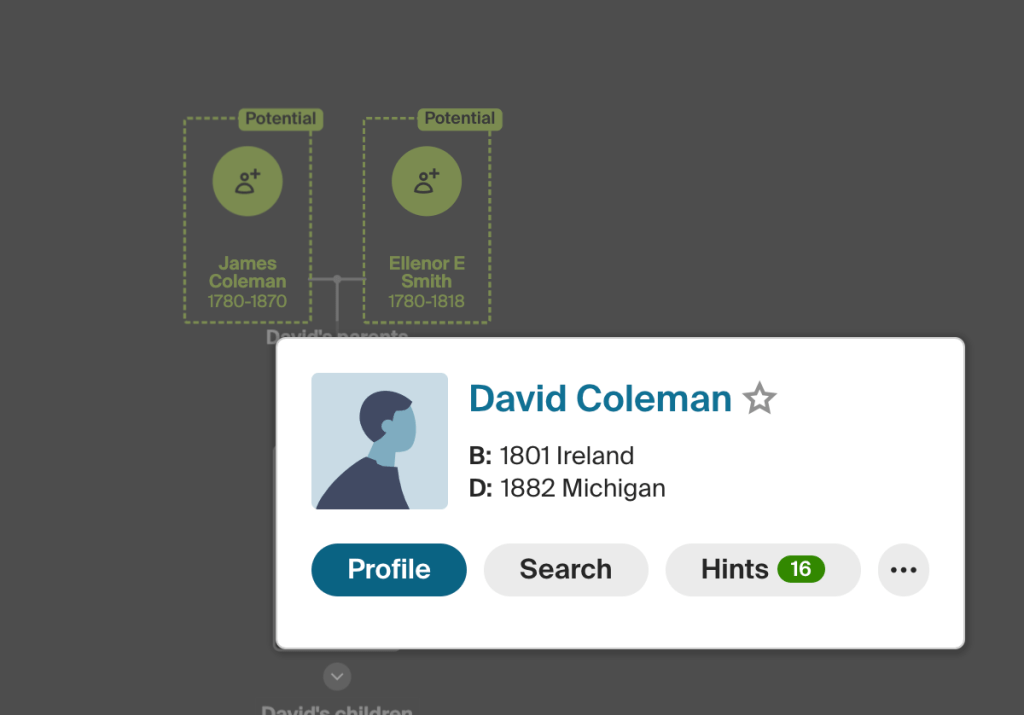
It appears there are two listings for David Coleman born around 1801 in Ireland. David, born in 1835 is his son. Carefully review the trees before merging them, or all the people in the tree will be duplicated. David has 16 hints and potential parents that someone has found. In the list of hints there are several US Federal Census, homestead records in Michigan and a death record for his daughter.
David Coleman’s hints.
Summary
Using GEDmatch Tier 1 One-To-Many – Full Version, selecting 7500 matches and then finding the gedcoms that these matches have provides an easy way to find common ancestors using AutoLineage. This approach also works for profiles that do not have a linked tree, in that scenario, the common ancestors will be identified using only the trees of DNA matches.
The new export to GEDCOM functionality provides an easy method to boost your tree finding efforts, without the need to manually copy existing tree data.
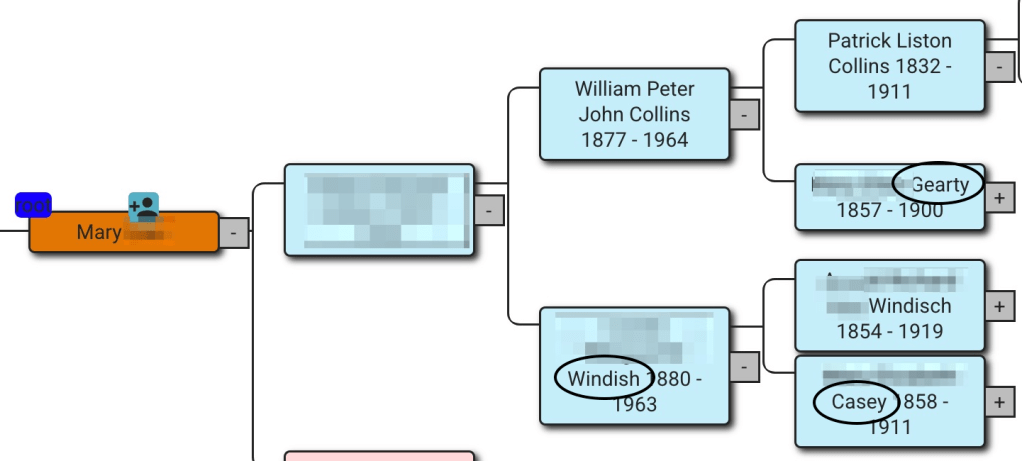
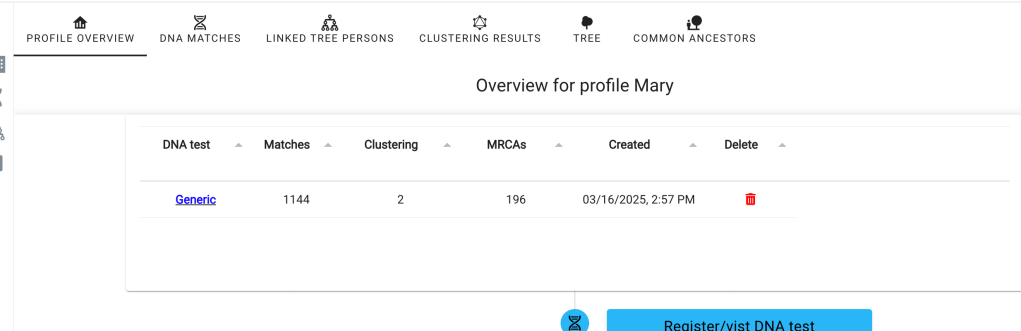
Often your research is focused on a specific part of your family line. This was the case with Mary who wanted to explain her father’s Collins line. Where had the Collins family lived in Ireland? When did the immigrate to the United States? And could we find more cousins on the Collins line? She had her DNA on Ancestry where we could select and study only her “Paternal” matches on her father’s Collins line. Mary’s family tree provided the surname of paternal grandmother, and great grandmothers that we’d want to avoid.
Mary’s tree from AutoLineage.
We started out by selected “Paternal” matches on her Ancestry DNA.
Selecting Mary’s paternal matches on her Ancestry DNA.
After scrolling down the page, we set the number of matches on the page to 50.
Setting for 50 matches per page.
Recently Paul Weaver had commented on the Genetic Affairs Facebook page how that number could be changed to a maximum of 100, by editing the number in the URL of the page.
Ancestry URL where you can change the 50 matches to 100.
We saved several pages of the close matches first.
Saving page 2 of Mary’s matches.
Next, we added the “Common Ancestor” filter, which is found at the top of the match list.
Filter to find matches that say “Common Ancestor.”
We saved the pages of matches that said Common Ancestor. We added CA for Common Ancestors to the filename to help keep track of what we had saved.A
Saving Mary’s common ancestor matches.
Since AutoLineage keeps track of the matches that have been added, there’s no worry of duplicating a match.
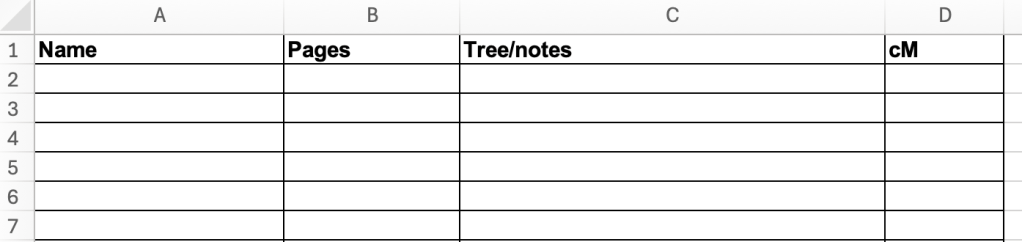
I make a list of the matches when I start looking at shared matches. I write down the match name, the number of pages of shared matches, notes and cM. This helps keep track of which matches I’ve seen and having the name there makes it easier to spell the name correctly on the gedcom when I save it. If the match is on the grandmother’s side, and not one that I’m saving I still write it down and add grandmother in the notes. This avoids having to look at that match again.
Excel worksheet that is printed and used to document matches viewed.
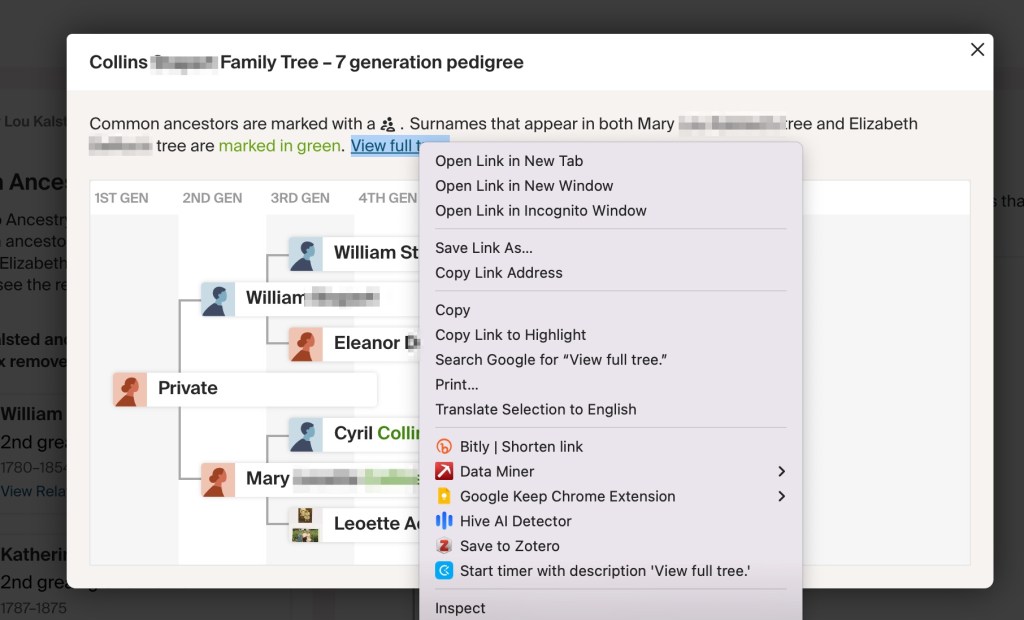
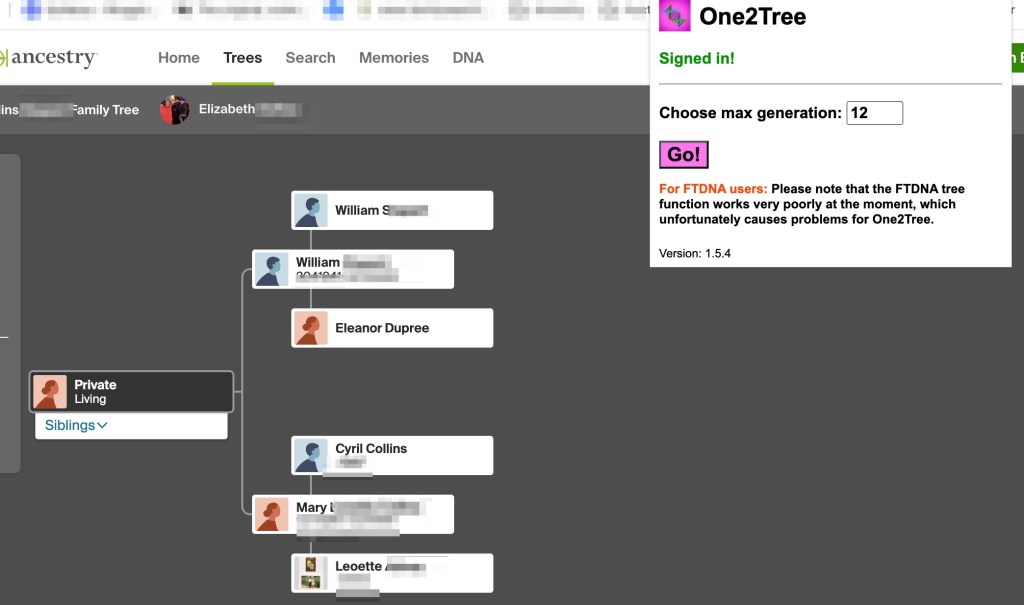
By looking at the Common Ancestors that Ancestry had found we could determine which matches we wanted to save based on Mary’s tree. If they were on the Collins line, we wanted their tree and their shared matches. First,we’d click on “Tree” and then “Expand Tree” using right click to have the expanded tree open in a new tab.
Elizabeth’s tree that will be expanded in a new tab.
Then on the match’s page we clicked on “Shared Matches.”
Shared matches selected.
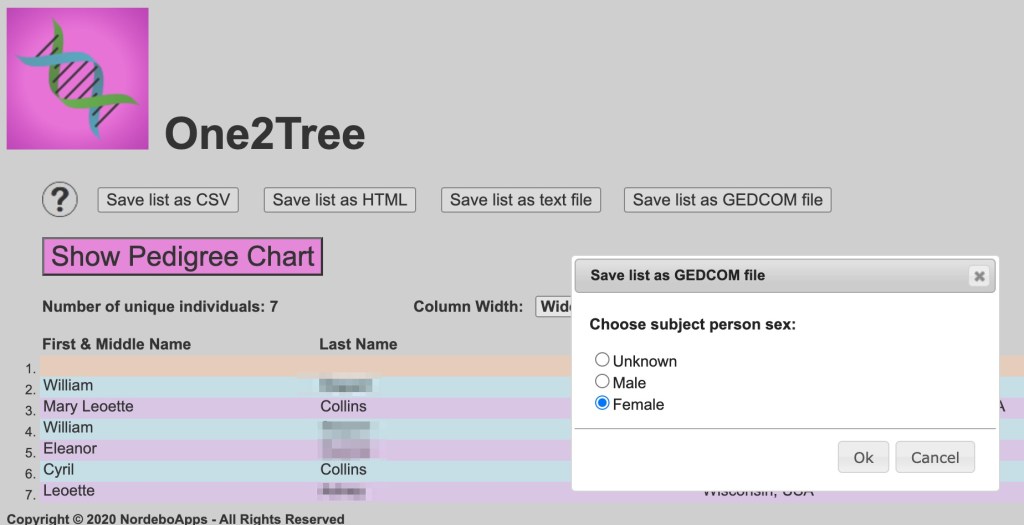
While those are coming up, we’d go to the tab with the tree and save the gedcom using One2Tree in my Chrome extension.
Elizabeth’s tree that will be saved to a gedcom.Gedcom in One2Tree.
After the gedcom is saved to the Download folder, we rename it with the match’s name, copy the name and add the gedcom to Mary’s gedcom folder.
Saving Elizabeth’s tree.
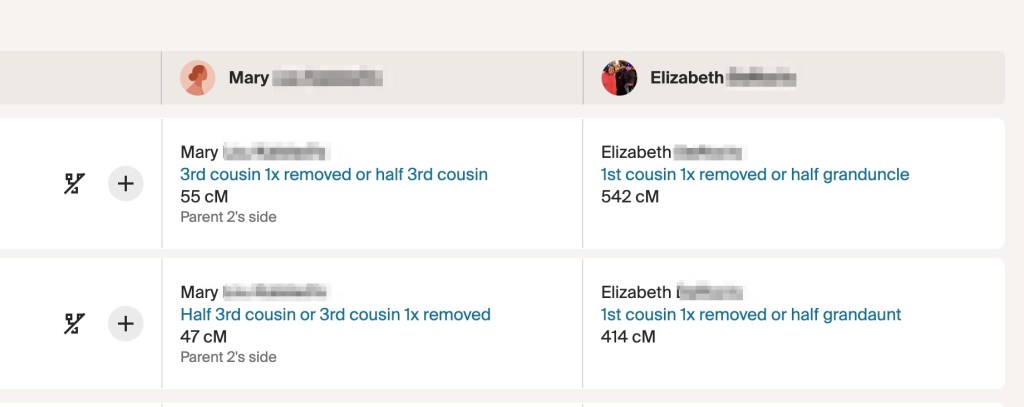
By then the shared matches were up. We’d sort the shared matches to show the closest match to this shared match.
Sorting shared matches to show Elizabeth’s closest matches.
Often that would give hints to the family relationship. Elizabeth’s closest matches are first cousins once removed, but often there are siblings or nieces and nephews which provide a lot of information for connecting the family trees.
Elizabeth’s closest matches.
Next, we’d scroll to the bottom of the page and record to the number of pages of shared matches on my list.
Number of pages of shared marches for Elizabeth.
Here Elizabeth only has one page of shared matches. Using Command S on Mac (Control S on Windows) and we saved the first page of shared matches, pasting in the match’s name that was saved when we named the gedcom, and adding p1 when there are multiply pages for this match.
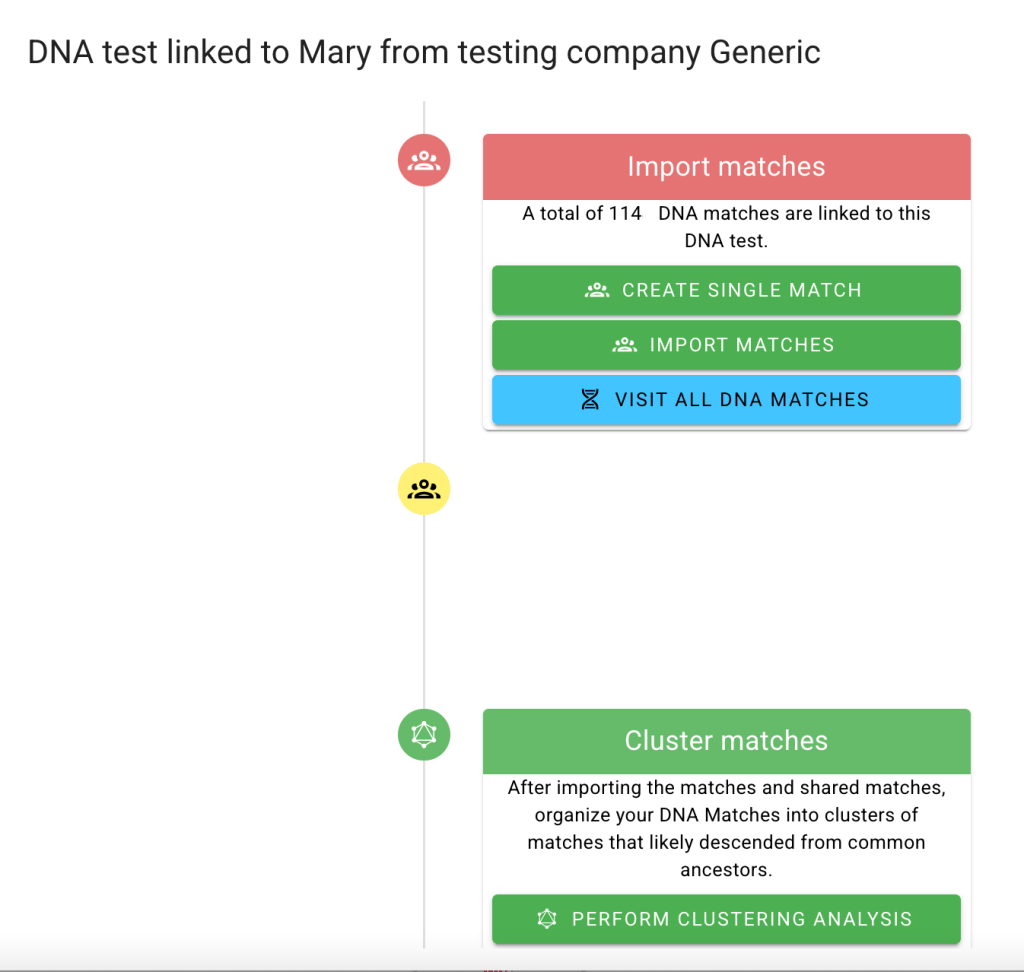
Once a number of pages of matches and shared matches have been saved and added to AutoLineage, we ran clustering to get an idea of where things were. Under Mary’s profile we selected Generic to bring up the page of commands available and then scrolled down to Perform Clustering Analysis.
Getting ready to run Clustering analysis.
We ran the cluster with all the available matches and normal settings.
Cluster of a few matches.
The cluster gives us some ideas of where we want to collect shared matches to fill in more connections for the cluster and also which trees would be useful for when we run Find Common Ancestors on AutoLineage.
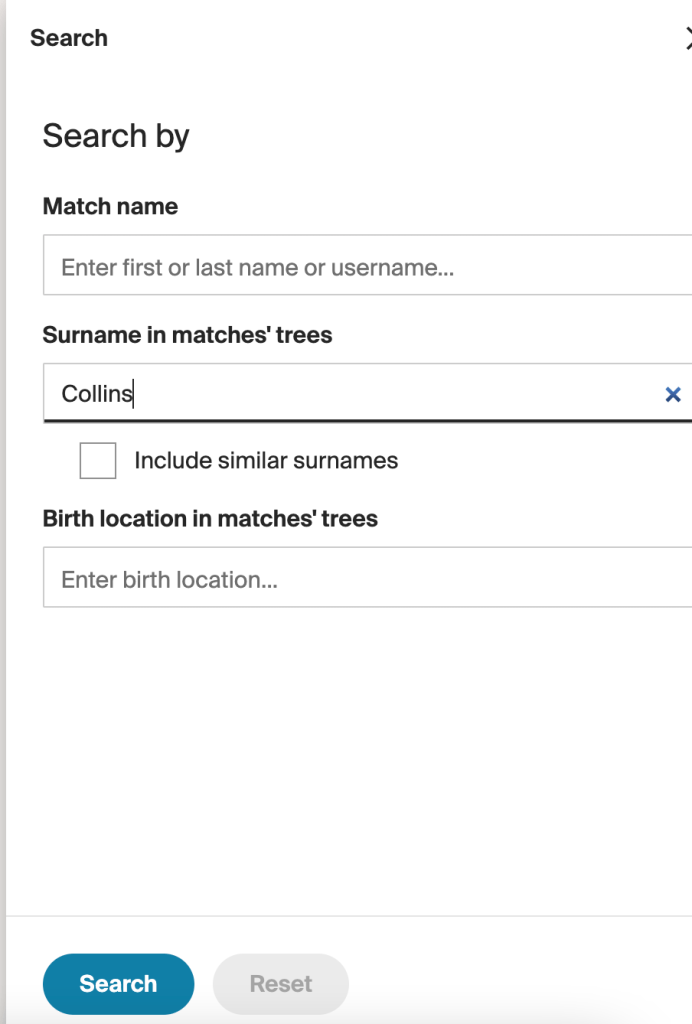
Back on Ancestry, after collecting all the matches that said “Common Ancestors” and were on the Collins line, we removed that filter and “Search” for matches that have Collins in their trees. This will exclude any matches that don’t have trees, but since trees are needed for Finding Common Ancestors in AutoLineage, the matches who don’t have trees are often not that useful.
Looking for trees that contain Collins.
Again, saving those pages of matches. It’s likely that we’ve already added some of these matches and trees. While AutoLineage will ignore matches I’ve already added, it would let us add a tree more than once, and that is something we want to avoid. We set up AutoLineage DNA matches page on one tab and the Trees page on a second tab.
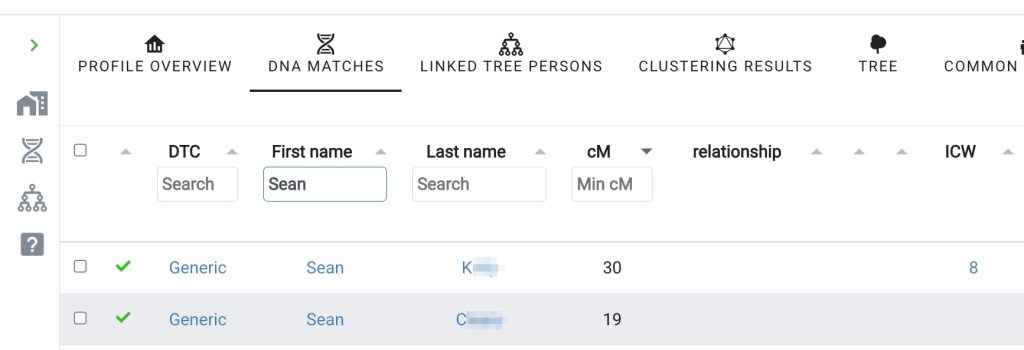
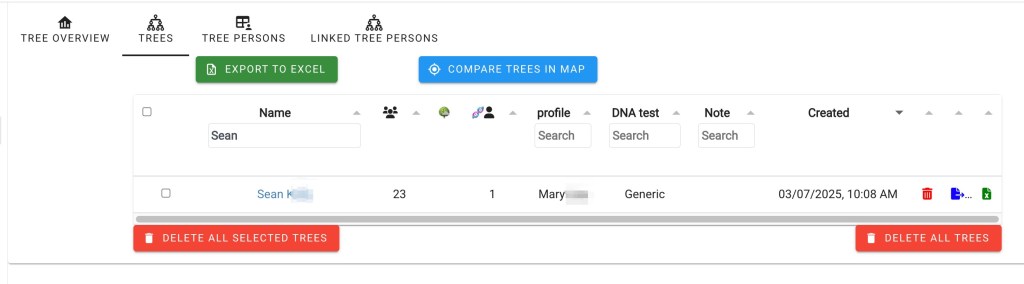
Sean K is listed as DNA match and has 8 In Common With matches.Sean K has a tree already on AutoLineage.
Here we can see that Sean K match has already been uploaded to AutoLineage and he has 8 In Common With matches. His tree is also loaded, so we can skip over him to the next match that has Collins in their tree. This saves a lot of repeating something that has already done a few days earlier.
Once a good number of matches and trees have been added we can find Common Ancestors. Starting on the page of Mary’s profile, we scroll down to near the bottom of the page and select “Find Common Ancestors” on the left side of the page.
Page for Mary’s Profile.Find Common Ancestors.
Clicking on Find Common Ancestors brings up the Wizard where we can make any changes that we want. Since Mary’s ancestors were born before the 1800 birthdate that is in the wizard, we changed it to 1750.
Common Ancestors Wizard.
When the wizard completes its calculations the reconstructed trees appear. We obtain the beginnings of a nice reconstructed tree. In the tree below tester Mary, and matches Elizabeth, Doreen, and J have been connected back to their common ancestors, William Collins and Katherine Liston.
Reconstructed tree fo Mary’s family.
In conclusion if you are looking for Ancestry DNA matches that are on one specific line in your family, you can set up AutoLineage concentrating on that line. First select paternal or maternal depending on where the line of interest is in your family. Next look at matches that Ancestry labels “Common Ancestor.” You’ll want to compare the surnames found here to the names in your family tree to avoid common ancestors who are not on your specific line. Then remove the “Common Ancestor” filter and “Search” on trees that have the family surname or interest. AutoLineage will prevent you from adding a DNA match a second time, but you have to make sure that you don’t duplicate a tree. Checking for the match’s name in Trees under Tree Management before adding a tree can ensure that you don’t duplicate one.
Thanks to Mary for the use of her DNA data. If you’d like some help with your DNA contact me at info@patriciacolemangenealogy.com
If you have been collecting your Pro Tools shared matches for AutoLineage, you know it can take a bit of time. I’ve found another shortcut to speed up this collection. First I check if the match has a tree and look at the tree. If it’s only a few people and all are private, there’s no point in making a gedcom of that. But when there is a tree I make a gedcom on One2Tree. Before I save the match’s name on the gedcom, I copy the name. Then when I go to do the shared matches I’ve already got the name and then only have to add p for page. Since I was already on the match’s page, I select shared matches and am ready to collect them, as I describe below.
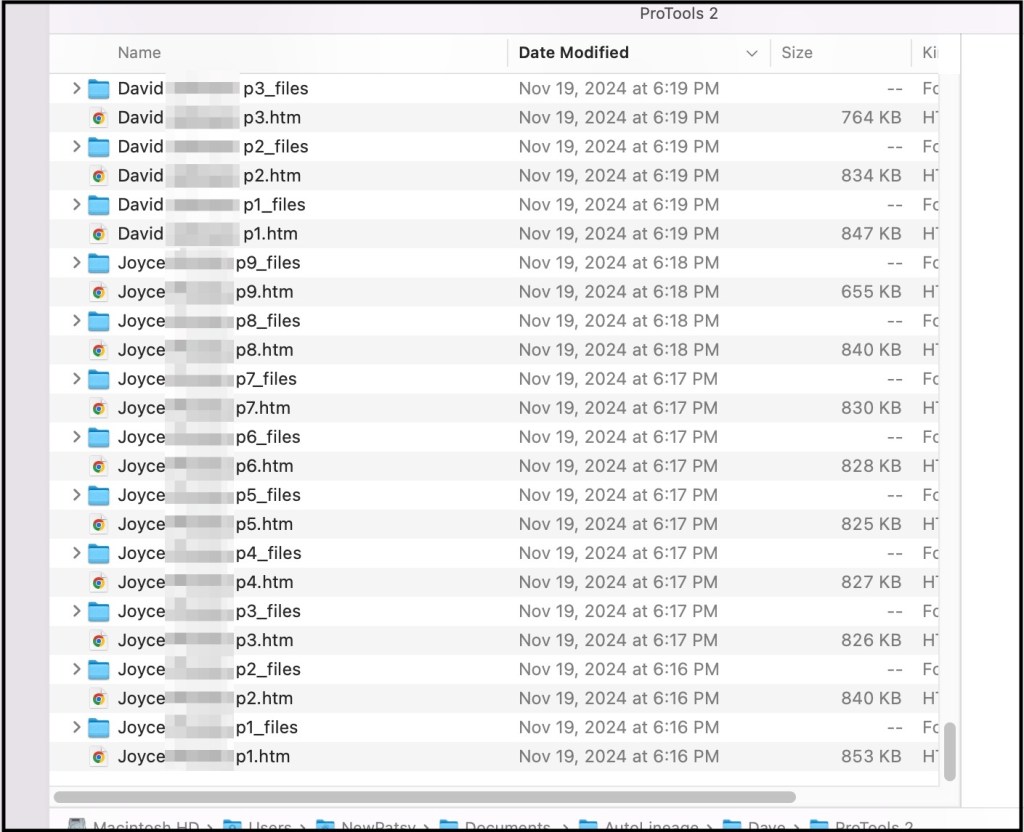
This is especially useful when the match has multiple pages of shared matches. The figure below shows match lists for Joyce, who has nine pages of shared matches and three of the pages of David’s shared matches. With these shared matches it is important to keep the folder as well as htm file that you add to AutoLineage. If you delete the folder, the htm file will also be deleted.
Directory showing some of the files of shared matches.
Tiffany is a match to Dave and she has 6 pages of matches. I start out by saving her first page.
Saving Tiffany’s first page of shared matches.
Before saving the file I copy the match name and p, which I’ll use for all of the matches other pages and just add the page number.
Copying the match’s name and p for the page number.
Then I watch as the circle, that is in the upper right bar of Chrome, fills in around the arrow to make sure that the file has been completely saved
On the left is the circle that is drawn as the file is being saved. On the right is the look after the file is saved.
Once the file is saved I position my mouse next to the arrow and change to the next page. I then leave the mouse there for the rest of the files. I also set my left hand so I can use Command S and Command V for the rest of Tiffany’s pages. I’m on a Mac and Command S saves the page in Chrome and Command V pastes the beginning of the filename that I copied earlier. On a Window computer the commands would be Control S and Control V.
Left hand positioned for Command S.
By just pivoting my fingers I can reach Command V.
Finger pivoted to reach Command V.
Once the file for the first page of Tiffany’s matches is saved, I mouse click to page 2. Then Command S brings up the ‘Save page as’ dialog. Command V copies in Tiffany p. I move my right hand and select 2, to make the file say ‘Tiffany p2’ and use the Return key to save the file. As the files are added to my directory I can see what has already been added which makes it easy to not overwrite a file.
Directory showing the files that have already been saved.
The figure below shows all six pages of Tiffany’s shared matches. The first five pages have twenty matches each and the last page has nine matches. You’ll noticed that all six pages were saved in under two minutes.
Directory showing all six pages of Tiffany’s shared matches.
Summary
I have found this to be a lot faster than having to go up to the File menu to get ‘Save page as’ and also to have to type the filename over each time. I’ve also found several matches with up to fourteen pages of shared matches. Especially when you’re trying to save a lot of shared matches to build out your clusters and subsequently the reconstructed trees, saving any time on the data collection is a bonus.
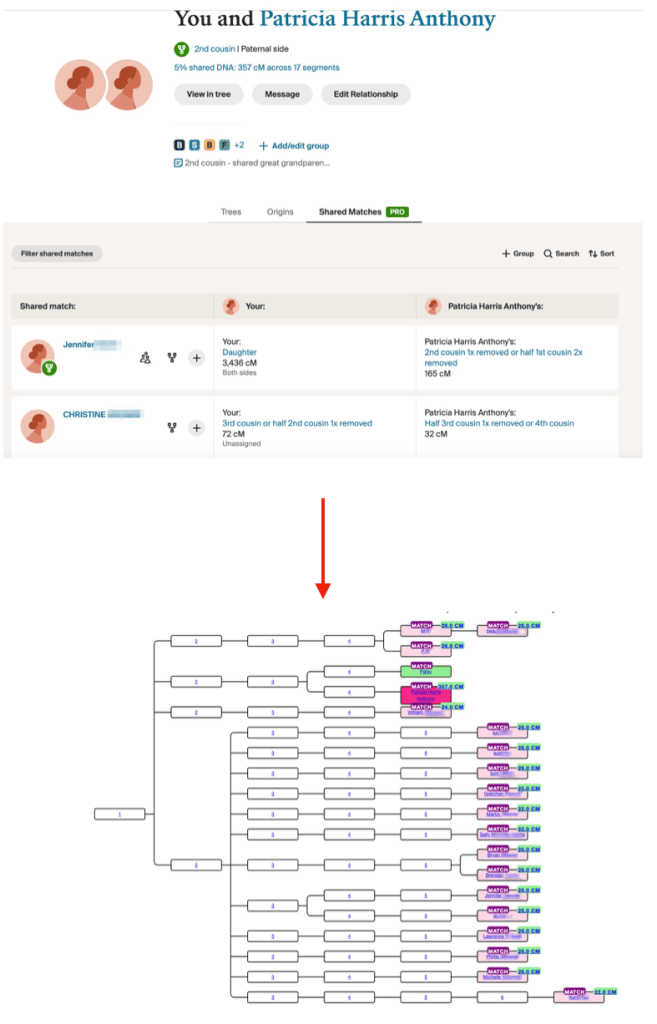
From ProTools to AutoKinship tree using matches shared by my cousin, Tish1, and me.
Genetic Affairs has unveiled a powerful new feature in AutoLineage—now you can apply AutoKinship to each individual cluster generated from Ancestry ProTools shared matches, unlocking a whole new level of insight into your family connections! It invokes the functionality of AutoKinship on the site directly at no additional cost, to provide reconstructed trees based on the shared DNA between shared matches.
In a previous blog post, I described how to get started with Ancestry and AutoLineage. In short, these are the steps involved. First, a profile is created or selected after which the same is done for a DNA test. Select a generic DNA test in order to process Ancestry matches. Next, we import DNA matches by saving each match page (make sure to set the number of matches to 50) to an HTML file. Repeat until you have enough matches. Next, we download shared matches for the matches of interest followed by a clustering analysis. Once we obtain the clusters, we can select an individual cluster for which we want to have a reconstructed AutoKinship tree.
In this blog post I will demonstrate how I cluster the shared matches of my 2nd cousin Trish. For this purpose, I will visit each DNA match page in the shared matches list with Trish and download their shared matches.
First, I imported my direct DNA matches. Next, I visited Trish her match page and downloaded the shared matches by using the Chrome “Save page as” to save the shared matches. Trish and I have three pages of shared matches, and I saved them as Trish-p1, Trish-p2 and Trish-p3. I used the “Import shared matches” to add these matches that Trish and I share. Next, I visit each DNA match in the shared matches with Trish and download the shared matches for each match.
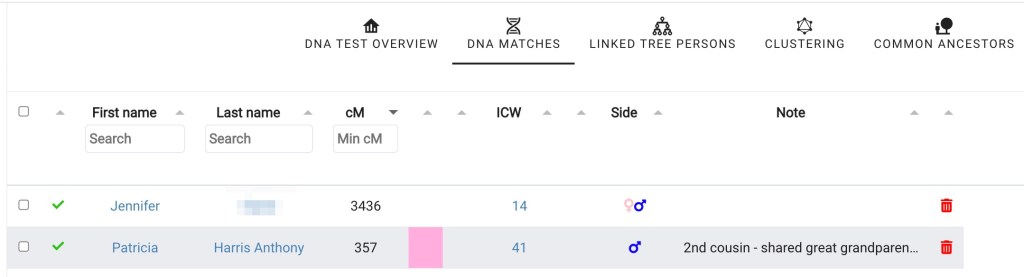
In order to get a cluster that only showed Trish and my shared matches, I selected “DNA matches” from my DNA test linked to Ancestry page and then clicked on Trish’s name.
Partial list of my shared matches.DNA match overview for Trish.
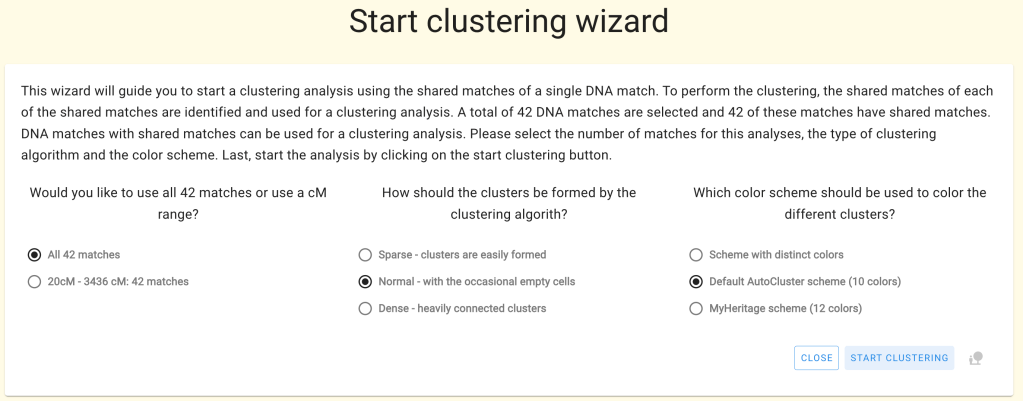
Clicking on “perform clustering analysis” brings up the Cluster wizard. Again, this clustering approach will only take all DNA matches that are shared with Trish, basically allowing me to only cluster matches that share an ancestral connection with myself and my 2nd Trish.
Cluster Wizard.
Trish has 42 matches that she shares with me.
Clusters of Trish’s and my shared matches.
Notice the cM values listed in each of the colored cells in the cluster. These are the result of the new Ancestry ProTools data!
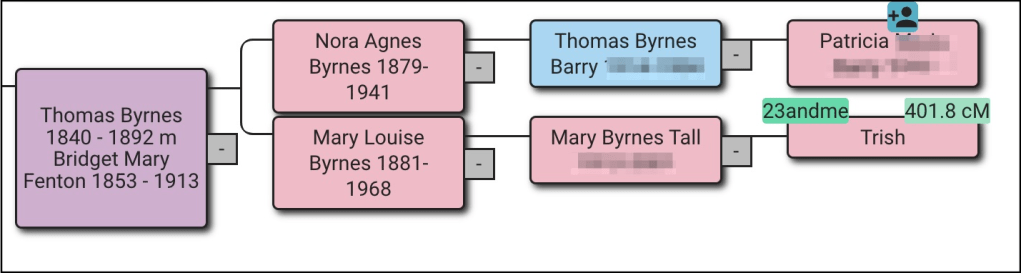
Trish and I share great grandparents, Thomas Byrnes and Bridget Fenton.
Trish and my family tree.
Thomas was born in County Roscommon, Ireland and Bridget in County Limerick. They met and married in Virginia. From building out family trees we know that the orange cluster has ancestors from Counties Roscommon and Mayo, and the green cluster has matches with surname Burns. Those matches would be on Thomas’ side. The brown cluster has ancestors who lived in County Limerick and would be on Bridget’s side. Very few of the matches in the large red cluster have any trees or other family information.
Clicking on “Matches” at the top of the screen brings up a table with the list of matches in each cluster.
List of matches in the clusters.
The next step is to click on cluster 3, which brings up just the red cluster. Again clicking on “Matches” at the top of the screen brings up the list of matches for cluster 3 only.. In the upper left of the screen is the “Run AutoKinship” button.
Cluster 3 matches and AuroKinship button.
Once AutoKinship analysis starts a message appears at the bottom of the screen telling you that the results will be sent to your email. The zip file should be saved to the computer and then unzipped. There are ten probability trees in the AutoKinship.
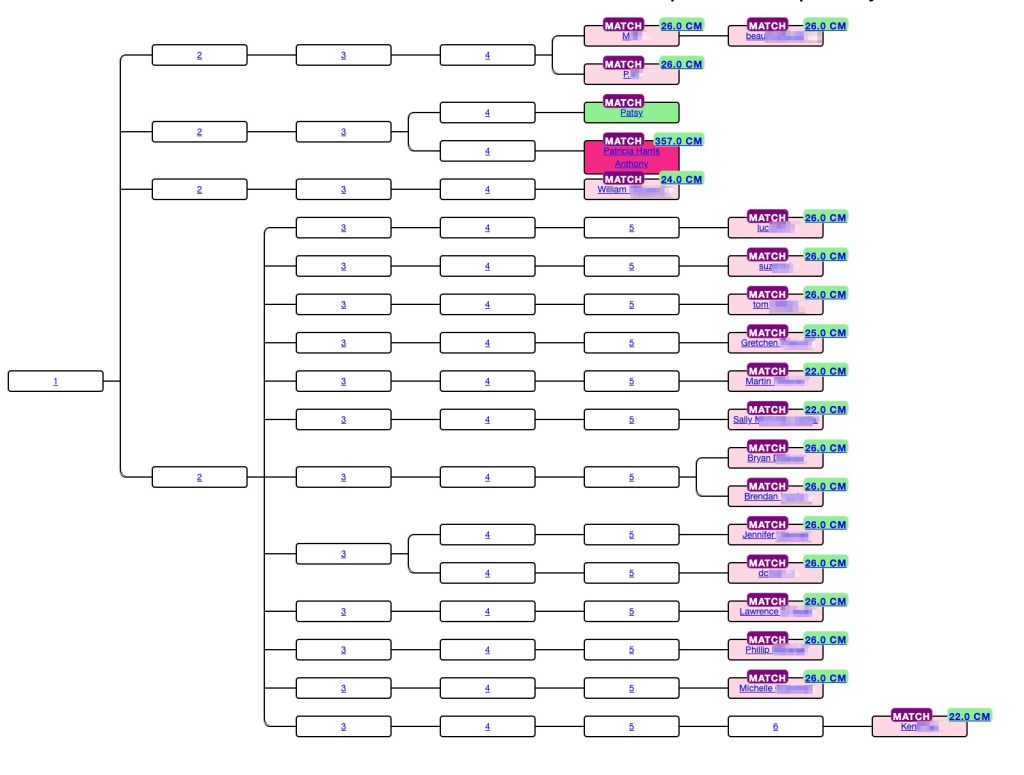
AutoKinship for the red cluster.
AutoKinship tree gives hints as to how matches can be related based on the amounts of shared DNA. At the top of the tree beau is listed as child of M, and M and P are listed as siblings. This is identical to what Ancestry said about these matches. But not every relationship is correct. Trish and I are second cousins, but we share a larger amount of DNA than would be expected compared to the average for second cousins, and we’re often miss assigned as first cousins or first cousins once removed. However, the AutoKinship tree can be used to get valuable hints for connections for the matches.
At the bottom of the page with the first AutoKinship tree is a matrix of the DNA matches used for the tree. This matrix can be downloading into Excel and saved.
Part of the DNA matrix for the red cluster.
In conclusion being able to organize you Ancestry ProTool matches into a probability tree and generate a matrix provides addition methods for viewing your shared matches.
Note that the current AutoKinship approach will be replaced with a more versatile version that will run directly in AutoLineage. This version will allow for using pre-determined relationships or integration of known trees into the reconstructed trees.
Patricia Harris Anthony, Trish, has given me permission to use her real name and her data.
When I saw that ancestry was showing how many centimorgans, cM, your matches share with other shared matches like 23andMe and MyHeritage have been doing all along, I decided I needed to purchase the Pro Tools. One of the things I’ve been doing is to look at close shared matches and see how much they share with other shared matches. Then I built a matrix of these of these data. This allowed me to determine where additional cousins fit into my family tree. In one example, there was a cousin that I knew was one my mother’s paternal side, but he had a fake name and no tree, so I couldn’t tell exactly where he fit. Seeing how much he shared with other known cousins provided the answer.
Jim Antley has a program that copies the shared matches from the Pro Tools. After viewing the page of shared matches select “Save Page As” from the ‘file’ menu on Chrome. Do not change the filename and save the file. Make sure that the little circle at the top right of Chrome has completed before leaving the tab, as shown in figure 1.
Figure 1. The little circle filling on the left, and after it has completed and the file is saved, on the right.
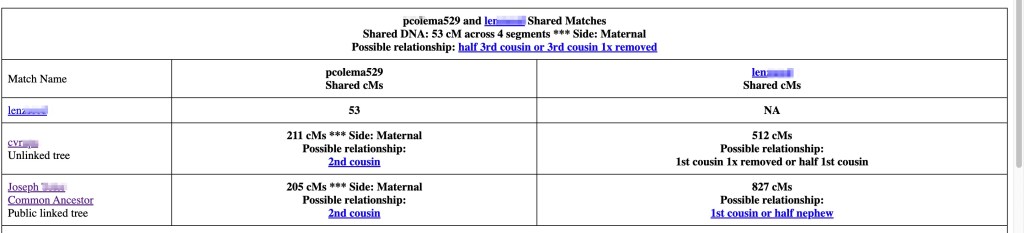
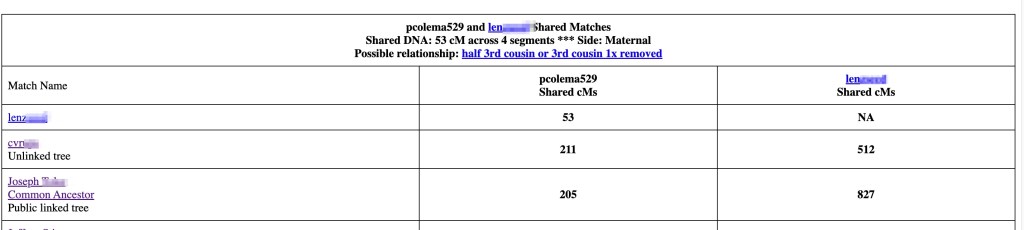
Next open “The Antley Method DNA Connections Display Tool” and choose the file that you just saved. Next ‘upload’ the file. When the page changed you can select various parameters if you want to limit the data. I have left all the defaults at this page. The resulting screen is displayed. There are two tables displayed. Figure 2 shows the beginning of the first chart that is at the top of the window. This is the list of shared matches for my cousin len and me. Len does not have a tree and I don’t know where he fits in my tree. Both cvr and Joseph are known cousins and in my tree. Being able to see how many centimorgans Len shares with them and the others in the table will allow me to place him in my tree.
The second table that is displayed in figure 3. This is the table that I use as I want to make a matrix with the matches relationship to each other as well as to me.
Figure 3. This table is shown below the one in figure 1. Scroll down the page to find it.
I ‘select all’ on the page, and then ‘copy’ it. Going to a new Excel file I ‘copy’ it. To avoid clicking on a link in error, while the data is all highlighted, I right click and select ‘Remove Hyperlinks’. Since I want the second table I scroll down the Excel file and either delete the top table or just work with the second table. The beginning of that Excel table is shown in figure 4.
Figure 4. The Excel file that I use.
I am interested in knowing about the trees and will add that data as a separate column, but I mainly want the cM values. To make it easy to get that information, I first turn off merge cells for columns B and C and then select columns A through C for the match name the shared cM for both myself and the other match, here that match would be Len. To turn off the merged cells I select columns B and C, then select ‘Format’ and ‘Cells’ and unclick ‘Merge’. Figure 5 shows the resulting file.
Figure 5. After turning off merged cells in columns B and C.
Now the match name and the cM that they share are on the same row. I select columns A through C for each match and then ‘copy’ and ‘paste’ to a new Excel file. Since I no longer need this Excel file I delete it. In the new Excel file I add a new row 1 and then copy the list of names in column A and paste them transposed in row 1 starting in column B. This gives me the beginning of the matrix. I add yellow color to the cells where each match would match themselves. Figure 6 shows the beginning to my matrix.
Figure 6. The beginning of the matrix.
I know that cvn and Joseph are my second cousins, 2C, and that Jeffrey is cvn’s son. Andrew is second cousins twice removed, 2C2R, and G.P. is second cousin once removed, 2C1R to me. An important clue here already is that the amount of DNA G.P. shares with len would be that of a nephew. After adding all of the matches I look specifically at the amount of DNA I share with each match. For amounts less than 90 cM, I use the unweighted amounts of DNA and I add the number of segments. The unweighted DNA amounts agree with the amounts of shared DNA on other sites. The matrix now is shown in figure 7.
Figure 7. The completed matrix to determine how len fits in my family tree.
Adding all this information I can see that len fits in my tree, as shown in figure 8. This tree was generated using AutoLineage and included DNA matches from several different testing sites. The 65 cM is on the low side for a second cousin, but not impossible. Len is first cousin to Joseph and to cvr and uncle to G.P. He is second cousin to me. Even though we only share 65 cM with 4 segments. Both the Shared cM project and SegcM list it as possible.
Figure 8. My maternal paternal family tree.
Third or Fourth Great Grandmother?
I decided to try another problem that I’d not been able to solve for years. My second great grandmother was Mary Aide, born in County Kilkenny, Ireland. I have DNA matches to Dawn and several others on the Aide line whose third great grandmother was Mary Kilfoil. Is Mary Kilfoil my Mary’ Aide’s mother or perhaps grandmother? Using the Pro Tools I was able to see how several other matches were related to Dawn and her sister, Sheri. Perhaps knowing how more DNA matches were related to me and to them would help this problem. I used the same process as I described above. I started building out my matrix with known matches who descended from Mary Kilfoil and adding the amounts I shared with them and the amounts they shared with each other to try to build out a more complete tree for her family. There are several parent – child matches. My daughter Jenn, Dawn’s son Ryan, and Kath’s daughter Abby show up as matches to several of the others.
Figure 9. Aide Matrix.
A couple days ago I saw a YouTube that Dana Leeds did on how she uses these Pro Tools. She has four steps when she reviews the shared matches; looking at trees, common ancestor hints, her notes and then looking at the highest match in the shared matches list. Dawn shared her tree with me years ago, and we’ve been trying to figure out the connection. Looking at common ancestors Dawn, Sheri, Kath, Ron, Dan, Matt, and Ryan all show Mary Kilfoil as common ancestor to me, and Through Lines show Mary Kilfoil as my third great grandmother. My notes all indicate that Mary Kilfoil is the common ancestor, and the highest match to Dawn is her sister Sheri.
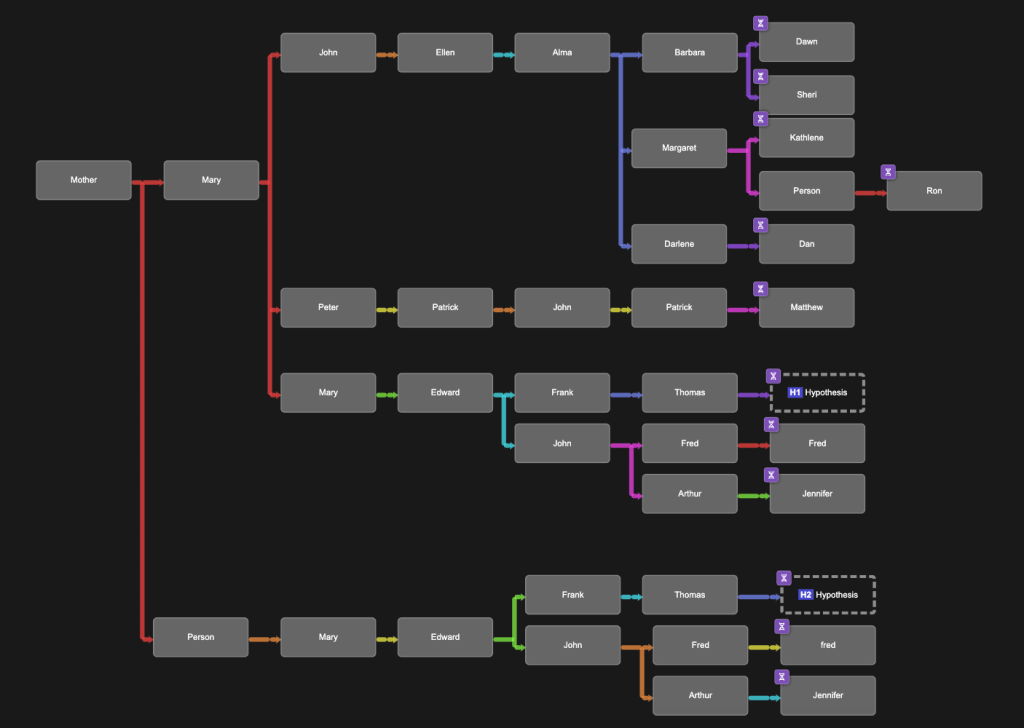
If Mary Kilfoil is my third great grandmother Dawn, Sheri, Kath, Dan and Matt would be my fourth cousins (4C) and Abby and Ryan would be fourth cousins once removed (4C1R). Conversely is Mary Kilfoil is my fourth great grandmother they would be 5C and 5C1R. From either the Shared cM Project or SegcM it’s not obvious which is the case. Next I put the data into BanyanDNA, see figure 10, setting it up so that I was the hypotheses. Two my of second cousins who also descend from Mary Aide have done DNA tests but not at Ancestry. Jennie tested at FamilyTreeDNA and Fred at 23andMe.
Figure 10. BanyanDNA tree.
Hypothesis 1 would have Mary Kilfoil as my third great grandmother and hypothesis 2 would say that she is my fourth great grandmother. The results are shown in figure 11.
Figure 11. Hypotheses results.
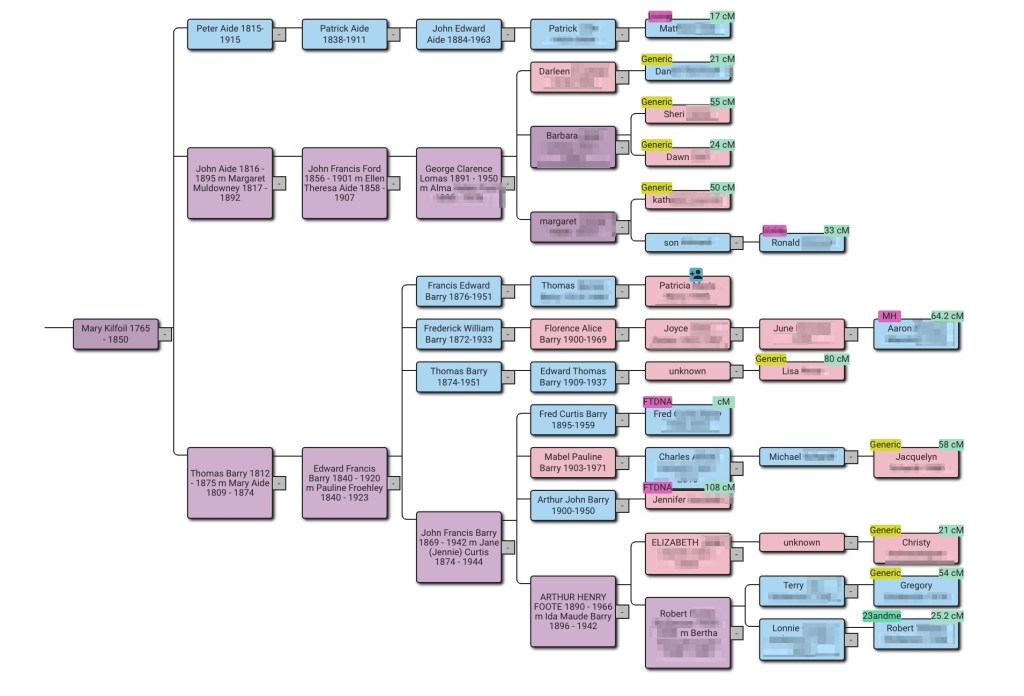
Now that I know where Mary Kilfoil is in my family tree I added her to my tree on Genetic Affairs AutoLineage as well. Then I ran ‘Find Common Ancestors.’ Figure 12 shows my new reconstructed family tree which includes additional DNA matches of mine from other sites. Details of using AutoLineage can be found at my earlier blog post.
Figure 12. AutoLineage Reconstructed family tree for my Barry and Aide side.
Conclusion
I have a number of other matches where I’m not quite sure where the match fits in my family tree. From these two examples it appears that using the new Pro Tools to see shared DNA matches will be very helpful. Now on to more complicated matches and finding new cousins!
If you have questions about how to get the most from Ancestry Pro Tools or any of your DNA results contact me at: info@patriciacolemangenealogy.com
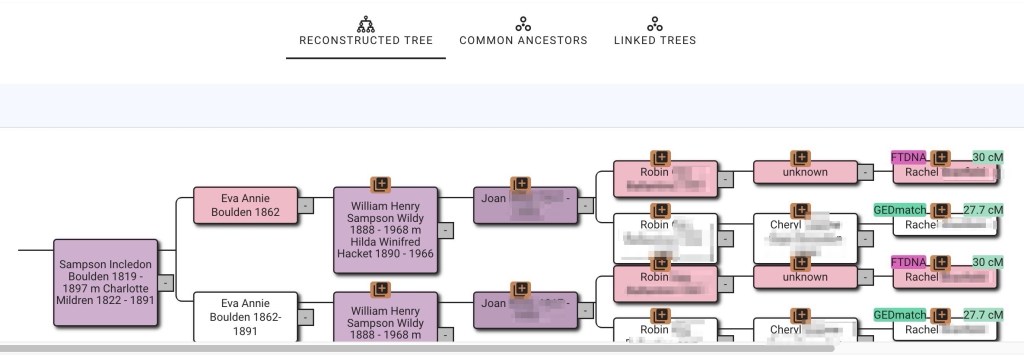
I like to have pretty trees when I run ‘Find Common Ancestors’ on AutoLineage. But sometimes they turn out very messy. This blog will describe why that happens and how to fix it. The most common occurrence is when a match has more than one tree. I know that my second cousin (2C) Trish has tested at all the various sites, so I would only add her tree once to AutoLineage. The problem occurs when there is an unknown match that is on more than one site, and I add her tree from each of the sites. It also occurs if the trees from GEDmatch AutoKinship and FTDNA AutoCluster/AutoTree are both used in the analysis. This is what happened with Rachel’s two trees as shown in figure 1. The brown square over the names in the trees indicate the same person occurring more than once in this reconstructed tree. Most of the time you won’t know that you have more than one tree for a match until you run Find Common Ancestors, but then it becomes obvious.
Figure 1. Rachel is on FTDNA and GEDmatch and has trees on both sites.
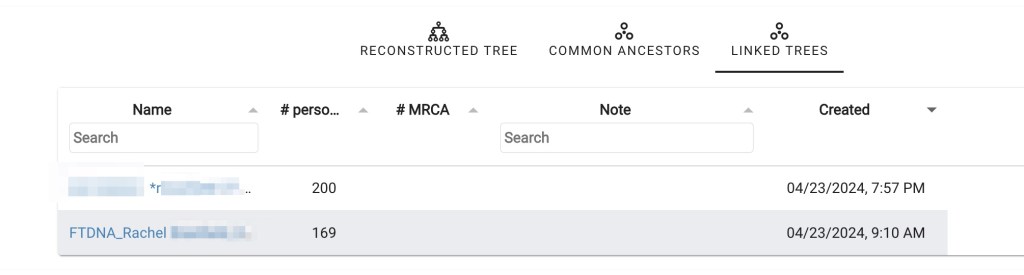
This type of problem is easily fixed by removing one of the two trees and then linking the DNA from both GEDmatch and FTDNA to the same tree for Rachel. Next I look at the linked trees, figure 2, to see which has the more people in it. Since I’m trying to make family connections and don’t know how many generations back this might occur, the larger tree has a better chance of giving the connection.
Figure 2. The linked trees for Rachel.
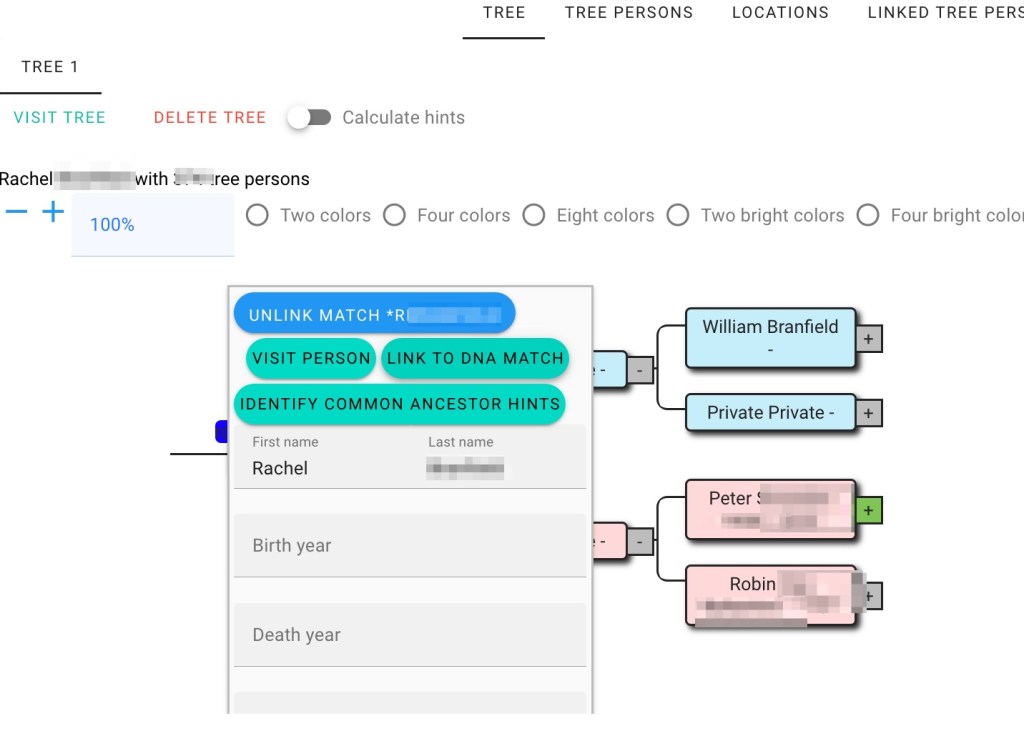
The GEDmatch tree has more people, so I will keep that one and delete the FTDNA smaller tree. Clicking on Rachel’s name, as shown in figure 3, and then on ‘link to DNA match’ brings up the Link tree person to DNA match wizard, shown in figure 4. Next I connect Rachel’s DNA from FTDNA to her GEDmatch tree.
Figure 3. Linking Rachel’s tree to DNA match.Figure 4. Connecting Rachel’s DNA from FTDNA to her GEDmatch tree.
Then looking at Rachel’s tree I can see that DNA from both sources have been attached.
Figure 5. Rachel’s tree showing DNA from both GEDmatch and FTDNA have been connected.
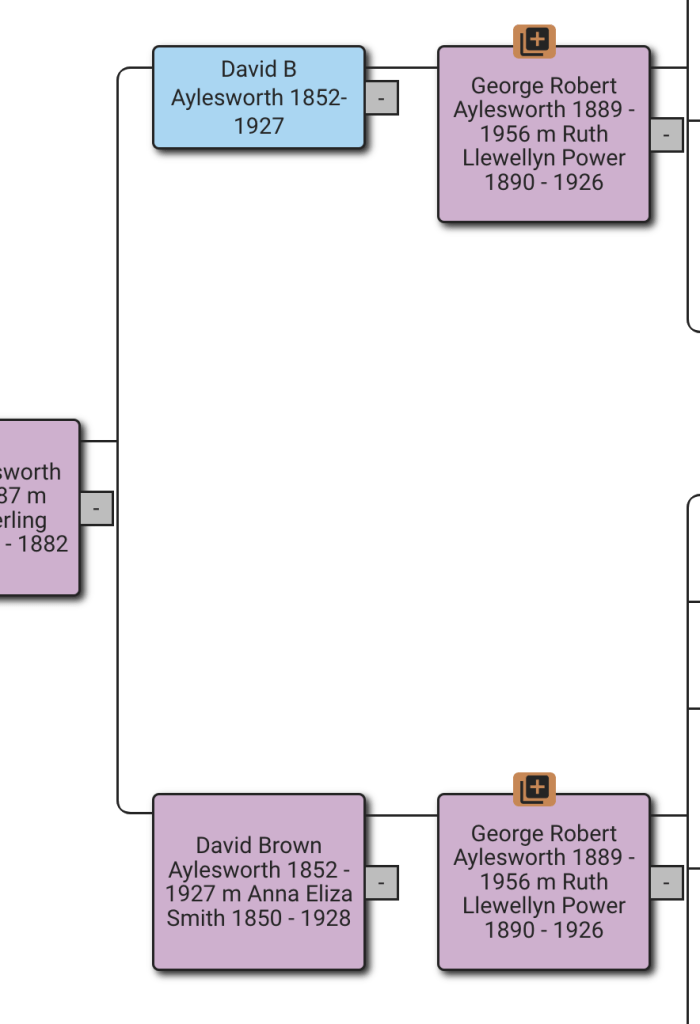
Other reasons for brown squares are differences in the trees. For example, one tree has middle name and another tree has middle initial. Here David B Aylesworth 1852-1927 is in one match’s tree but his middle name, Brown, is in a group of trees from other matches. By editing the tree with only the initial and adding Brown as his middle name, it becomes clear that both David’s are the same person and they will be combined.
Figure 6. One match has middle name listed and the other match used middle initial.
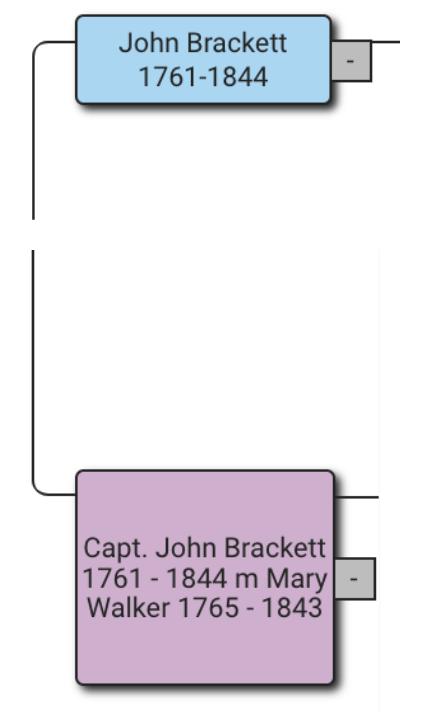
Figure 7 shows another case of different names. In the blue box John Brackett is an individual person who comes from one of the trees. In the purple box Captain John Brackett is not an individual but a group who is in several trees. It’s clear from the rest of the tree that they are the same person. Another method for connecting the individual tree person, John, to the common ancestor group Captain John is to use the Common Ancestor tool.
Figure 7. John Brackett and Capt. John Brackett.
Clicking on John Brackett brings up his Tree Person, as shown in figure 8. At the bottom of the Tree Person is a link to connect him to Common Ancestor which brings up the Common Ancestor wizard shown in figure 9.
Figure 8. John Brackett’s Tree Person.Figure 9. Wizard to link tree person to common ancestor.
After putting in John Bracket’s name, the list of potential common ancestors appears. Clicking on the correct one brings up a list on the right, shown in figure 10 showing the existing common ancestors.
Figure 10. List of Captain John Brackett common ancestors.
Clicking save will add John Brackett into the common ancestor group with Captain John Brackett. Now the reconstructed tree will show the tree branch that John Brackett was in as part of the group to Captain John Brackett. Editing the tree and changing David B to David Brown is a permanent change to the tree. Using the Common Ancestor wizard is only valid until common ancestors are deleted and ‘Find Common Ancestors’ is run again.
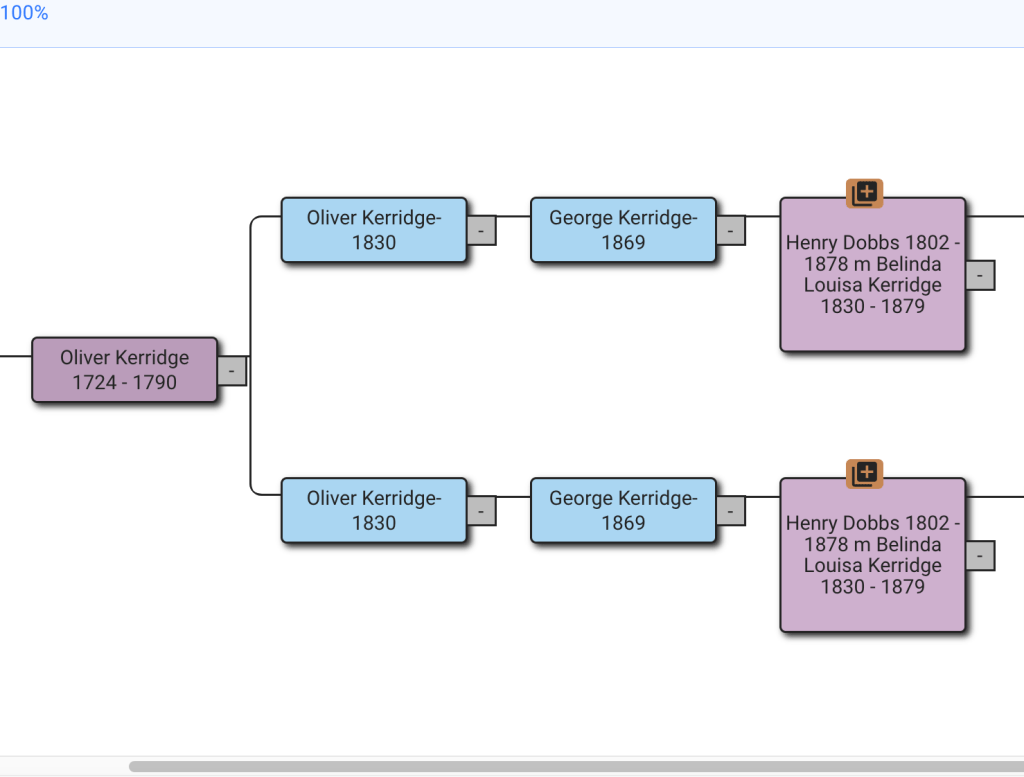
Missing dates will also cause this problem. in the example in figure 11 it’s obvious that both Oliver born 1830 and George born 1869 would now be deceased. What I’ve done if the tree is a match’s and I don’t yet know how my family connects to that match, is to set the death date one hundred years after their birth date. I also add a note to the match stating that it’s a fake death date. Alternatively I could research for the death dates for Oliver and George and will definitely do so if this family connects to my tree.
Figure 11. Missing death dates.
Some trees have several problems in them. In figure 12 Henry Washington Owen, 1836-1904 has full name and both dates, but Henry W Owen is missing middle name and dates. Adding middle names and dates will fix this duplication, but there might still be other problems.
Figure 12. Henry Washington Owen missing middle name and dates in one match’s tree.
That additional problem is shown in figure 13. Henry Washington Owen is listed without his wife in one tree and with her in another. Since the descendants of Henry and those of Henry and Rachel are shown duplicated, it’s clear that Rachel needs to be listed in the tree at the top that doesn’t have her.
Figure 13. Missing spouse causes duplication in the tree.
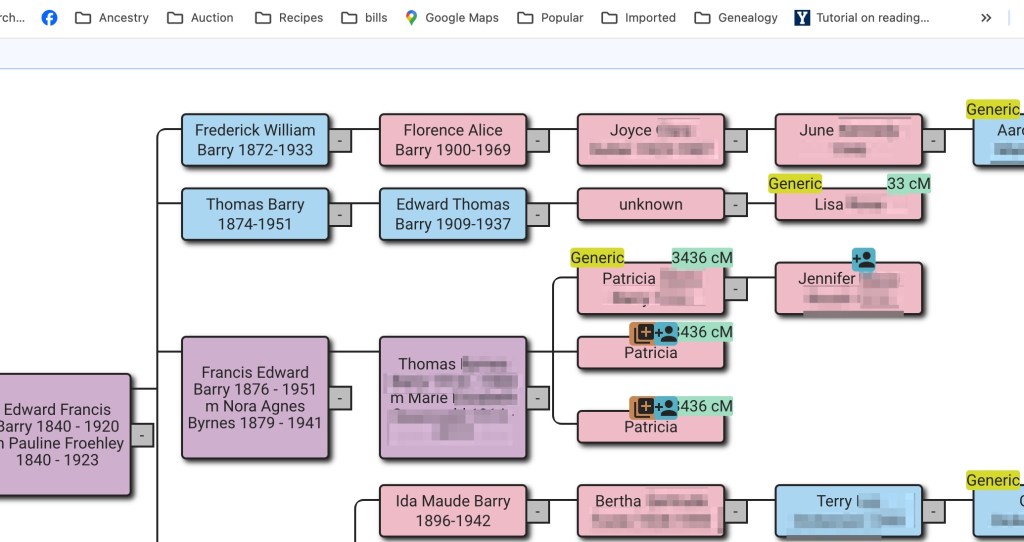
Perhaps not obvious that this would be a problem, but having a tree for both parent and child, when both have done DNA testing results in brown squares. Figure 14 is my family. Jennifer is my daughter. To solve this one, I remove my tree when I’m working on her DNA matches.
Figure 14. Parent and child both took DNA tests and have trees.
I’ve seen several trees where extra characters or notes have been added. These, of course, do not match up with other people’s trees and need to be edited out. Here the tree owner has added * and 2x to their second great grandparents, as well as to all of their great grandparents. These extra characters had to be edited out of the tree so it would be like the other trees.
Figure 15. Tree with extra characters added to it.
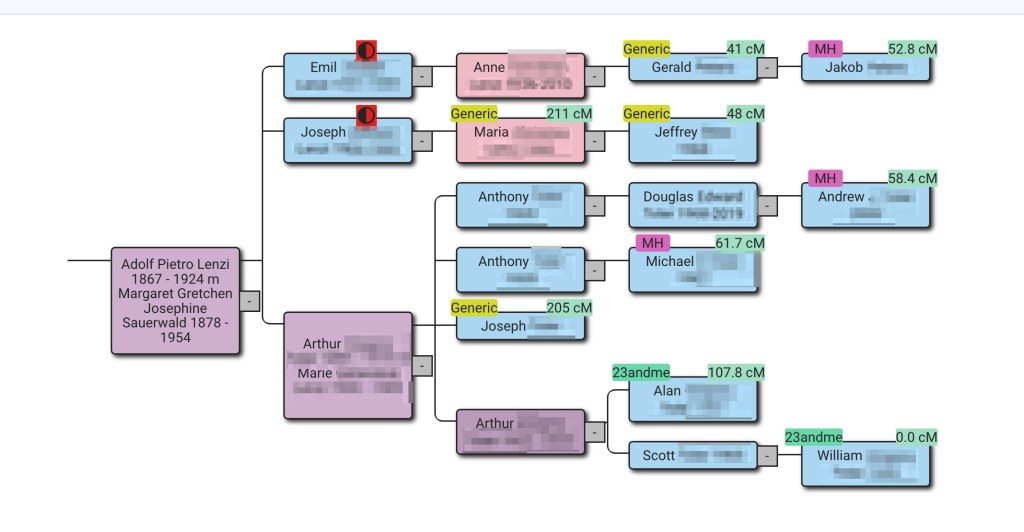
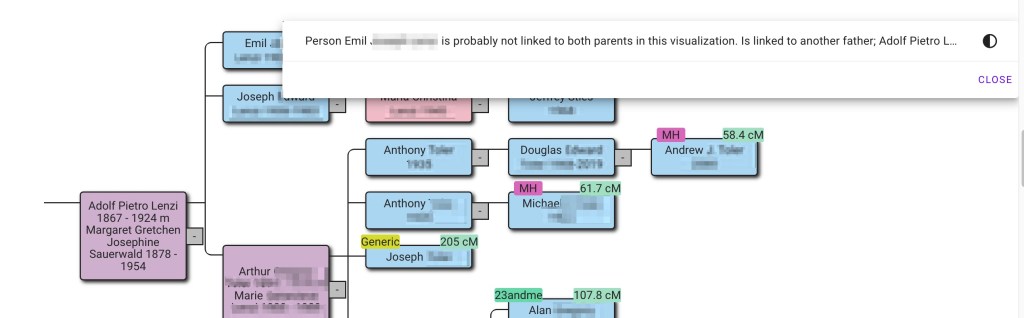
Some errors are difficult to find and take a lot of searching. The tree in figure 16 shows my grandfather’s sister, Margaret, and her husband. I know that Emil, Joseph and Arthur were full brothers. The red circle indicates a different mother or father, as shown in figure 17.
Figure 16. My great aunt’s family.Figure 17. Explaining the red circle.
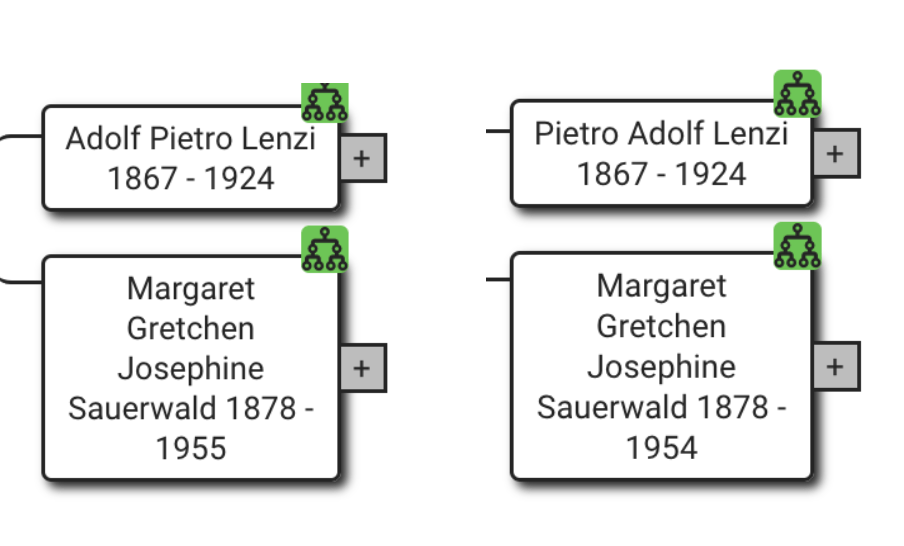
This one took looking at each tree to Margaret and her husband, Adolf in detail. In one tree there was Adolf Pietro and in the other tree it has Pietro Adolf, as shown in figure 18.
Figure 18. Reversal of first and middle names.
Since this was my family I had several records that indicated his name was Pietro Adolf, and he went by Peter in the United States. I was able to edit the trees so that they all listed him as Pietro Adolf.
One of the most difficult trees for finding the problem is shown in figure 19.
Figure 19. Another tree with problems.
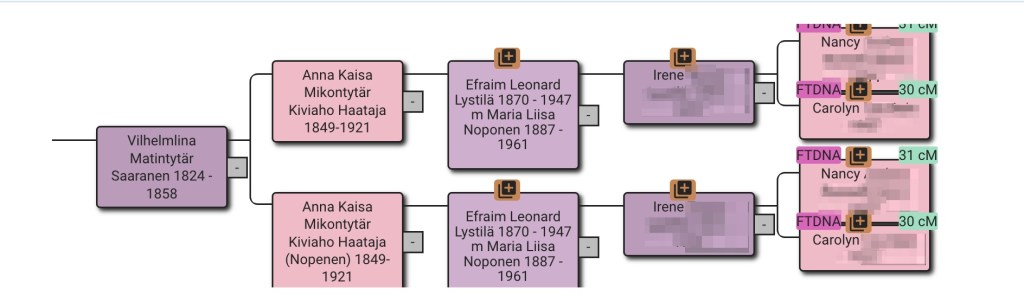
Looking at the great grandmother, Anna Kaisa MIkontytär Kiviahbi Haataja, the lower tree has an extra name, Nopenen, which appears to be the married name. I’ve circled it in figure 20.
Figure 20. Extra name in the lower tree.
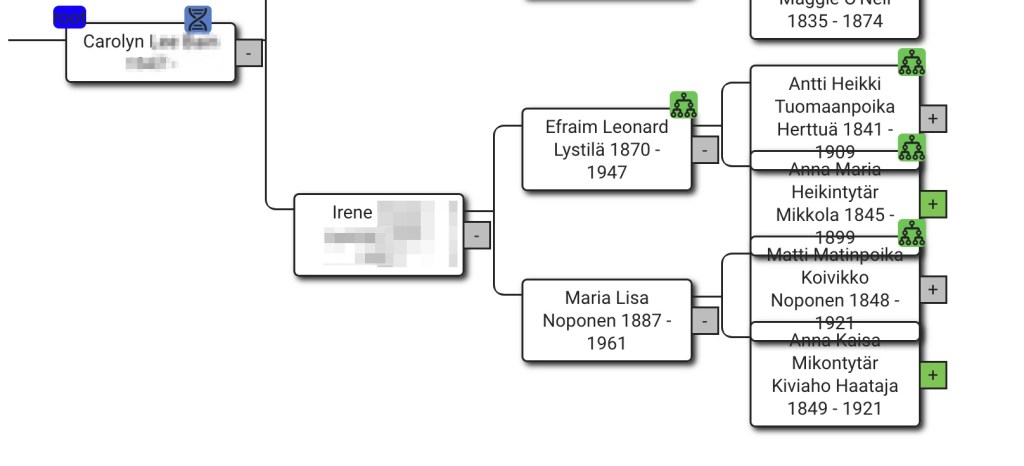
Viewing the trees here for Carolyn and Nancy it’s Carolyn’s tree that has the extra name. I edited Nopenen out of Anna’s listed and saved the tree. Then reran Find common ancestors. But, as shown in figure 21, there’s still a problem.
Figure 21. Still something is wrong.
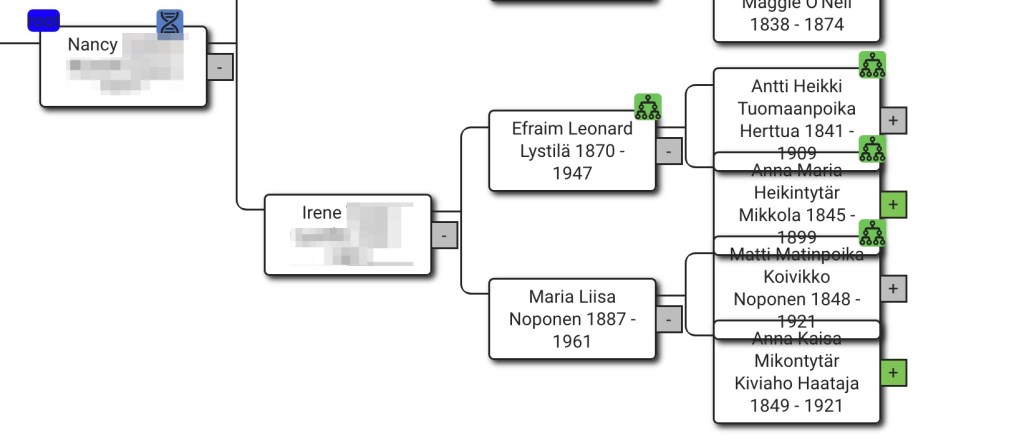
The dates all match. Next the two trees will have be examined item by item. Carolyn’s tree is in figure 22 and Nancy’s in figure 23.
If you look closely at Maria Lisa Noponen’s name, Nancy’s tree has Liisa with an extra i in the name. That could be the problem! But there’s still a problem after fixing Lisa’s name.
Figure 24. Something is still wrong.
There still seems to be a problem with Efraim and Maria Lisa. At first glance the names and dates look identical. However, it comes down to how Nancy and Carolyn entered Maria’s name into AutoLineage. Carolyn’s naming of Maria is in figure 25 and Nancy’s is in figure 26.
Figure 25. How Carolyn named Maria.Figure 26. How Nancy named Maria.
Whether Kiviaho should be a middle name or part of her last name, I do not know. But having them listed differently in Carolyn and Nancy’s trees was causing a problem. After changing Nancy’s tree to make Kiviaho part of Anna’s middle name, which agreed with Carolyn’s tree, there’s finally a nice, clean tree showing that Nancy and Carolyn are sisters.
Figure 27. Fixed tree.
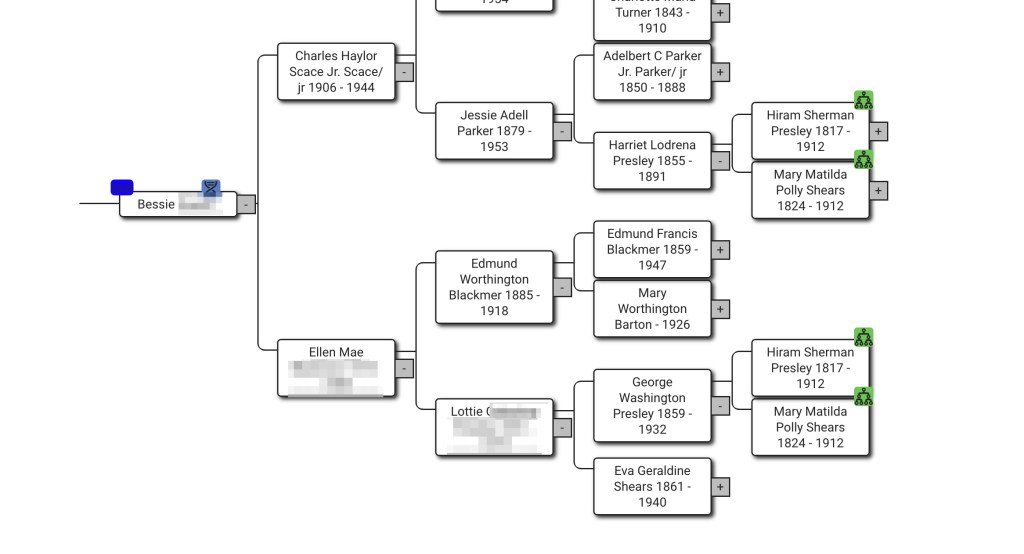
Most of the time those brown squares indicate some sort of difference between two trees so why would they show up when there is a single match and only one tree, like in figure 28?
Figure 28. Bessie’s reconstructed tree.
Expanding Bessie’s tree, as shown in figure 29, shows that one set of her second great grandparents are both on her maternal and paternal sides. The tree is correct. Since I’ve found what is causing the brown squares I made a note on the tree that one set of second great grandparents occurs twice. That way when I see this tree again I know that it’s not an error.
Figure 29. Great grandparents occurred in more than one family.
Conclusion
To conclude, there are two options available to fix the problems of names from different trees not matching as described in this blog post. First, by fixing the underlying data and re-running the common ancestor identification. This approach is the most sustainable, because the common ancestors will remain improved even after deleting and rerunning the analysis. Make sure to backup the modified tree in case you need to re-import it. The second approach is more quick, by directly linking a missing tree person to the common ancestor it is missing from. The downside of this approach is that after deleting the common ancestor, the link needs to be re-established because the underlying tree person remains the same.
This week of the 52 ancestors in 52 weeks the keyword is preserves. There could be lot of meanings to preserve. When I first read this I thought not of saving records, but of my mother making preserves with various fruits in the summer. She made peach and pear preserves every summer. When I was first married, I lived in California, and we could get bushels of fruit very easily. Since I had large quantities of fruit, I asked Mom for her preserves recipe. The next letter from her included the recipe. Now I don’t remember the exact details as to how much sugar to how much fruit. But it was some pounds of sugar to some other pounds of fruit. And the rest of the recipe said, “you know what to do.” Well, I guess I never looked that closely at how she made preserves. I knew to put the fruit in the pot and add the sugar on top. Not to stir it while it was heating so that the sugar didn’t get to the bottom of the pan and burn. Once the fruit was bubbling then it was safe to stir it. The missing piece was what to do next. It stayed pretty liquid, so, I kept heating it. It got to be bedtime, I turned off the stove and went to bed. The next day this stuff in the pan was a solid rock! I don’t remember if I tried to clean the pan or just threw it all out. That was went I discovered powdered pectin that was added to the fruit before starting to heat it. And I never went back to making preserves without pectin!


























































 Patricia Coleman Genealogy LLC
